How to Post Links on LinkedIn: The 2026 Scaled Guide

The most repeated advice about LinkedIn links is also the most outdated: “never put the link in the post.”
That used to be a reasonable defensive rule. It is not a reliable operating rule anymore, especially for B2B teams that care about traffic, attribution, and repeatable outreach. If you are still treating every external link like a reach killer, you are optimizing for a version of LinkedIn that no longer behaves the same way.
The practical question is no longer whether you should post links on LinkedIn. The key question is which link format fits the goal, which account setup can support the volume, and how to publish in a way that looks useful instead of promotional. For a founder posting once a week, the answer may be simple. For an SDR team, a demand-gen agency, or a recruiter running multiple profiles, the answer needs to be operational.
The New Rules of Posting Links on LinkedIn
For years, people trained themselves to hide links in comments, strip previews, or avoid outbound traffic completely. That habit came from an older version of the feed. LinkedIn historically did suppress outbound content, and anyone who posted links heavily around that period saw the effect.
That is why the current shift matters.
According to LinkedIn's 2025 Study covered by PR Daily, posts containing external links achieved 4.9% higher impressions and 13.5% higher interactions compared to other post formats. The same analysis notes that links comprised 30% of all posts analyzed, based on millions of LinkedIn posts.
Context beats superstition
The old myth said the link itself was the problem. The better reading now is that low-context posts are the problem.
A raw URL at the top of a post still looks lazy. A strong post that teaches something, frames a pain point, and then gives readers a useful next step behaves differently. LinkedIn appears to reward substance around the link, not punish the mere presence of one.
That changes how to post links on LinkedIn in practice:
- Lead with value: Give the reader a reason to care before asking for the click.
- Use the full URL: Let LinkedIn generate the preview card automatically.
- Frame the click: Tell people what they will get on the other side.
- Track the traffic: Add UTM parameters so your team can tie posts to sessions and conversions in Google Analytics.
Practical takeaway: A link is not a shortcut for weak content. It works best when the post can stand on its own even if nobody clicks.
What this means for B2B teams
For individual creators, this shift makes posting simpler. For B2B teams, it changes planning.
You can now treat direct-link posts as part of a real distribution system. A sales leader can share a playbook. A recruiter can point to a hiring page. A demand-gen team can route traffic to webinars, landing pages, or case studies without relying on workarounds every time.
That does not mean every post should include a link. It means the blanket rule against direct links no longer makes sense.
The new rule is sharper: post links when the destination adds value and the post earns the click.
Mastering Link Sharing Directly in the LinkedIn Feed
Direct link posts work best when they read like a useful mini-article, not an announcement. Most underperforming LinkedIn link posts fail before the link even appears. They ask for a click before they have created any interest.
The strongest feed posts usually do one thing well. They make the reader feel that the linked resource is the logical next step.
The direct posting workflow
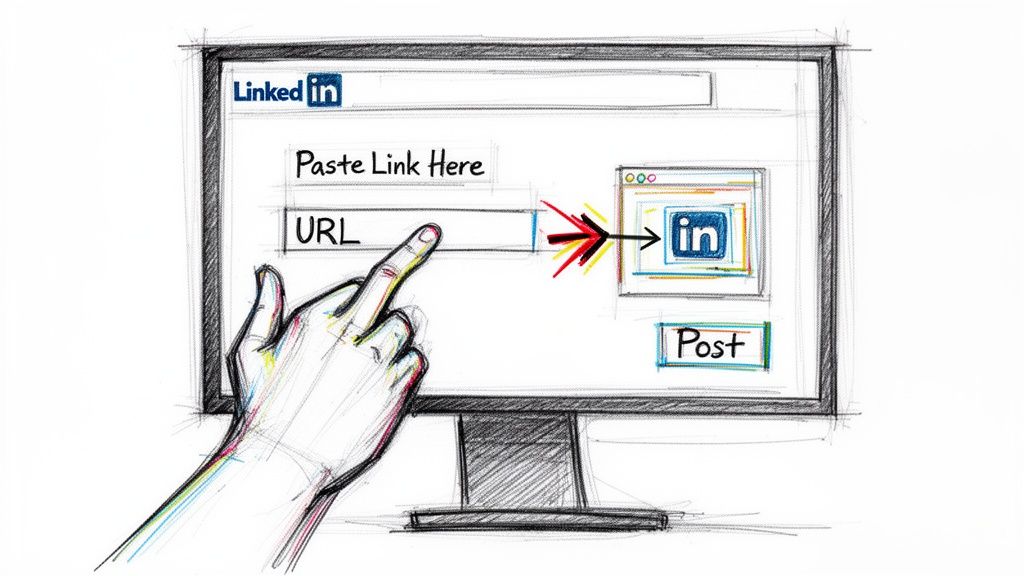
A reliable process for how to post links on LinkedIn looks like this:
- Go to LinkedIn Home and click Start a post.
- Write the body first. The useful range for this format is 200 to 400 words, based on the step-by-step guidance summarized in HyperClapper’s January 2025 analysis.
- Paste the full URL after the value proposition, not as the opening line.
- Wait for LinkedIn to generate the preview card. The same analysis notes this usually appears in 5 to 10 seconds.
- Decide whether to keep or remove the visible raw URL after the preview loads.
- Add a plain-English sentence that explains the benefit of clicking.
That same source says direct link insertion remains viable and reports that LinkedIn now favors links embedded in substantive content, with reach penalties reduced by up to 40% compared to 2023 baselines when previews are visually compelling. It also reports 15% to 25% CTR for mid-positioned links in sales posts versus 5% to 8% for end-placed links, and says images above 1200x630px yielded 2.5x higher CTRs in its analysis.
What the preview card does
The preview is not decoration. It is part of the conversion path.
LinkedIn pulls in the page’s Open Graph title, meta description, and featured image. If that preview looks sloppy, generic, or cut off, you lose trust before anyone visits the page. If it looks clear and relevant, the post feels more intentional.
Use pages with:
- A clear headline: Match the promise in the post.
- A strong featured image: Avoid tiny logos or cluttered graphics.
- A sensible meta description: Give the reader a concrete expectation.
If your team publishes content regularly, it is worth standardizing page previews before you scale posting. This is one of the easiest ways to improve click quality without changing the copy.
If you also want stronger body copy, review practical examples of how to write a good post on LinkedIn.
Placement and framing matter
Where you place the link changes how the post feels.
A link dropped at the end often reads like an afterthought. A link placed right after the core lesson feels more natural because the reader has already received value and is ready for the next step.
Common framing that works better than generic prompts:
- Resource framing: “We use this checklist in outreach reviews.”
- Access framing: “The full template is here.”
- Continuation framing: “If you want the complete workflow, it’s in the guide.”
What usually performs worse is vague language. HyperClapper’s analysis reports that leading with naked URLs can cut CTR sharply, and it also notes that posts with 3 or more contextual mentions of link benefits achieved 28% higher impressions in major US and EU markets.
Here is the key rule: make the click feel earned, not extracted.
A useful walkthrough is below if you want to see the posting flow in action.
Tip: If you cannot explain the benefit of the linked page in one sentence, the problem is usually the offer, not the LinkedIn post.
The Link in Comments Strategy for Maximum Reach
Direct links are not the answer to everything. Sometimes you want the broadest possible visibility on the main post, and the traffic can come second. That is where the comments method still earns its place.
It is not a superstition. It is a format choice.
When comments beat direct links
The comments approach works best when the post itself needs to travel widely before you introduce the outbound click.
According to Ligosocial’s 2025 guide, the method is:
- Publish a link-free post of 300 to 500 words with a teaser.
- Add your own comment immediately with the contextualized URL.
- Pin the comment or note “Link in #1 comment” in the body.
- Engage top comments within 60 minutes.
That source reports the strategy can boost visibility by up to 30% over direct links and cites tests showing 2 to 3 times the impressions. It also reports 22% CTR in B2B demand-gen vs. 9% direct from aggregated 2025 benchmarks.
Direct post versus comment post
Use this simple decision table.
| Goal | Better choice | Why |
|---|---|---|
| Drive immediate traffic | Direct link in post | The destination is visible right away |
| Maximize feed reach | Link in comments | The main post stays link-free |
| Spark discussion first | Link in comments | Readers engage before leaving LinkedIn |
| Share a high-intent asset | Either can work | The offer quality matters more than the mechanic |
The comment itself needs to sell the click
Many teams get this wrong. They write “Link here” and expect the audience to do the work.
Ligosocial reports that vague comments can cut CTR by 50%. The comment should read like a continuation of the post, not a technical placeholder. Give the reader a reason to open it.
Good comment structure:
- Start with the asset name: “Here’s the outbound messaging template…”
- Clarify the benefit: Explain what problem it helps solve.
- Use the full URL: Keep it obvious and clickable.
- Stay active early: The source notes that 70% of clicks happen in the first 24 hours.
Key takeaway: A comment link only works if the original post creates demand and the comment answers it clearly.
Strong use cases for teams
This method is especially useful for campaign posts, founder-led thought leadership, and teaser content around gated assets. It also works well when you want people to comment first, then follow up.
Ligosocial also describes two advanced variations. One is Tease-Then-Deliver, where Post 1 collects comments such as “GUIDE,” followed by a linked Post 2 24 to 48 hours later. The source says this sequence produced 45% higher engagement. The other is a 4-post sequencing arc, which it says can lift series reach by 35%.
If your team is posting from multiple profiles, the comments method gives you a strong reach lever without making every post look like a traffic push.
Sharing Links Across All of LinkedIn's Surfaces
The feed gets most of the attention, but it is not the only place where links do useful work. Teams that understand how to post links on LinkedIn usually stop thinking only in terms of public posts. They build link paths across messages, pages, events, and long-form content.
The rule changes by surface. Public feed posts need broad appeal. DMs need relevance. Company pages need consistency. Event pages need clarity.
LinkedIn Articles
Articles work well when you want a longer shelf life than a regular post.
Use them when you need to explain a framework, publish a deep dive, or create something your sales team can reuse. Articles also give you more room to place links naturally inside a fuller argument.
A practical pattern:
- Open with a sharp problem statement.
- Teach one useful idea in detail.
- Add links only where they extend the explanation.
- End with a next step that points to a landing page, booking page, or resource center.
Do not stuff articles with multiple destinations. One primary destination is easier to support.
Direct messages
DMs are where links become either helpful or annoying.
A message with a link can work if the recipient already has context. It usually fails when the link arrives before a real reason. Good LinkedIn messaging feels like a continuation of a relevant interaction, not a pasted pitch.
Copy you can adapt:
After a comment on your post
“Appreciate your comment on the post. You mentioned this was relevant to your team, so I’m sending the resource I referenced. If useful, happy to share the version we use internally too.”
After a connection acceptance
“Thanks for connecting. I noticed you work in a similar motion, so I thought this guide might be relevant. No need to reply if the timing is off.”
After an event signup or webinar interaction
“Glad you joined. Here’s the resource mentioned during the session. It’s the easiest place to start if you want the template version.”
If you are coordinating this across reps, scheduling and sequence discipline matter. This guide on whether you can schedule LinkedIn messages is useful for planning message workflows around link delivery.
Company pages and showcase pages
Company pages are not the best place for cold distribution, but they are useful for consistency and brand proof.
Use them to:
- Publish product updates with a single next step
- Share hiring pages
- Promote webinars or event registrations
- Reshare founder or team content that already has traction
Keep expectations realistic. A company page link post often works best when employees amplify it from personal profiles.
Event pages and registrations
LinkedIn Events are often underused as link surfaces.
Put the link where it reduces friction. If people need an agenda, prep guide, or follow-up resource, include it in the event description or post-event message. Match the destination to the stage of intent. Registration pages suit pre-event traffic. Slides, templates, and recap pages suit post-event follow-up.
One principle holds across every surface: the tighter the context, the less resistance the link creates.
The Safety Playbook for High-Volume Link Outreach
Most articles about LinkedIn links stop at post formatting. That is fine for occasional posting. It is not enough for teams operating at scale.
If you are running outreach across multiple reps, client accounts, or recruiting seats, the primary constraint is not creativity. It is account durability. The account is the asset. If the asset is weak, every link strategy becomes fragile.
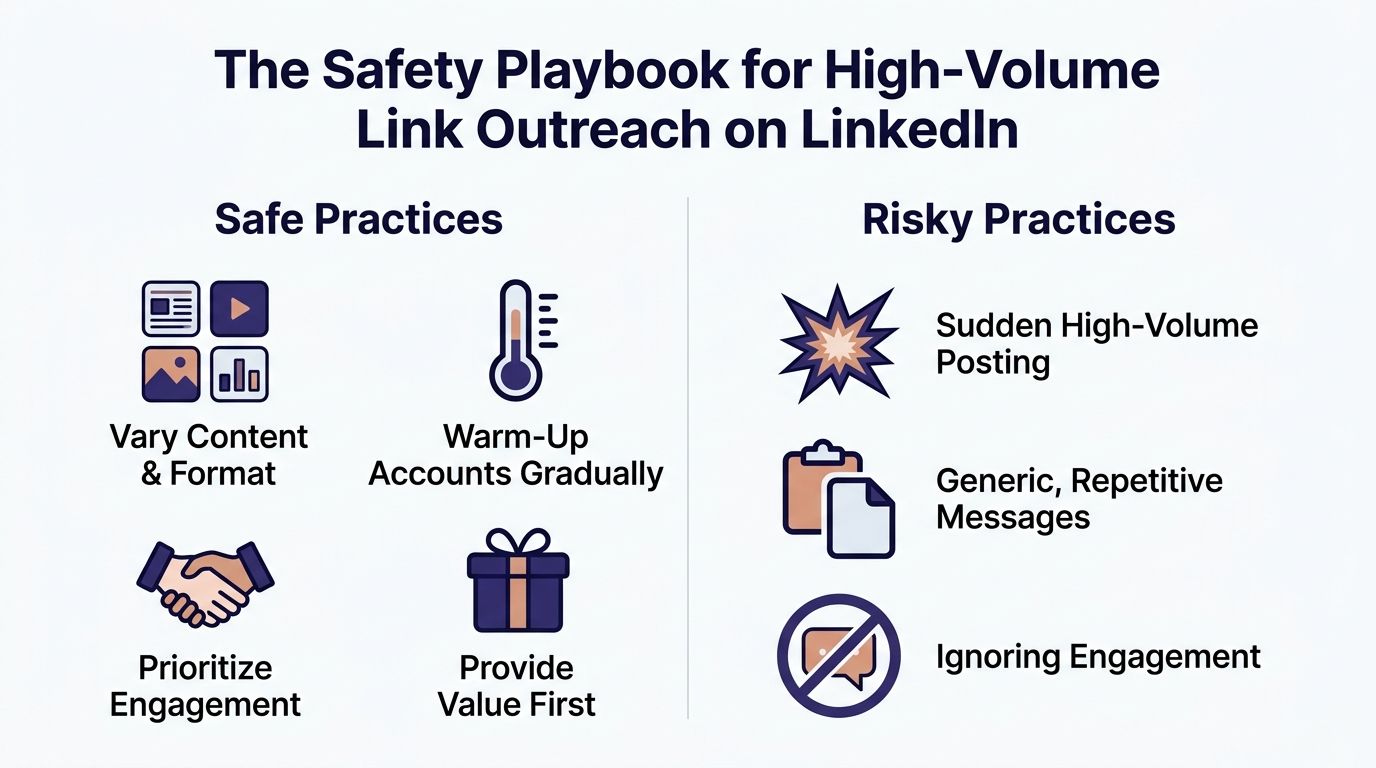
Why most link advice breaks at scale
The usual advice assumes one person, one profile, low posting volume, and no automation.
That is not how many B2B teams operate. Agencies rotate campaigns. SDR teams test hooks across profiles. Recruiters juggle searches. Growth marketers connect posting with tools like Expandi, Dripify, Waalaxy, PhantomBuster, or LinkedHelper.
According to MobiloCard’s analysis of LinkedIn link posting, most guides neglect multi-account management even though newer profiles face severe posting limits and link-sharing flags. That analysis says standard new profiles may be limited to 1 to 3 posts per day initially, and reports 40% to 60% ban rates on unaged accounts attempting more than 5 link posts per week. It also says pre-verified, warmed-up accounts aged 6 or more months with 200 to 500 connections can support 20 to 50 daily posts with 95% deliverability.
That gap explains why teams often think “LinkedIn link posting doesn’t work” when the core issue is that the account setup is weak.
Safe habits versus risky habits
Here is the operational difference.
| Safe practice | Risky practice |
|---|---|
| Vary post copy and format | Repeat the same template everywhere |
| Warm accounts gradually | Push volume from day one |
| Mix engagement with posting | Only drop links |
| Use relevant destinations | Point every post to the same offer |
| Track account behavior by profile | Treat all seats the same |
LinkedIn watches patterns. Repetition creates patterns fast. If several accounts post nearly identical copy to similar destinations on the same schedule, the campaign starts to look synthetic.
What a safer scaled setup looks like
A safer system usually includes a few basics:
- Aged accounts: Older profiles tend to behave more predictably than fresh ones.
- Real connections: Accounts with an existing network look less empty and less suspicious.
- Warm-up behavior: Posting, browsing, commenting, and messaging should not appear out of nowhere.
- Separated environments: Teams often use dedicated browser profiles and stable operating habits per account.
- Tool discipline: Automation should support human-looking sequences, not replace judgment.
If you are building that kind of infrastructure, this guide to safe LinkedIn account management is a practical companion.
Tip: High-volume outreach fails before it fails visibly. Distribution softens, restrictions appear, and only then does the team notice the account problem.
The ROI view many teams overlook
When people compare posting methods, they focus on whether direct links or comment links perform better. At scale, that is only part of the equation.
The bigger question is whether your posting system survives long enough to gather useful data. MobiloCard’s analysis argues that durable, warmed profiles compatible with tools like Expandi and Dripify create a much stronger base for high-volume campaigns, and reports 10x volume without bans plus 70% higher campaign ROI for verified multi-account strategies vs. personal profiles since Q1 2025.
You do not need to agree with every aggressive scaling claim to accept the core lesson. Infrastructure changes outcomes.
A polished post on a fragile account is still fragile. A solid posting system on durable accounts gives you room to test, learn, and compound.
Quick Answers to Common LinkedIn Link Questions
How do I fix a broken link preview
If LinkedIn pulls the wrong title, description, or image, the problem is usually on the page metadata or in LinkedIn’s cached version of it.
Start by checking the page itself. Make sure the Open Graph title, description, and featured image are correct. Then refresh the preview with LinkedIn’s Post Inspector tool. If the page was updated recently, the old preview may still be cached.
Should I use link shorteners
Use them carefully.
Shorteners can clean up ugly URLs, but they also hide the destination. On LinkedIn, visible trust matters. If the destination is credible and the URL is not messy, a full link often feels safer. If you need tracking, many teams prefer clean UTM-tagged URLs over heavily shortened links.
How many links should I include in one post
Usually one primary link is enough.
Multiple destinations split attention. In B2B outreach, clarity beats optionality. If the post asks the audience to do one thing, give them one path.
Can I remove the raw URL after the preview loads
Yes. Many people do.
If LinkedIn has already generated the preview card, removing the visible URL can make the post cleaner. Keep it if the raw link improves clarity or trust. Remove it if it makes the post feel cluttered.
What is a safer posting pace
It depends on account age, account history, and how much other activity the profile already has.
Older, warmed-up accounts can handle more than fresh profiles. New or lightly used profiles should move conservatively and build normal engagement patterns before they push links regularly. The safest approach is gradual volume, mixed activity, and close monitoring of each profile’s behavior.
Direct link or link in comments
Choose based on the job.
If you want cleaner attribution and a straightforward click path, use a direct link. If you want broad post reach first and the click second, use comments. Teams that do this well usually use both.
If your team needs LinkedIn accounts that are already aged, ID-verified, and warmed for safer outreach, BIDVA provides durable profiles built for B2B sales, recruiting, and agency-scale campaigns. That gives you a stronger base for posting links, running automation, and protecting your main profiles while you scale.