LinkedIn Smart Links: How to Track & Convert Leads in 2026

You send a deck, a proposal, or a hiring brief. Then the silence starts.
You follow up once. Then again. Then you try a softer nudge because you don’t know whether the prospect ignored you, skimmed your content, shared it internally, or never opened it at all. That’s the part most outreach teams hate. The message is gone, the file is gone, and your next move is based on guesswork.
That blind spot gets expensive fast. Sales reps waste time chasing cold prospects. Agencies can’t tell which client-side stakeholders reviewed the material. Recruiters send polished candidate packs and still don’t know whether the hiring manager looked at the role summary or skipped straight to compensation.
LinkedIn smart links fix that specific problem. They give you a controlled way to package content and see how people engage with it after the click. Not just whether someone opened the link, but which asset drew attention and where interest seems to drop.
Used well, Smart Links change follow-up from “just checking in” to something sharper. You can lead with the part the buyer cared about, send the next resource based on behavior, and stop spending energy on people who never engaged in the first place.
The catch is that Smart Links don’t perform in a vacuum. The account sending them matters. A lot. If the underlying LinkedIn profile has weak trust, limited history, or shaky automation hygiene, the quality of your engagement data and the scale of your campaigns can fall apart. That’s the part most tutorials skip, and it’s the difference between a neat feature and a repeatable outreach system.
Stop Sending Content Into a Black Hole
A rep sends a deck after a good first conversation. A recruiter shares a candidate pack with the hiring manager. A founder drops a product overview into a LinkedIn message and waits.
Then the guessing starts.
Did the prospect open it? Did they stop on the pricing slide? Did someone else on the buying team review it? Without that visibility, follow-up quality drops fast. Teams send generic nudges because they do not know what happened after the click.
LinkedIn Smart Links fix that reporting gap. They package your sales or recruiting assets into one LinkedIn-hosted link, then show you how recipients engaged with the material inside it. That changes the job from sending content to managing a measurable review process.
The practical upside is simple. Follow-ups get tied to observed behavior. Prioritization gets easier because engaged prospects separate themselves from passive ones. Content decisions improve because you can see which assets hold attention and which ones get ignored.
There is a catch that standard tutorials usually miss. Smart Links are only as useful as the LinkedIn account behind them.
If the sender account has weak trust signals, poor warm-up history, or sloppy automation attached to it, outreach volume gets constrained and your data gets less reliable. If the account is warmed up properly and ID-verified, Smart Links become much more useful at scale because the messages carrying them are more likely to reach real prospects, and the engagement you see is tied to a stable sending setup instead of a shaky one.
That account layer matters more than people expect. Smart Links do not solve poor deliverability. They perform best when they sit on top of a healthy LinkedIn operation with verified profiles, controlled sending behavior, and enough account trust to support consistent outreach.
If you want a clearer view of the underlying mechanics of LinkedIn's short URLs, it helps to understand that Smart Links are not just content containers. They are part of LinkedIn's native sharing system, which is why account quality affects both scale and signal quality.
What changes after you use them
Three improvements usually show up first:
- Follow-ups get more specific because the next message can reference what the prospect reviewed.
- Lead qualification gets cleaner because interest is measured through behavior, not just reply volume.
- Content testing gets easier because you can spot where attention drops and replace weak assets.
That is the primary value of LinkedIn smart links. They turn silent content sends into something you can act on, provided the account sending them is strong enough to support the workflow.
Unpacking What LinkedIn Smart Links Actually Are
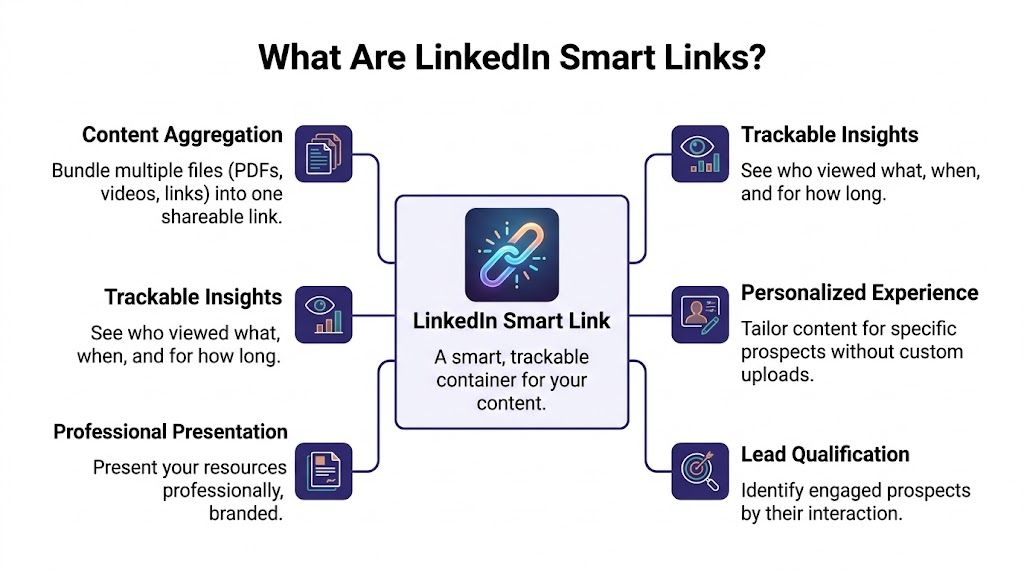
A Smart Link is a LinkedIn-hosted content page that groups several assets under one shareable URL and records how each recipient interacts with them.
That sounds simple, but the useful part is operational. Instead of sending a deck, a case study, a pricing page, and a demo link across separate messages, you send one package and see which parts earned attention. If you also understand the underlying mechanics of LinkedIn's short URLs, the format makes more sense internally because Smart Links sit inside LinkedIn's own sharing system rather than behaving like a random third-party tracker.
LinkedIn limits Smart Links to higher Sales Navigator plans. As noted in Papermark’s Smart Links overview, access is tied to Advanced and Advanced Plus, the package can hold multiple asset types, and LinkedIn provides viewer and engagement reporting around the content inside the link. That plan requirement is not a small footnote. It shapes who can use Smart Links seriously and who will end up reading tutorials for a feature they do not have.
What sits inside a Smart Link
The best Smart Links are tightly scoped. They support one decision, one persona, or one stage of the conversation.
A sales rep might include:
- A product overview deck
- A customer proof asset
- A pricing or ROI page
- A short demo video
A recruiting team might swap those out for a role brief, team overview, benefits summary, and hiring manager intro.
The trade-off is straightforward. Add too little and the recipient cannot evaluate anything. Add too much and attention gets diluted, which makes your analytics harder to interpret.
What you can actually track
Smart Links are useful because they give context, not just a click.
You can see who opened the package, which assets they viewed, and where interest concentrated. In live outreach, that changes follow-up quality fast. A prospect who spends time on implementation material is in a different buying mode than one who only checks the overview. A candidate who reads the team material but skips compensation content is giving a different signal than someone doing the opposite.
That signal is only as reliable as the account generating it. If Smart Links are sent from weak, restricted, or poorly aged accounts, delivery drops and your view data gets skewed because fewer intended recipients ever reach the content. Pair Smart Links with warmed-up, ID-verified accounts and the reporting becomes much more usable for qualification and sequencing. The message reaches more of the right people, and the engagement data reflects actual interest instead of account instability.
Why account quality affects Smart Link performance
This is the part standard Smart Link guides usually skip.
Smart Links do not fix outreach problems upstream. If the LinkedIn account sending them has low trust, limited activity history, or inconsistent behavior, you will struggle to scale sends and the analytics will underreport genuine interest. A stable account setup gives Smart Links room to do their job.
That matters even in basic execution choices such as how to post links on LinkedIn without hurting visibility. Link packaging, account trust, sending volume, and recipient experience all connect. Smart Links are strong when the infrastructure around them is strong.
The access and pricing reality
Smart Links make the most sense for teams that run repeated outbound motions, not occasional one-off sharing.
If your team rarely sends content and does not act on engagement data, the extra Sales Navigator cost is harder to justify. If reps are following up based on viewed assets, recruiters are qualifying candidate intent through content consumption, and account quality is already under control, Smart Links become a practical tracking layer instead of an expensive extra.
Your First Smart Link Setup and Analytics Walkthrough
The first Smart Link you build should be boring. That’s the safest way to learn what works.
Don’t start with a giant asset library. Build one package around a single use case, such as a cold outbound sequence for one persona or a follow-up set for one live opportunity. Tight bundles are easier to analyze later.
Creating your first Smart Link
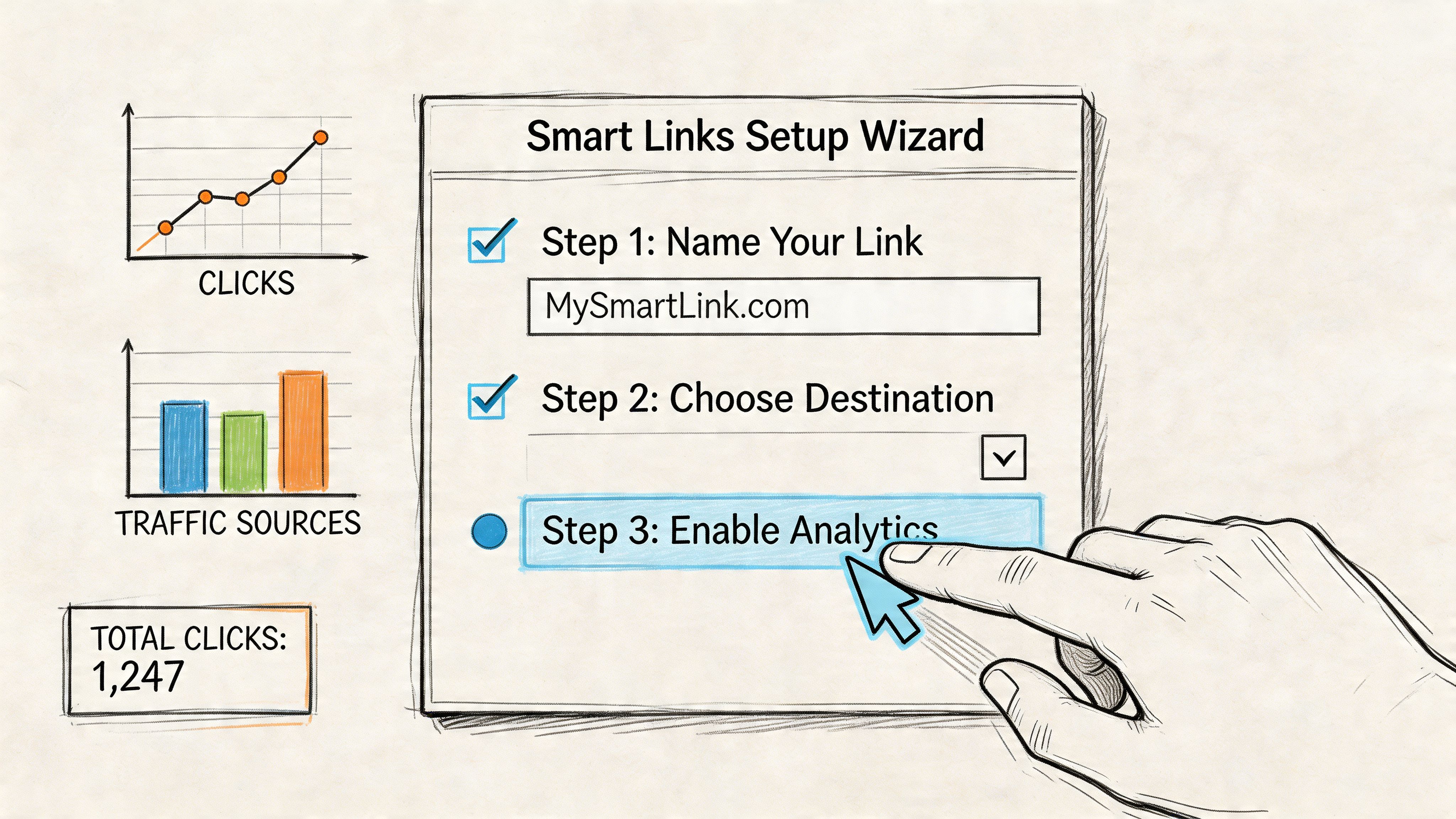
Inside Sales Navigator, the process is straightforward.
Open the Smart Links area
Go into Sales Navigator and find the Smart Links section in the main navigation.Create a new link
Start a new Smart Link and give it a title the recipient can understand at a glance. Use a specific title tied to the use case, not an internal file name.Add only relevant assets
Upload the files and links that support one decision. If you’re targeting a finance leader, include the assets they’d want to review. If you’re hiring, package only the material a candidate needs at that stage.Review order before sharing
The order of assets affects what people see first. Put your strongest orientation piece at the top. Better results are often achieved when the first asset is short and easy to consume.Copy and place the link carefully
Use it in LinkedIn messages, InMail, or email. Placement matters. If you’re sending it in a message thread, keep the surrounding copy short and tell the recipient what they’ll find inside.
If you’re also trying to improve clickability in regular posts and message flows, this guide on how to post links on LinkedIn without killing engagement is worth reviewing before you roll Smart Links into a wider content routine.
What makes a setup work better
The most common mistake is overpacking. Teams add too many assets because they want to “be thorough.” That usually hurts performance. A prospect who sees a cluttered package has to decide what matters. Good Smart Links remove that burden.
Use this checklist before you send:
- Keep the bundle narrow so the recipient can understand the story quickly.
- Lead with the easiest asset such as a short deck or summary page.
- Match the package to the recipient instead of recycling one generic link for every segment.
- Use plain titles that explain the value of the content without sounding promotional.
Reading the analytics without fooling yourself
Once the link gets views, the dashboard becomes the primary working surface.
The main signals are usually some variation of who viewed, what they opened, and how long they spent. That sounds simple, but the skill is in interpretation. A viewer who opens everything briefly is not the same as a viewer who spends concentrated time on one decision-critical asset.
Signals worth acting on
- Repeated returns often mean the material is being reconsidered or shared internally.
- Focused time on one section usually tells you where the buying conversation is heading.
- Selective viewing can be more useful than broad browsing because it shows a narrower interest.
Signals to treat carefully
- One quick open isn’t a buying signal by itself.
- A view with no depth can mean curiosity, not intent.
- High activity from a poor-fit contact shouldn’t outweigh account quality or deal context.
Here’s a useful way to think about it.
Practical rule: follow up on patterns, not isolated clicks.
If one person viewed the bundle once, wait for context. If the same prospect returns, spends time on a specific asset, and matches your target role, your follow-up can become much more direct.
Turning analytics into outreach moves
The best follow-up references the topic, not the tracking. Don’t say, “I saw you spent time on slide seven.” That feels invasive. Instead, use the engagement signal privately and write a message that naturally leans into the likely interest.
For example:
- If the recipient focused on implementation content, ask whether rollout complexity is part of their evaluation.
- If they stayed on customer proof, send a more relevant case study or offer a comparison.
- If they opened pricing-related material, clarify commercial fit and next steps.
A short visual walkthrough can help if you’re setting this up for the first time:
That workflow is where LinkedIn smart links stop being a feature and start becoming a system. Build a small bundle, send it to a defined audience, read the analytics with restraint, and let behavior shape the next message.
Game-Changing Use Cases for Sales and Recruiting Teams
A prospect opens your message, clicks the Smart Link, and spends time with the content. Good signal. But the value comes from what you packaged and who sent it. A strong bundle from a trusted LinkedIn account gives sales and recruiting teams cleaner intent signals and a better shot at a reply. A weak account can muddy the picture, even when the content is solid.
Smart Links work best when each bundle is tied to a specific decision. Sales reps need to move a deal forward. Agencies need to build confidence across several stakeholders. Recruiters need to help candidates picture the role and the team without sending a cluttered email full of attachments.
Sales teams and SDRs
Enterprise reps usually have too much collateral and too little attention from buyers. Sending all of it at once creates work for the prospect and gives the rep no clear read on what mattered.
A better setup is small and specific. Send one Smart Link with a short overview, one case study that matches the prospect’s industry or role, and a short demo that addresses the likely objection. If a security leader spends time on the security document and ignores the case study, the next follow-up should focus on risk, implementation, or review process. If the demo gets the attention, the rep can move toward evaluation and timing.
This also helps SDRs qualify faster. Instead of treating every click the same, they can separate mild curiosity from active evaluation based on which asset drew attention. That only works if the sending account has enough trust to get the message seen consistently and keep the engagement data worth acting on.
Agencies managing client outreach
Agencies have a packaging problem. They need to explain the service, show proof, outline delivery, and often win over several people inside the same client account.
A Smart Link can serve as a client briefing packet. Put the campaign sample, messaging examples, onboarding steps, reporting view, and one relevant result story in one place. That keeps the review process tighter and gives the agency a better sense of whether the buyer, the operator, or the executive sponsor is engaging.
The next step is operational discipline. If Smart Link engagement is going to shape follow-ups, handoffs, or pipeline stages, it needs to land in a system the team uses. Agencies that connect this to a CRM built for prospecting workflows can sort engaged accounts faster and keep outreach organized as volume grows.
Recruiters and talent teams
Recruiters can use Smart Links to make outreach feel clearer, not heavier.
A good recruiting bundle usually includes the role summary, hiring team intro, culture material, and practical details like location, compensation context, or benefits. That gives candidates one clean path instead of a long message with scattered links.
The follow-up gets better too. A candidate who spends time on team and culture content needs a different conversation than someone who goes straight to the role scope. One is asking, "Will I fit here?" The other is asking, "Is this job worth pursuing?" Smart Links help recruiters answer the right question first.
There is a limit here. Candidate engagement data is only useful if the recruiter avoids over-reading it. One view of a culture deck does not mean the candidate is sold. Repeated engagement with role-specific content is more actionable.
Smart Link use cases by team
| Team Type | Primary Goal | Example Smart Link Bundle | Key Metric to Track |
|---|---|---|---|
| Sales / SDR | Qualify buyer interest | Persona-specific deck, short demo, case study | Which asset holds attention |
| Lead gen agency | Align multiple stakeholders | Campaign sample, process overview, client proof | Repeat viewers across the account |
| Recruiting / HR | Improve candidate engagement | Role brief, culture deck, hiring team intro | Which topic the candidate explores most |
The best Smart Link bundle removes friction from the next decision. It gives the recipient enough context to respond and gives the sender a useful signal to shape the next move.
Teams that get the highest ROI usually do one more thing right. They pair strong content with healthy, warmed-up LinkedIn accounts, so the Smart Link is not fighting weak delivery, low trust, or messy engagement data from the start.
Scaling Outreach with Automation and Verified Accounts
At this stage, most Smart Link advice becomes shallow.
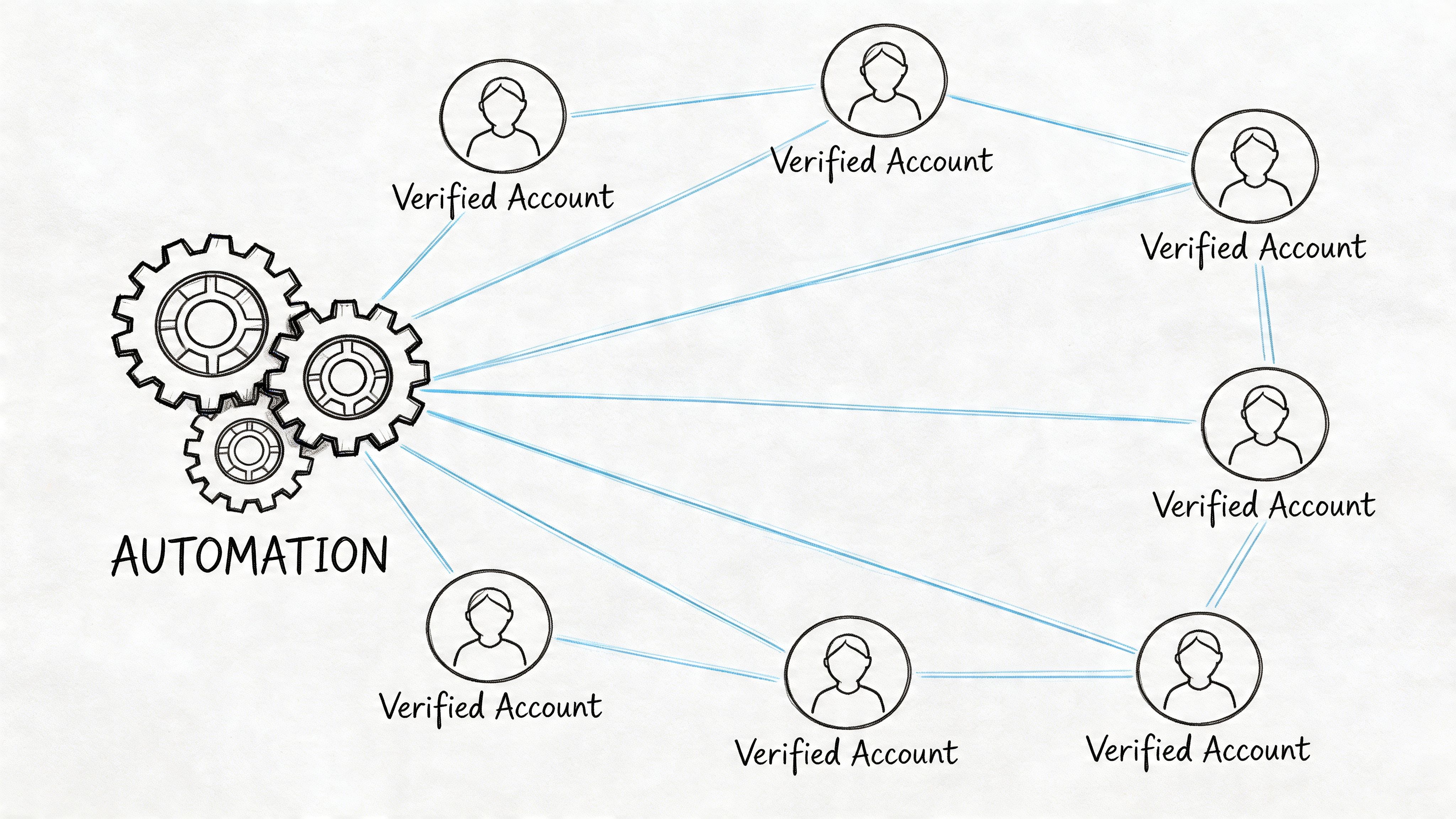
Using one Smart Link manually from a healthy personal account is one thing. Running Smart Links inside multistep outreach across several accounts is something else entirely. Once you add automation tools like Expandi, Dripify, PhantomBuster, Waalaxy, or LinkedHelper, account quality stops being a background detail and becomes the foundation of the whole setup.
Why account quality changes Smart Link performance
At small scale, weak account health can hide in the background. At larger scale, it shows up everywhere.
Messages deliver less consistently. Prospect behavior becomes harder to interpret. Volume has to stay lower. Teams blame the copy, the offer, or the Smart Link itself, when the underlying issue is that the sending profile lacks enough trust to support the workflow.
One of the few sources that addresses this directly is Waalaxy’s discussion of Smart Link scaling challenges. It notes that recent 2026 benchmarks show Smart Link analytics accuracy can drop 20-30% on low-trust profiles, and that pairing them with ID-verified accounts can support 5-10x higher safe daily limits when automation is involved.
That’s the overlooked angle. Smart Links don’t just need good content. They need a sender profile that can carry the campaign.
What high-trust setups do better
When teams pair Smart Links with warmed-up, stable profiles, several things improve at once:
- Deliverability holds up better because the account behaves more like a normal, established user.
- Automation becomes more usable because the profile can sustain outreach routines with less friction.
- Analytics become more trustworthy because engagement signals are less distorted by low-trust account behavior.
This matters most in high-volume prospecting. If you’re distributing Smart Links across outbound sequences and trying to compare bundle performance, bad account infrastructure will muddy the results. You won’t know whether the content underperformed or whether the profile carrying it was weak from the start.
A practical scaled workflow
A clean scaled setup usually looks like this:
Segment accounts by persona or market
Don’t run every audience through one profile pool.Create one Smart Link per campaign angle
Each sequence should have a clear bundle tied to one message theme.Distribute through an automation layer carefully
Tools like Expandi or Dripify help operationalize follow-ups, but they only work well when the sending accounts have enough baseline trust.Compare behavior by bundle, not just by copy
Sometimes the best-performing sequence isn’t the one with the best opener. It’s the one with the better content package.
Weak profiles create noisy data. Strong profiles make Smart Link analytics worth acting on.
What doesn’t work
Three patterns fail repeatedly:
- Using new or neglected accounts for scaled campaigns because they haven’t earned enough trust.
- Sending the same Smart Link from every account regardless of audience, industry, or message context.
- Treating automation as a substitute for account setup when it’s only a multiplier of whatever foundation already exists.
LinkedIn smart links can absolutely support scale. But scale only works when the account behind the link is stable, warmed up, and aligned with how you plan to send.
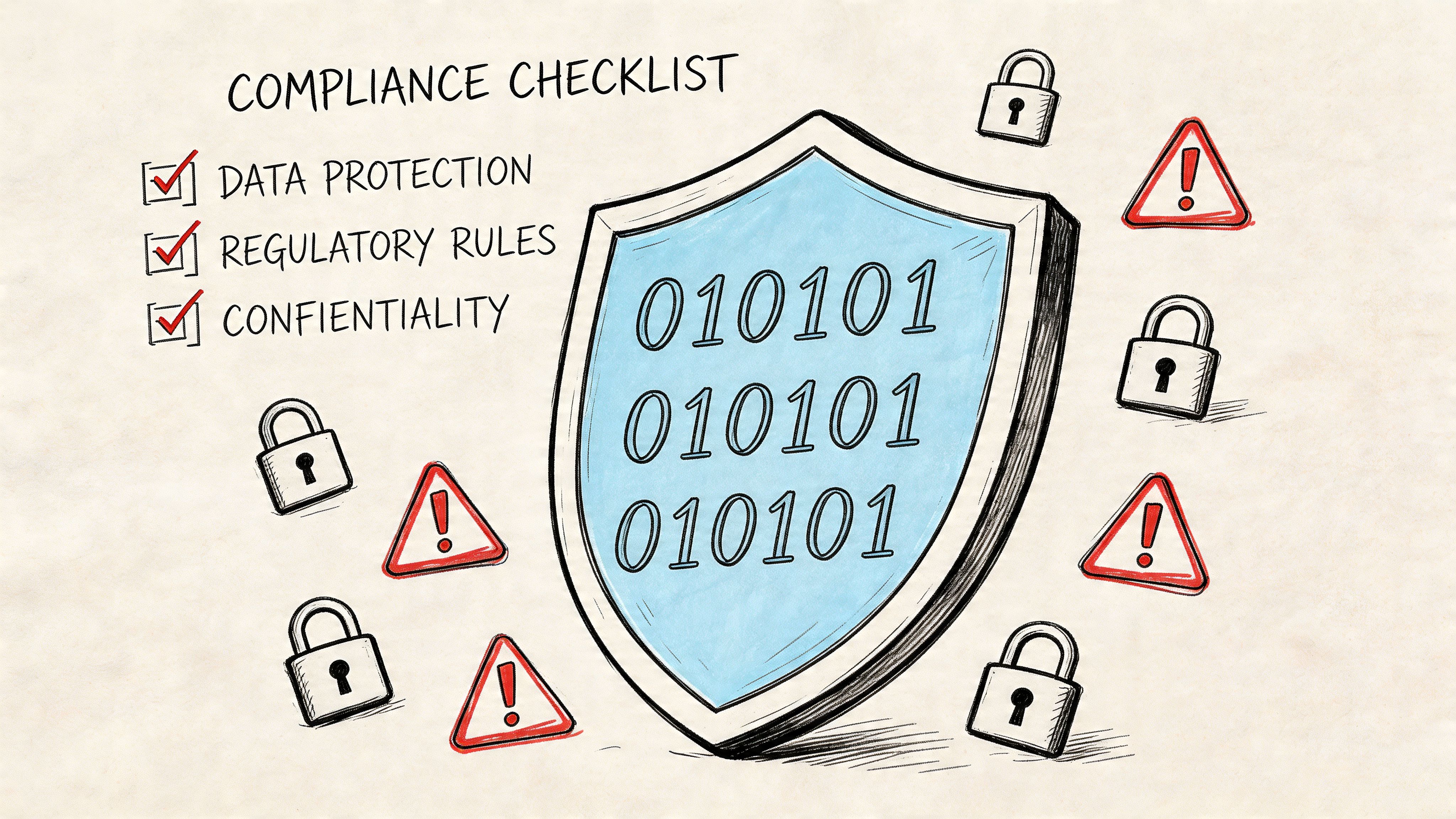
Understanding Security Risks and Staying Compliant
One reason Smart Links work well in outreach is also the reason they deserve caution. They come from a trusted LinkedIn environment, which can make recipients more comfortable clicking.
That trust is useful for legitimate sales and recruiting. It also creates an opening for abuse.
The phishing risk is real
Between September and December 2023, security researchers observed a significant rise in phishing campaigns that exploited LinkedIn Smart Links. Attackers used the trusted LinkedIn.com domain to bypass email security gateways and redirect people to fake Microsoft sign-in pages designed to steal credentials, according to Tribal Impact’s summary of the Smart Link phishing pattern.
That doesn’t mean Smart Links are unsafe by default. It means teams should stop assuming that every LinkedIn-hosted link is harmless.
What smart operators do
If you’re receiving Smart Links from outside your network, inspect context before you click. Who sent it, why now, and does the message around it make sense? If the sender is unfamiliar and the call to action pushes you toward a login page or urgent verification step, treat it as suspect.
If you’re sending Smart Links, your job is to make your own usage look legitimate and transparent.
- Identify yourself clearly in the message around the link.
- Explain what the recipient will open so the click feels expected, not ambiguous.
- Avoid deceptive framing or bait-style copy that creates confusion.
Compliance and privacy judgment
Smart Links can show viewer identity and engagement behavior. That’s powerful, but it also means teams should apply basic privacy discipline.
Use the data to improve relevance, not to overexpose your tracking. Referencing exact view behavior too aggressively can feel invasive. A better approach is to use engagement judiciously as internal sales intelligence.
For organizations tightening internal review around outreach systems, it also helps to understand what vendors mean when they describe robust security measures. Security posture, access control, and responsible data handling all matter more once engagement data enters your workflow.
If your team is also trying to reduce enforcement risk while running verified outreach infrastructure, this guide on LinkedIn compliance and how verified accounts can cut ban risk is relevant reading alongside your Smart Link processes.
Treat Smart Link data like sensitive sales intelligence. Useful, actionable, and not something to wave around in your follow-up copy.
The upside of Smart Links is visibility. The responsibility is using that visibility without becoming sloppy, intrusive, or careless about security.
Known Limitations and Powerful Alternatives
Smart Links are useful, but they’re not a complete content engagement platform.
The first limitation is access. You need the right Sales Navigator tier, which puts the feature behind a meaningful subscription cost. The second is packaging. You’re capped at a fixed number of assets, so Smart Links work best for focused bundles, not sprawling resource libraries. The third is experimentation. If you want rigorous A/B testing, version control across large content sets, or a deeper content room experience, Smart Links can feel narrow.
Where Smart Links fall short
A few practical constraints come up often:
- Subscription dependency means smaller teams may not want to pay just to access one feature set.
- Bundle limits force tighter curation, which is good for focus but limiting for broad enablement use cases.
- Limited testing flexibility makes structured content experimentation harder than in specialized tools.
- LinkedIn-centric workflow helps outreach teams, but it may not fit organizations that want a neutral content layer across departments.
When an alternative is a better fit
If those limitations matter, other tools can make more sense.
DocSend
DocSend is often a better fit when document control matters more than LinkedIn-native distribution. Teams that want deeper document-room behavior, controlled sharing, and a more dedicated sales content environment usually find it more purpose-built.
Paperflite
Paperflite tends to suit larger enablement programs. If marketing, sales, and customer-facing teams all need organized content experiences with broader management controls, it can offer more structure than Smart Links.
Papermark
Papermark is worth a look for teams that want a document-sharing workflow with tracking but don’t need everything to sit inside the LinkedIn ecosystem. It can be a better fit when your content operation stretches beyond social selling.
The practical decision
Choose Smart Links when your outreach lives inside LinkedIn and your team benefits from LinkedIn-based identity and engagement signals. Choose an alternative when content governance, testing, or non-LinkedIn workflows matter more.
That’s the right comparison. Not “which tool is best,” but “which workflow are you running?”
Frequently Asked Questions About Smart Links
Can I use Smart Links without Sales Navigator Advanced or Advanced Plus
No. Smart Links are tied to those Sales Navigator tiers, not the lower plan levels.
Do Smart Links work only in InMail
No. Teams commonly use them in InMail, regular LinkedIn messaging, and email. The surrounding message still matters. A Smart Link won’t rescue weak outreach copy.
Can I include multiple assets in one Smart Link
Yes. Smart Links are designed for bundling several related assets into one shareable package. The best bundles stay focused on one audience and one decision.
Can viewers download what I share
That depends on how you configure the content package and what assets you include. If download access matters, check the sharing settings before you send.
Is there a limit to how much I should put in one Smart Link
Yes, in practical terms. Even when the platform allows more, most outreach performs better when the bundle stays tight. More assets don’t usually create more replies. They create more decisions for the recipient.
Are Smart Link analytics always reliable
They’re useful, but not infallible. Treat them as engagement signals, not perfect truth. That becomes even more important when campaigns run through weaker or poorly prepared accounts.
Should I mention tracking directly in my follow-up
Usually no. Use the data to shape the next message, not to announce that you watched the recipient’s behavior in detail. Subtlety converts better.
If your team wants to use Smart Links at scale, the account foundation matters as much as the content itself. BIDVA provides real, ID-verified, warmed-up LinkedIn accounts built for outreach teams that need stronger trust, safer scaling, and better day-one deliverability across tools like Expandi, Dripify, Waalaxy, PhantomBuster, and LinkedHelper.