“Paid by Stripe, got an ID-verified account as promised.”
Jonas Clearstone AU · verified purchase






Buy a LinkedIn account with a Verified badge, aged between 2024 and 2026, with 200+ real connections. Built for scaled outreach: every account is selected for reliability, so it stays up and does not get restricted when you use it smartly, under the LinkedIn daily limits. Full ownership, email access, secure login instructions and delivery in around 30 minutes.
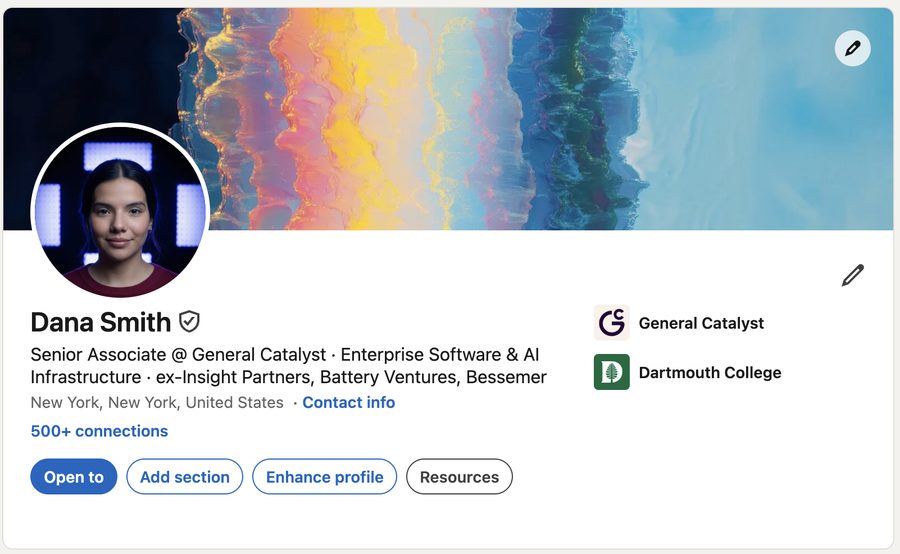
Verified badge, full ownership, and a profile you can edit after delivery. Built for scaled outreach and selected for reliability.
Verified badge, email access, and full ownership included. Mix male and female — each account keeps its own options.
The N°1 trusted choice for outreach and marketing agencies. Built for scaled outreach. Our verified LinkedIn accounts are selected for reliability — they stay up and do not get restricted, if you're using it smartly, under the LinkedIn daily limits.
Add a second account if you need one of each, or different options on each profile.
You receive complete ownership of the LinkedIn account, including the email address, password and recovery information, plus our secure login method. The account is guaranteed for 24 hours or until your first successful login. These accounts are built for scaled outreach and stay reliable when our setup instructions are followed. Restrictions can happen if an account is used for spam, aggressive automation, or other abusive behavior.
Secure login guidance included. Follow the access method we send and use the account normally to avoid unnecessary security checks.
100% customizable after delivery on Business verified accounts — name, photo, headline, location, work experience, education, and contact details. With ID verification, the first and last name can only be changed slightly.
Secure Stripe checkout · delivery around 30 minutes when in stock.
Crypto payments accepted — contact us hereComplete ownership of the LinkedIn account: email, password, recovery information, and our secure login method. Guaranteed for 24 hours or until your first successful login.
Yes. That is what they are selected for. Follow the setup note we send and stay under the LinkedIn daily limits. Restrictions can still happen if an account is used for spam or very aggressive automation.
Use the quantity control above and set options on each account — you can mix male and female. For more than 6 accounts or custom bulk pricing, message us on Telegram.
We source, verify, warm up, and deliver every account ourselves. These figures come from real orders.
When you buy a LinkedIn account from us, you buy from a dedicated team — not a marketplace. We have been operating for years, we have not had a permanent ban on a delivered account used normally, and we stay reachable if something comes up.
“Paid by Stripe, got an ID-verified account as promised.”
“3 weeks ago I paid $2,400 for 3 fresh accounts. None got restricted even while using automation. Good quality.”
“Got 2 male accounts, both delivered within 20 minutes. Changed the email right away, connected the same day. Zero issues after 2 weeks.”
Building a LinkedIn presence from scratch takes months. A new account with 0 connections and no history starts at the lowest trust level, and it is the first to be flagged when it sends requests. When you buy a LinkedIn account that is already aged, verified and connected, you skip that cold start.
A profile with 200+ connections and a verified badge looks credible the moment a prospect opens it. You start with social proof already in place.
Aged, warmed up and selected for reliability, so they can carry real outreach volume as long as you ramp up gradually and respect daily limits.
Reaching 500 connections organically often takes 6–12 months. Buying compresses that to an afternoon so you can generate leads the same day.
Business verified is included on every account we sell. ID verification — a government ID check on the person behind the profile — is available as an upgrade. After 3,000+ accounts sold, including 378 ID verified, we have not seen extra robustness from ID verification. For trust, it looks better.
An ID LinkedIn account is one where a real person passed the official identity check (passport, national ID, or driver’s licence). You get both the business badge of a real company and identity verification. That can help how the profile is perceived. It does not add a security layer on its own, those accounts are 1 or 2 months old, and the first and last name can only be changed slightly.
ID verification also does not exempt an account from being asked to verify again later. If any account, verified or not, is used for questionable activity or goes past the daily limits, LinkedIn can restrict it. Our recommendation for most outreach teams: a Business verified account, used smartly.
| Feature | Non-verified | Business verified | ID Verification |
|---|---|---|---|
| Included by default | No | Yes | Upgrade +$229 |
| Workplace / company badge | No | Yes | Yes |
| Personal ID check | No | No | Yes |
| Account age | — | 2024–2026 | 1 or 2 months |
| Fully editable after delivery | — | Yes | No |
Separate, clean accounts per client or campaign. Protect the main profile, isolate work, and scale without sharing one login.
When daily limits are hit on a personal profile, a second account doubles outreach volume without touching the founder’s page.
Test messaging and volume on an account you own, instead of risking a real professional identity.
Get back to activity in hours, with better specs than rebuilding from zero for months.
USA/EU-based profiles help acceptance when you target North American or European prospects.
A credible presence for hiring, fundraising, or BD — start connected instead of spending six months warming a blank profile.
Buying is the first step. Use it smartly, under the LinkedIn daily limits, if you want it to last.
Log in and change the recovery email to one you own. That finalises the transfer. Do this before anything else.
On Business verified accounts you can edit name, photo, headline, and experience. Spread changes over a few days rather than all at once. With ID verification, the first and last name can only be changed slightly.
Access the account from a consistent IP, ideally matching the account’s country. One account, one IP.
Even on a warmed-up account, start around 15–20 connection requests per weekday in week one, roughly 100 a week, then increase as your acceptance rate holds. Stay under the daily and weekly limits.
Acceptance rates stay higher with personalised messages — first name, company, industry — even when you use a tool.
Log in regularly, like a few posts, comment occasionally. An account that only sends requests looks unnatural.
LinkedIn connects accounts through IP addresses, browser fingerprints, cookies, and behaviour. If two accounts share those signals, they can get flagged. Give each account its own isolated environment.
The stack we recommend: an antidetect browser (one unique fingerprint per profile) plus one dedicated residential proxy per account. We have used this setup across hundreds of accounts when the rules are followed.
Dedicated SOCKS5, same country as the account. Rotating proxies do not work here.
Assign the proxy inside the profile, verify the IP, then save.
Open the profile, log into LinkedIn, close without logging out. The session stays on that fingerprint and IP.
Do not open account B while you are in account A. One profile, one account, one IP.
Step-by-step screenshots are in our guide on how to manage multiple LinkedIn accounts from one device.
Most problems with bought accounts come from the seller, not from LinkedIn. Whoever you buy from, check these five points first.
You should receive the email, the password and the recovery information, and be able to change them. If a seller keeps the login or only gives you a session cookie, you are renting, not buying.
Ask when the account was created and whether the connections are real users. An account created last week with 500 bot connections is the fastest way to a restriction.
Know exactly what you pay for: no verification, a business (workplace) badge, or a personal ID check. Each one behaves differently, and the price should reflect it.
Look for a replacement guarantee at delivery and a support channel that answers before you pay. Sellers who disappear after checkout rarely help when a login fails.
A good seller tells you how to log in the first time, which proxy to use and how fast to ramp up. That advice matters as much as the account itself.
We compare the main sellers in our guide on where to buy LinkedIn accounts in 2026.
Rental services charge a monthly fee for access to a profile they still control. That works for a short test, but the cost keeps running, the account goes back when you stop paying, and the conversations and connections you built leave with it.
When you buy, you pay once and the account is yours: you change the credentials, you keep the network, and you can use it for as long as you need. Rental services charge between $85 and $185 a month per account, so a purchase from $309 costs about the same as two to four months of rental.
See the full comparison of LinkedIn account rental alternatives, or how we compare with MirrorProfiles, LinkUnity, LinkedSDR, Akountify and TopUzer.
Honest answers. If you still have a doubt, write us on Telegram.
Full access to a real, human-created LinkedIn account: the login email, the password and the recovery information, plus our secure login method. Once you change the recovery email to your own, only you can reset the password. We keep no access. The account is guaranteed for 24 hours or until your first successful login.
It was created and used by a real person, not a bot or a scraped profile. Every account includes a Business verified badge from a real company. With the ID verification upgrade, the profile has also passed LinkedIn’s personal identity check with a government ID.
On Business verified accounts, yes: name, photo, headline, summary, location, experience, education and contact details. With ID verification, the first and last name can only be changed slightly, because LinkedIn ties them to the identity document. Spread your edits over a few days rather than changing everything in one session.
Business verified accounts were created between 2024 and 2026. The ID verification upgrade uses profiles that are 1 or 2 months old. Older accounts start with more history, which is why we recommend Business verified for most outreach.
The account already has normal activity behind it: regular logins, profile views, accepted connections and some engagement. LinkedIn watches behaviour, and an account that sends 100 requests on its first day looks suspicious. Warm-up gives you a natural starting point, but you should still ramp up gradually.
Yes. They are real LinkedIn users who accepted a connection request. Not bots, not empty profiles.
A profile with a few hundred connections looks established to prospects and to LinkedIn’s algorithm. One with 0 looks new and gets less reach and less trust. Every account includes 200+ connections. Profiles that pass 500 show “500+” publicly, the threshold most people read as well connected.
Our accounts are selected for reliability and built for scaled outreach. Used smartly, under the LinkedIn daily limits, they stay up. No account is immune to how it is used after purchase, though: spam, very aggressive automation or obvious breaches of LinkedIn’s rules can get any account restricted, verified or not. Follow the setup note we send and ramp up over the first two weeks.
Not in our experience. Across 3,000+ accounts sold, including 378 ID verified, we have not seen ID verification make an account more robust. What it adds is trust: the ID check on top of the business badge makes the profile look more credible to prospects. An ID-verified account can still be asked to verify again later if it is used for questionable activity or goes past the daily limits.
Yes. Many customers run our accounts with Waalaxy, Expandi, Dripify, Linked Helper or La Growth Machine. Stay conservative: around 15–20 connection requests per weekday in the first week, then increase gradually. Give each account its own proxy inside the tool, and never jump to maximum volume on day one.
LinkedIn notices when an account suddenly logs in from a very different location. Use one dedicated residential proxy per account, in the same country as the account, and keep it stable. For USA and EU accounts, a US or European residential IP gives the most stable experience.
LinkedIn’s User Agreement says accounts are personal and should not be transferred, so LinkedIn can restrict an account it believes has changed hands or is being misused. We are upfront about that. It is also why we sell aged, warmed-up accounts with a real history, hand over full ownership, and give you setup instructions that keep the account’s behaviour consistent. The details are in our terms and conditions.
Around 30 minutes when the profile is in stock, and typically under 12 hours otherwise. We monitor orders 7 days a week. If nothing has arrived after 12 hours, message us on Telegram.
After your Stripe payment, the credentials arrive at the email address you used at checkout: the LinkedIn login email, the password and the recovery details, plus our login instructions. Check your spam folder if you do not see it. Taking over the account takes about five minutes.
Log in with the method we send, then change the recovery email to one you own. That completes the ownership transfer. Let the account settle for 24–48 hours before heavy profile edits or outreach. Our guide on managing multiple LinkedIn accounts from one device walks through the setup.
Yes. Use the quantity control on this page to order up to 6 accounts and set options on each one, mixing male and female profiles. For larger batches or volume pricing, message us on Telegram and we will prepare the accounts together.
Card payments go through Stripe: Visa, Mastercard, American Express, Apple Pay and Google Pay. Crypto and other methods are available on request via Telegram.
Every account is guaranteed for 24 hours or until your first successful login. If the credentials do not work or the account is not as described at delivery, contact us on Telegram and we will replace it at no cost. After that, issues caused by how the account is used (aggressive automation, policy violations, unusual logins) fall outside the guarantee, but we still help and advise.
The product is a digital asset handed over at delivery, so refunds are limited. If the credentials are not delivered or do not work at delivery, we replace the account or refund you. Restrictions that happen after delivery, or a change of mind once you have taken ownership, are not refundable. The full rules are in our terms and conditions.
The fastest way is Telegram at @buy_verified_linkedin_accounts. We usually reply within minutes during business hours. You can also use our contact page. You always talk to a real person on our team.
We have been selling LinkedIn accounts for several years and have delivered 3,000+ accounts, with no permanent ban on an account used normally. Our customers are founders, SDR teams, lead generation agencies and growth teams in Europe, North America and Asia. We stay reachable on Telegram before and after the sale, and we publish free guides on running LinkedIn outreach safely.
Yes. Card payments are handled by Stripe, so we never see or store your card number. Your email address is only used to deliver the account and for support. We do not sell or share customer data. See our privacy policy.
Yes. Agencies are our most common customers. They use one account per client or campaign so their own profile is never at risk, and they keep the asset when a contract ends. Many reorder every month as they add clients.
Yes. Many customers build a new professional presence for a side project, a new brand or a new market. Business verified profiles are fully editable, so you can shape the account around your offer while keeping its age and connections.
Yes, and it is one of the most common reasons people buy from us. Instead of rebuilding a profile from zero for months, you are back to activity within hours on an aged, connected account. Start slowly, and keep the new account on its own browser profile and IP, separate from the restricted one.
Configure a profile above, or message us on Telegram for stock and bulk.