Can You Schedule LinkedIn Messages in 2026

So, can you schedule messages on LinkedIn? The short answer is yes, but it’s not as straightforward as you might hope. LinkedIn doesn't offer a built-in "schedule send" button for new messages, which is a real pain for sales pros and recruiters. This limitation forces most serious teams to look at third-party tools to get the job done right.
The Quick Answer to Scheduling LinkedIn Messages
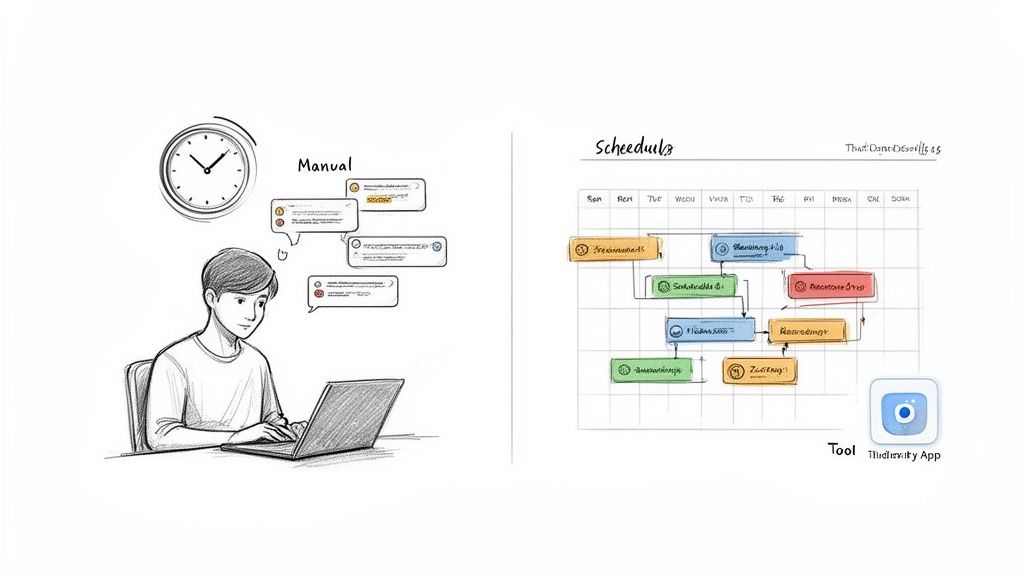
If you're even asking this question, you've probably already felt the frustration of manual outreach. Sending messages one by one is a huge time sink, especially when you're juggling hundreds of leads or trying to connect with candidates across different time zones. It's more than just inefficient—it puts you at a strategic disadvantage.
Luckily, you have a couple of ways to tackle this. Each path is built for different needs, and understanding them is the key to getting your time back and actually scaling your outreach.
Your Two Core Options for Scheduling
First, there's LinkedIn's own limited workaround. On incoming messages, you can find a "Snooze" function. It basically lets you set a reminder to reply to someone later. It's a decent free feature if you're just trying to manage a few follow-ups and keep your inbox tidy, but it does nothing for proactive outreach.
The second, and far more powerful, approach is to use a dedicated third-party automation tool. Platforms like Expandi or Waalaxy were created specifically for this. They let you build entire outreach campaigns, schedule your first touchpoint, and automate follow-ups. This is the only real option for anyone serious about scaling their LinkedIn efforts.
To make sense of these choices, here’s a quick breakdown.
LinkedIn Message Scheduling Methods at a Glance
| Method | Best For | Scalability | Key Limitation |
|---|---|---|---|
| LinkedIn "Snooze" | Managing replies in a low-volume inbox; setting reminders for follow-ups. | Very Low. Purely manual and only works for existing conversations. | Cannot schedule new messages or automate sequences. |
| Third-Party Tools | Proactive outreach, multi-step campaigns, and managing leads at scale. | High. Built to run automated sequences for hundreds of prospects. | Requires a paid subscription and careful setup to avoid spamming. |
Ultimately, choosing the right tool comes down to your goals and the volume you're handling.
The core difference is simple: LinkedIn’s native option helps you manage replies, while third-party tools empower you to initiate and automate entire conversations from scratch.
This distinction is everything. A solo consultant who just wants to stay on top of a few conversations might get by with the Snooze feature. But for a sales team trying to connect with 50 qualified prospects every single day, automation isn't just a nice-to-have; it's essential. These tools manage the tedious work so you can focus on what matters: building relationships and closing deals.
While we're still waiting for a native scheduling feature for new messages, the ecosystem of specialized tools has more than filled that void, giving power users the functionality they need.
Why LinkedIn Resists a Native Scheduling Feature
Ever found yourself wishing for a simple "schedule" button on a LinkedIn message? You're not alone. It seems like such an obvious feature, but its absence is completely intentional. LinkedIn has made a deliberate choice here, and it all comes down to protecting the platform's integrity.
Think about it from their perspective. LinkedIn's entire value proposition is built on real, human-to-human connections. They see their platform as a massive professional networking event, not a billboard for mass advertising. If they suddenly introduced a native bulk-scheduling tool, it would open the floodgates. Your inbox would become a nightmare of automated, impersonal sales pitches, and the quality of interactions would plummet.
LinkedIn's algorithm is constantly on the lookout for spammy, inauthentic behavior. It's designed to spot patterns that scream "low-effort, high-volume outreach." Giving everyone a built-in scheduler would be like handing a megaphone to the very people they're trying to quiet down. It just goes against their core mission.
The Problem of Scale vs. Authenticity
This stance creates a real challenge for sales teams, marketers, and recruiters. How do you manage outreach at scale without getting flagged as a bot? This is precisely the gap that compliant third-party automation tools were created to fill. They're designed to work with LinkedIn's unwritten rules, not against them.
The whole philosophy behind safe LinkedIn automation is to "mimic human behavior." This means sending messages with natural, randomized delays and respecting daily limits to avoid raising red flags. It’s all about working smarter, not just faster.
For any B2B team running high-volume campaigns, the lack of a native scheduler is a serious bottleneck. Unlike the simple clock icon you see for scheduling posts, manually sending messages limits your efficiency and often means you miss the best times to reach your prospects. Experts at PhantomBuster point out that good tools solve this by adhering to LinkedIn's unofficial limits—typically sending a maximum of 30-50 messages per day with 2-5 minute delays between each one. This simulates how a real person would act, keeping your account safe. You can get more insights on compliant scheduling practices from their team.
Why Your Account Reputation Matters
LinkedIn's cautious approach really drives home a critical point: your account's reputation is everything. If an account consistently acts like a bot—blasting out hundreds of messages in an hour or running automation 24/7—it will get flagged. The algorithm learns to tell the difference between a real professional managing their network and a script that’s just been turned loose.
This is why any successful scheduling strategy has to be built on trust and legitimacy. It isn't just about the tool you pick; it's about how you use it. When you understand LinkedIn's point of view, you can make smarter choices that protect your account while still hitting your outreach numbers. It's the difference between being a welcome guest at the networking event and being escorted to the exit.
Third-Party Tools vs. Native Workarounds
When it comes to scheduling LinkedIn messages, you’re really looking at two completely different worlds. There's a simple, free workaround baked right into the platform, and then there’s a whole ecosystem of powerful third-party tools designed for serious outreach.
The right path for you boils down to your goals. Are you a founder just trying to stay on top of a few crucial conversations? Or are you running a sales team that needs to engage hundreds of prospects every week? Your answer will make the choice crystal clear.
The Native Workaround for Basic Needs
Believe it or not, LinkedIn gives you one native way to delay communication: the "Snooze" feature. But let's be clear—it's more of a personal reminder system than a true scheduler. When a message comes in, you can "snooze" it, making it vanish from your inbox until a time you set.
For managing follow-ups, this can be surprisingly useful. A prospect tells you, "Hit me up next quarter." Perfect. Snooze the conversation for three months, and it’ll pop back up right when you need it. It’s a manual but clean way to keep promises without cluttering your inbox or your mind.
The problem is, that's where its utility ends. You can only use Snooze on existing conversations, meaning you can't schedule an initial message to a new prospect. For solo operators who are wary of connecting external tools to their account, it's a decent trick for queuing replies. But it simply doesn't scale. It lacks any bulk personalization or time-zone intelligence, which is a major hurdle when 70% of LinkedIn users are outside the US.
Want to see how you can stretch this feature for basic prospecting? This detailed outreach tutorial on YouTube walks through the process.
The Power of Third-Party Scheduling Tools
This is where dedicated automation platforms like Expandi, Waalaxy, or Dripify completely change the game. These tools exist to solve the exact problem LinkedIn won’t: scheduling new messages and follow-ups at scale.
Instead of just snoozing a single reply, you build entire outreach sequences that run on autopilot. Picture a recruiter trying to fill five different roles. With a third-party tool, they can set up a campaign that automatically:
- Sends a personalized connection request to a list of qualified candidates.
- Follows up two days later with a message detailing the specific role.
- Sends a final, polite check-in a week later if they don't hear back.
And the best part? All of this can be scheduled to go out during the prospect’s local business hours, which dramatically increases reply rates. For agencies or sales teams, this isn't just a convenience; it's a core operational advantage. If you want to see what else is out there, this guide to the best social media scheduling tools offers a wider view.
This flowchart really gets to the heart of why this gap between native features and third-party tools exists.
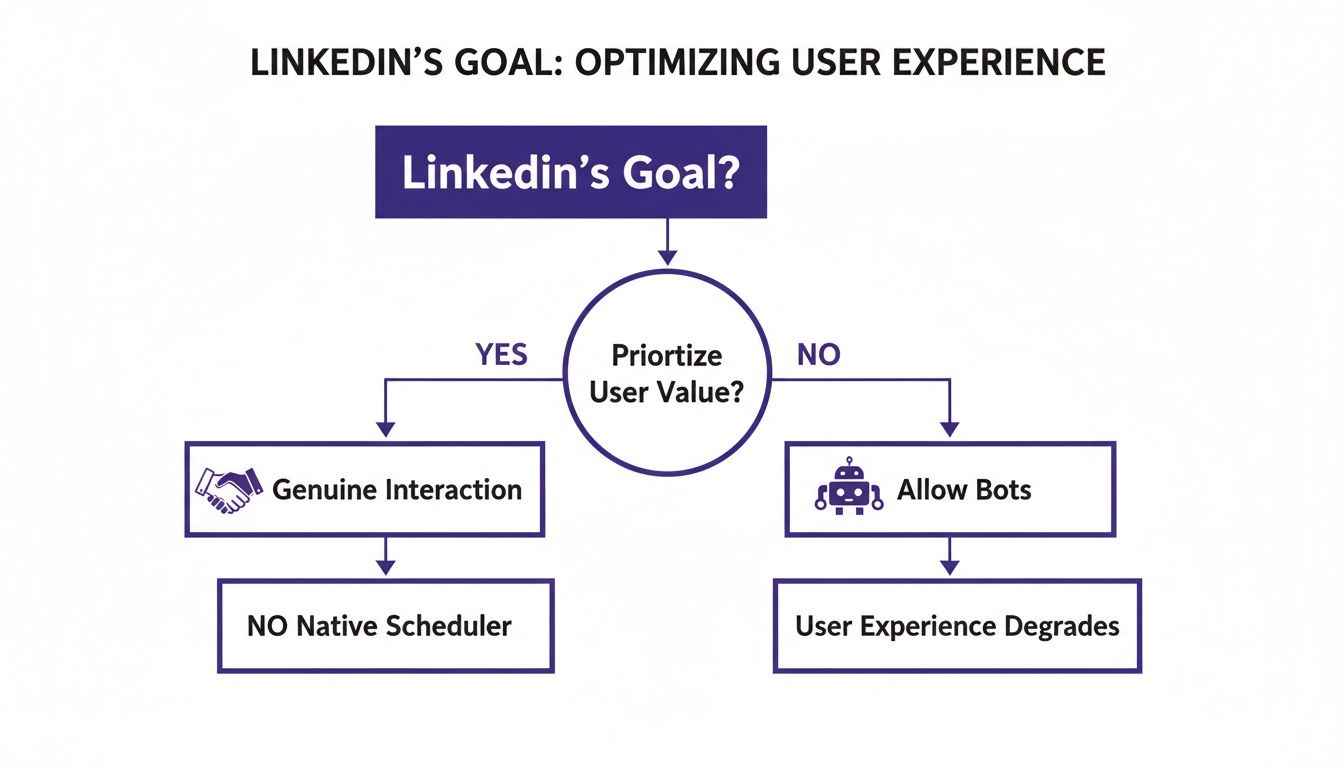
As you can see, LinkedIn's entire platform is optimized for genuine, one-on-one interactions. They actively discourage anything that feels robotic, which is precisely why compliant, human-mimicking automation tools are so essential for anyone doing outreach at scale.
The key takeaway: Native workarounds help you manage your existing inbox. Third-party tools help you proactively fill it with new opportunities. One is for housekeeping; the other is for growth.
So, while the native 'Snooze' feature is a handy trick to have in your back pocket, any professional serious about using LinkedIn to generate leads or find talent will inevitably need a dedicated tool. These platforms give you the automation, personalization, and analytics you need to do the job right. To dive deeper into this, check out our guide on LinkedIn automation for lead generation.
Best Practices for Scheduling Messages Safely
So, you can schedule LinkedIn messages. But doing it without getting your account flagged is the real challenge. Using automation tools isn't a free-for-all; it's a delicate dance where you have to perfectly mimic human behavior. Forget the generic advice you’ve read elsewhere—these are the real-world guardrails that have kept our clients' accounts healthy for years.
The single biggest mistake I see teams make is treating their LinkedIn accounts like an email list, blasting out hundreds of messages at once. LinkedIn's algorithm is incredibly good at spotting that kind of robotic activity. You have to play by its unwritten rules.
The goal isn't just to send messages—it's to start conversations. Aggressive automation kills that opportunity before it even begins by making you look like a spammer. Safe scheduling is all about appearing natural and respecting the platform.
Start Slow and Stay Under Daily Limits
If you're warming up a new or standard account for outreach, your daily limits are everything. Don't even think about jumping straight to sending a hundred messages on day one. A much safer starting point is capping your total activity at 40-50 messages per day. This includes both new connection requests and direct follow-ups.
Once the account has a few weeks of this moderate, consistent activity under its belt, you can think about slowly scaling. But for those first crucial weeks, restraint is your best friend. This "warm-up" period shows the algorithm that a real person is behind the screen, not an aggressive script. This approach is fundamental to building a durable outreach asset. For a complete breakdown, our guide on a safe LinkedIn automation workflow goes into much more detail.
Randomize Your Sending Times
Real people don't send messages at exact one-minute intervals. Your scheduling tool shouldn't, either. The best platforms will let you set randomized delays between actions, and you absolutely need to use this feature. A great setting to start with is a delay of 2 to 5 minutes between each message.
This slight variation is what makes your activity look human. Think about your own workflow: you might type a message, get distracted by an email, then send another one a few minutes later. That's the organic pattern you want your automation to copy. A constant, predictable sending cadence is one of the biggest red flags for LinkedIn.
Always Respect Business Hours
Nothing screams "automation" louder than an account that's active 24/7. Nobody is on LinkedIn sending professional messages at 3 AM on a Sunday. Scheduling your outreach to align with your prospect's local business hours isn't just a safety measure; it’s also far more effective.
The best time to land in someone's inbox is usually between 8 AM and 10 AM on a weekday. This is when people are settling in, checking their messages, and are most likely to actually reply. A well-timed message feels thoughtful, whereas one sent in the middle of the night feels automated and impersonal. The smarter scheduling tools can even detect a prospect's time zone and adjust sending times automatically—a feature that can give your reply rates a serious boost.
To see how these pieces fit together, think of it this way:
- Daily Limits: This stops your account from being flagged for high-volume, spam-like behavior.
- Random Delays: This makes your sending patterns look natural and unpredictable.
- Business Hours: This lines up your activity with normal professional habits, improving both safety and engagement.
By combining these three pillars, you create a scheduling strategy that flies under LinkedIn's radar. It lets you get all the benefits of automation without putting your valuable account on the line. This is how you build a powerful, long-term lead generation engine instead of just sprinting toward an account ban.
How Verified Accounts Amplify Your Scheduling Strategy
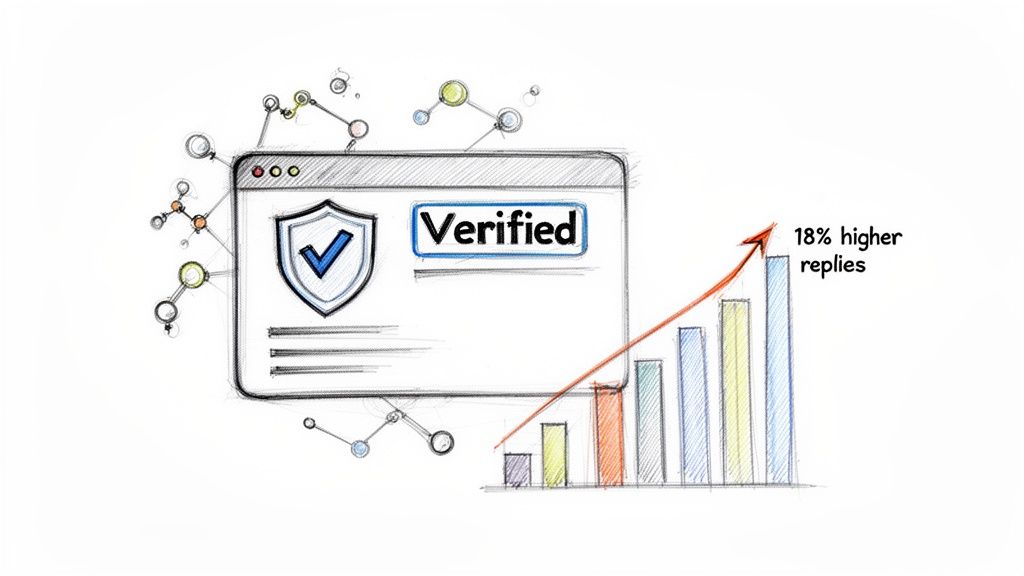
The scheduling tool you choose is only half the battle. The real secret to successful outreach lies in the health and trustworthiness of your LinkedIn account. I’ve seen it happen time and again: someone fires up an automation sequence on a brand-new, "cold" profile, and their account gets restricted—or worse, banned—almost immediately.
LinkedIn’s algorithm puts new accounts under a microscope. They start with rock-bottom daily sending limits and poor message deliverability. Any sudden spike in activity is a massive red flag, making them completely impractical for any serious, scaled outreach campaign.
The Power of High-Trust Profiles
This is where aged, ID-verified accounts completely change the game. When a profile has been around for a while, built up a network, and is verified with a government ID, it starts with a much higher level of trust in LinkedIn's eyes. The platform's algorithm just naturally sees activity from these accounts as more legitimate.
That built-in trust gives you some serious advantages for your scheduling strategy:
- Higher Daily Limits: Instead of being handcuffed by low caps, verified accounts can often safely send 50-80 messages a day, right out of the gate.
- Better Deliverability: Your messages are far more likely to land in a prospect's main inbox instead of getting buried in the "Other" folder.
- Lower Risk Profile: Consistent, high-volume activity doesn’t trigger security alerts nearly as often because the account has already proven its credibility.
Using a warmed account is like starting a race halfway to the finish line. It already has the history needed to support a real outreach motion without constantly setting off alarms.
The difference is simple. A new account forces you to operate in constant fear of restrictions. A warmed, verified account gives you the foundation to scale confidently and effectively.
From Playing Defense to Boosting Performance
The benefits of a verified account go way beyond just staying out of LinkedIn jail. They directly pump up your campaign’s performance. When you can send more messages and know they're actually being seen, you naturally generate more conversations and opportunities. This is especially critical for teams managing client campaigns or running multi-account outreach where you can't afford a single point of failure.
Data shows that smart scheduling can massively increase response rates. For example, some tools report an 18% higher reply rate just by optimizing send times and personalizing messages across different time zones. But to get those numbers, you need a profile that can handle the consistent volume, which is something only a high-trust account can sustain.
Ultimately, a verified account is a strategic asset. It makes tools like PhantomBuster or LinkedHelper more powerful and protects your entire automation investment. By starting with a foundation of trust, you ensure your outreach efforts build on each other instead of getting shut down by a ban. You can learn more about how to leverage verified accounts for LinkedIn sales in our detailed guide.
Common Questions About Scheduling LinkedIn Messages
Even with the right tools in hand, a few questions always seem to pop up once you start scheduling LinkedIn messages. Let's tackle the big ones I hear all the time so you can move forward with confidence.
Can LinkedIn Tell I'm Using a Scheduling Tool?
Absolutely. LinkedIn’s algorithms are always on the lookout for unnatural, bot-like activity. This is precisely why using a cheap, aggressive automation tool is a recipe for disaster. It’s an immediate red flag.
The key is to use a compliant tool that actually mimics human behavior. Good platforms do this by building in small, random delays between actions and making sure your outreach stays within safe daily limits. It’s about looking like a power user, not a spambot. Having a high-trust, warmed-up account like a BIDVA profile gives you an even bigger safety net, since your activity already looks established and legitimate.
What's the Best Time of Day to Schedule My Messages?
Timing is everything. From what I’ve seen, the sweet spot for scheduling outreach is between 8 AM and 10 AM in your recipient's local time, Tuesday through Thursday. This is prime time—people are settling in for the day, clearing their inboxes, and are most receptive to new conversations.
Think about it: a message that lands in an inbox at 9 AM on a Tuesday feels like a professional courtesy. That same message arriving at 3 AM on a Sunday? It just feels like spam. Your timing directly shapes their perception of you.
Thankfully, you don't have to be a time zone wizard. Most modern scheduling tools automatically detect a prospect's location and will dispatch your message at the perfect local time. It’s a simple feature that makes a huge difference in reply rates.
How Many Messages Can I Safely Schedule Each Day?
This really comes down to the age and health of your LinkedIn account. If you're working with a standard or relatively new profile, you need to play it safe. I'd strongly advise staying under 50 total messages per day to avoid tripping any of LinkedIn's security wires.
But if you’re operating with a pre-warmed, ID-verified account that has a solid, established network, you have more leeway. These accounts can often handle between 50 and 80 messages daily without issue.
The best strategy is always to start slow and then gradually ramp up your volume over a couple of weeks. Watch your account's performance closely. This slow-burn approach is the secret to successful, long-term outreach without putting your account on the line.
Ready to scale your LinkedIn outreach without the risk? BIDVA provides real, ID-verified accounts that are pre-warmed with an established network, giving you higher sending limits and greater trust from day one. Secure your high-trust LinkedIn profile today.