Master Your Invitation on LinkedIn: Scale Outreach

You’ve built the list. The filters are tight, the accounts are relevant, and the offer is good enough to start conversations. Then LinkedIn stops you after a small batch of sends, your acceptance rate drifts down, and one badly timed push makes the account feel fragile for the rest of the week.
That’s where teams often break their invitation on LinkedIn workflow. They treat connection requests like a volume game when LinkedIn treats them like a trust game.
That’s a problem because LinkedIn is still too valuable to ignore. It’s 277% more effective for B2B lead generation than competitors, marketers report it generates 2x more leads than other social channels, and LinkedIn DMs see 10.3% response rates versus 5.1% for cold email, according to PhantomBuster’s LinkedIn limits and safe automation analysis. If you do outbound for SaaS, recruiting, agencies, consulting, or services, the platform still deserves a serious operating system.
Many individuals don’t need more generic advice about “being authentic.” They need a process that respects limits, protects account health, and scales without turning a good profile into a restricted one. If you want a broader foundation before getting tactical, this guide to LinkedIn for prospecting is a useful companion read.
Why Your Current LinkedIn Invitation Strategy Is Broken
The common mistake is simple. Teams assume low output comes from not sending enough invites. In reality, low output usually comes from sending invites from the wrong profile, to the wrong segment, with the wrong rhythm.
A weak invitation on LinkedIn strategy usually has three symptoms. First, the profile sending requests doesn’t look established. Second, the targeting is broad enough that many recipients have no reason to care. Third, the team tries to force scale before the account has earned enough trust to support it.
Volume is not the bottleneck
LinkedIn is a high-intent channel, but it’s not a free-for-all. The platform rewards relevance and punishes patterns that look rushed, repetitive, or disposable. If your workflow depends on burning through as many requests as possible, you’re fighting the system instead of using it.
That’s why teams often get confused. They know the channel works. They see better conversations there than in email. Yet their actual campaigns underperform because the operating model is wrong.
Your prospect list can be excellent and still fail if the sender profile looks unfamiliar, underdeveloped, or overly aggressive.
Most bad results come from trust debt
Trust debt builds fast on LinkedIn. You accumulate it when you send generic requests, pitch too early, ignore pending invites, and keep using the same account after signs of fatigue appear. Once that debt builds, every future request becomes harder.
What works is less glamorous, but more effective:
- Use narrower targeting: Go after people with a clear reason to recognize your name, your niche, or your offer.
- Treat the sender profile as infrastructure: A complete, active, believable account performs differently from a bare outbound shell.
- Protect acceptance rate: If fewer recipients accept over time, LinkedIn reads that as a quality problem.
- Think in campaigns, not blasts: Small, controlled batches are easier to diagnose and improve.
The real game is deliverability on a social platform
Outbound teams already understand deliverability in email. LinkedIn has its own version of the same problem. Your message quality matters, but account trust matters first. A polished note can’t rescue an account that already looks risky.
That’s why the best invitation on LinkedIn systems are built around account health. The message matters. The targeting matters. But the profile’s trust signals decide whether LinkedIn gives you room to operate.
Crafting Connection Requests That Get Accepted
Most connection notes fail because they try to compress a sales pitch into a tiny box. That’s backwards. The note’s job is not to sell. The note’s job is to make the connection feel natural.
A strong note follows a simple structure from HeroHunt’s guide to automating LinkedIn connection invites: personalized greeting, context, shared value, and a soft CTA. That same source notes that salesy language triggers over 70% of rejections, while mentioning a shared group can lift acceptance by up to 65%.
The 300-character note that actually works
Think of the note in four parts:
Greeting
Use the person’s first name. That’s enough. No fake warmth, no overfamiliar opener.Context
Give them a reason this request exists. Mention a post, group, role, niche, or event.Shared value
Show overlap. This can be a common industry problem, similar work, or interest in the same topic.Soft CTA
End lightly. “Would love to connect” works better than asking for time, a call, or feedback on your service.
The note should feel like the start of a professional relationship, not an attempt to win a meeting before the connection exists.
Practical rule: If your note can be pasted to fifty people without changing a word, it’s probably too generic.
Personalization Template Comparison
| Approach | Template Example | When to Use |
|---|---|---|
| Post engagement | Hi Sarah, saw your post on outbound testing. Your point on sequencing matched what we’re seeing in B2B outreach. Would be great to connect. | When the person posts regularly and you can reference a specific idea |
| Shared group | Hi Daniel, noticed we’re both in Revenue Leaders Network. I work on outreach systems for B2B teams and thought it made sense to connect. | When you share a relevant LinkedIn group |
| Common niche | Hi Priya, I work with SaaS teams on prospecting workflows and saw we’re both deep in demand gen. Thought it’d be good to connect. | When role or market overlap is obvious |
| Event context | Hi Marcus, saw you were part of the same event audience around sales automation. I’m always interested in how teams handle LinkedIn outreach. Happy to connect. | Before or after webinars, conferences, or online events |
| Mutual connection angle | Hi Elena, noticed we share a few contacts in B2B recruiting. I work closely with sourcing and outreach ops, so I thought I’d reach out. | When there is visible network overlap |
| Content plus value | Hi Tom, your comments on ABM caught my attention. I spend a lot of time on outbound systems and thought our work overlaps. Open to connecting. | When you want to sound relevant without making an ask |
What gets ignored or declined
The fastest way to tank an invitation on LinkedIn is to sound like someone who wants something immediately.
Avoid notes like these:
- Instant pitch: “We help companies like yours book more meetings. Let’s connect.”
- Vague flattery: “Impressed by your amazing background.”
- Forced urgency: “Need five minutes to show you something.”
- Template smell: Anything that sounds scraped, over-optimized, or stuffed with buzzwords.
A better standard is simple. If the recipient accepts, they shouldn’t regret it two seconds later.
Pre-engagement beats clever copy
The note matters, but the easiest lift usually comes before the send. Engage with a couple of recent posts. Follow the prospect. Leave a comment that sounds like a real person and not a growth intern trying to hit quota.
That sequence gives your name a chance to look familiar. Familiarity changes how recipients process your request. Even a short note lands better when they’ve already seen you once or twice.
Here’s a reliable example:
Hi Amanda, saw your comment on pipeline quality in RevOps Weekly. I work on outbound systems for B2B teams and your point resonated. Thought I’d send a connection request.
Keep the tone clean. LinkedIn recipients are quick to spot manufactured relevance.
Navigating LinkedIn's Weekly Invitation Limits
Most outreach teams don’t get in trouble because of one terrible message. They get in trouble because they ignore limits and let bad inventory pile up. Pending invites, stale requests, and weak acceptance rates create friction that compounds.
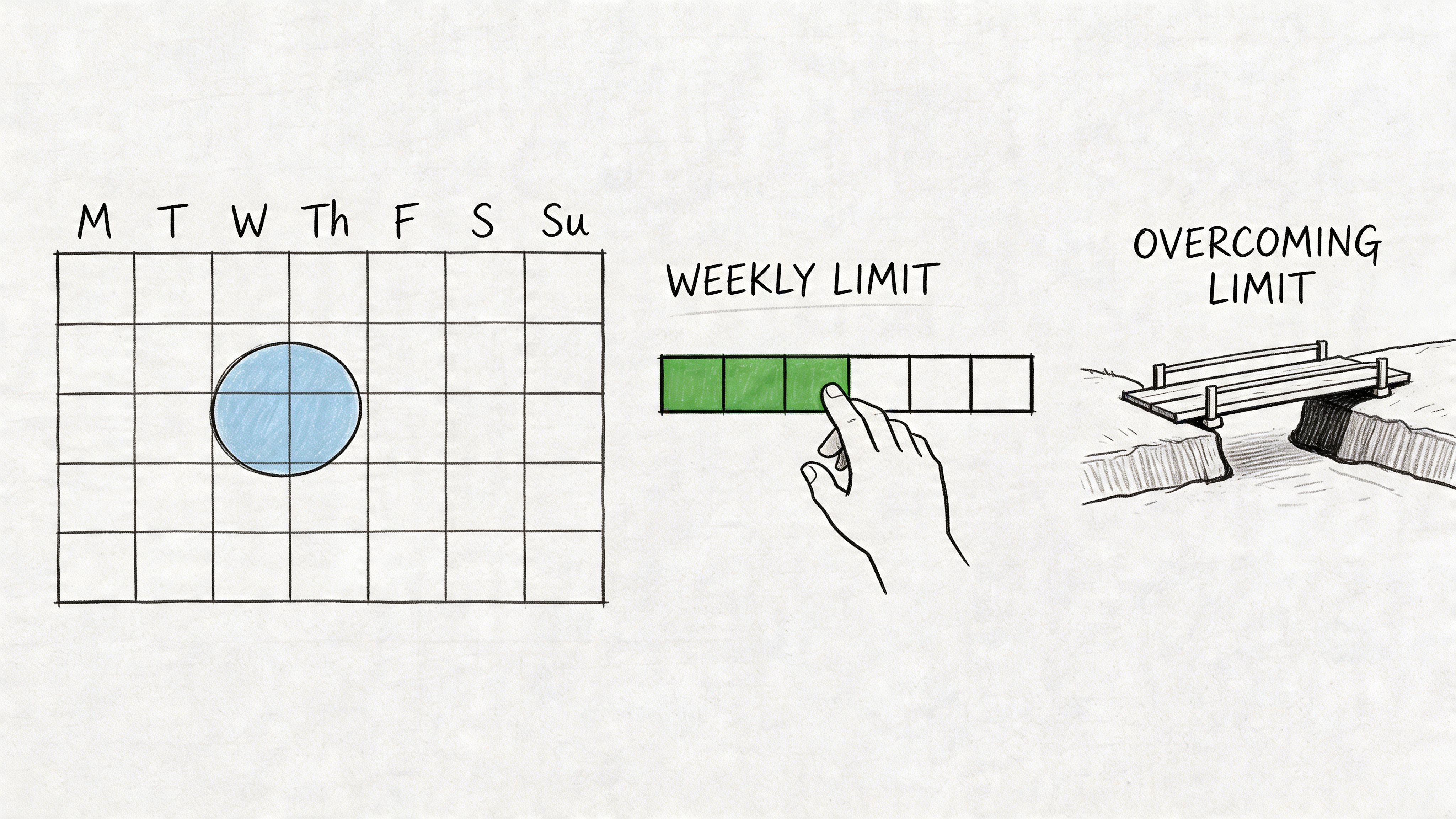
According to Hyperclapper’s breakdown of LinkedIn invitation limits, LinkedIn typically enforces a weekly invitation limit of 100 to 150 for most accounts, with a total pending cap of 2,500. The same source notes that 99% of accepted invitations happen in the first 30 days, and keeping pending invites below 500 is important for account health.
Limits are not the real issue
The limit itself is annoying, but it’s not the core problem. The core problem is wasting your weekly allowance on low-probability sends.
If your account gets roughly a fixed number of weekly invitations, every request should go to a segment that has a plausible reason to accept. That changes how you build campaigns. You stop asking, “How do I send more?” and start asking, “Which people deserve one of these slots?”
That mindset alone improves most campaigns.
Pending invites are hidden drag
Teams often leave old invites sitting forever because it feels safer than touching anything. That’s a mistake. Old pending requests are dead weight. They don’t help your campaign, and they clutter the account.
Use a regular clean-up cycle. Check sent invitations, identify requests older than your response window, and withdraw the stale ones. If you need a quick reference on operational guardrails, this article on the LinkedIn connection request limit covers the practical side.
A simple maintenance routine works well:
- Review sent invites weekly: Don’t let the backlog become invisible.
- Withdraw stale requests: If someone didn’t accept in the useful window, move on.
- Watch the pending count: A bloated queue is a warning sign.
- Resend carefully: LinkedIn requires a cooldown before resending a withdrawn request to the same person.
Acceptance rate is the metric that matters
High-performing teams monitor invitation acceptance more closely than raw send count. Low acceptance usually points to one of four issues:
- Bad targeting: The audience is technically relevant but not close enough to your lane.
- Weak profile trust: The sender account doesn’t look established.
- Poor timing: You’re sending in bursts, at odd hours, or to the wrong time zone.
- Thin context: The recipient has no reason to recognize the request.
LinkedIn is evaluating behavior, not just content. The platform can tolerate outreach. It doesn’t tolerate patterns that resemble spam.
A useful visual refresher sits below.
Better account health means better room to operate
The strongest operators treat invitation capacity as something earned. They maintain profile quality, clean up stale sends, and avoid wasting requests on loose-fit audiences. That discipline keeps an account usable for longer.
If your account is healthy, LinkedIn gives you more room to work. If your account looks sloppy, every send becomes more expensive.
That’s the shift many organizations need. The weekly cap isn’t just a restriction. It’s LinkedIn telling you to improve selectivity, trust, and list quality.
Automating Your Outreach Without Getting Banned
Automation isn’t the enemy. Sloppy automation is.
A lot of teams swing between two bad extremes. They either refuse to automate and burn hours on manual work that should have been systemized, or they plug a fresh account into a tool, crank up activity, and act surprised when the profile gets flagged. Neither approach is professional.
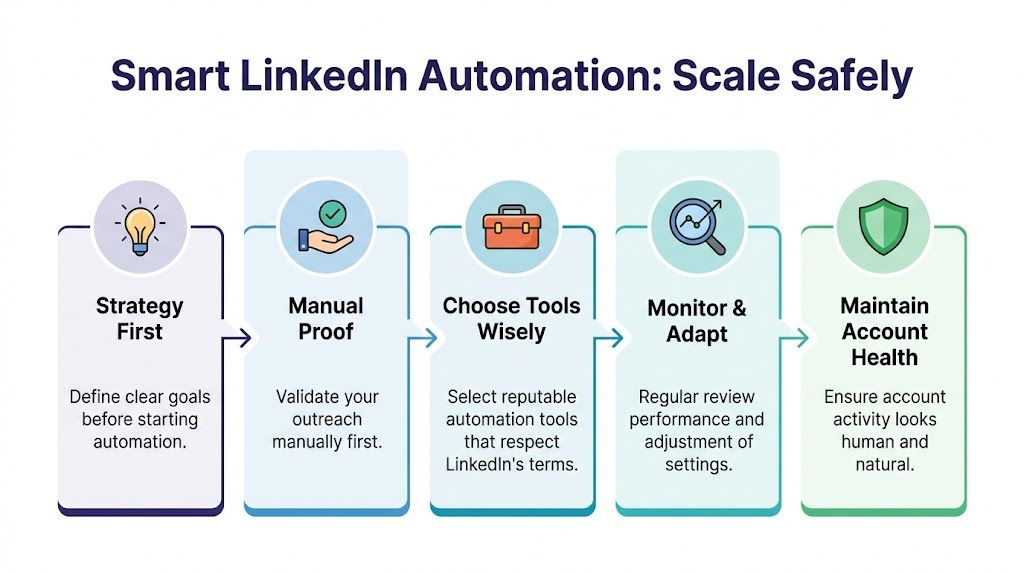
The right way to think about automation is simple: automate only what already works manually. Then preserve the conditions that made it work.
What safe automation actually looks like
Tools like Expandi, Dripify, Waalaxy, LinkedHelper, and PhantomBuster can all be useful in the right setup. They become dangerous when people use them to hide a bad strategy instead of scaling a good one.
A safe automation workflow usually includes:
- One account, one environment: Keep each profile isolated with its own browser profile and clean operating setup.
- Human pacing: Spread actions naturally. Avoid bursts that make the account look machine-driven.
- Tight campaign logic: Don’t mix too many audiences, notes, and follow-up styles in one stream.
- Ongoing review: Pause sequences when acceptance drops or message quality slips.
If your team also pulls prospect data outside LinkedIn, this guide on how to boost data collection with proxies is a useful read for understanding cleaner collection practices and operational hygiene.
Fresh accounts are where teams get burned
Standard advice usually focuses on message writing. That’s not enough. The bigger issue is that new or unestablished profiles are fragile under outbound pressure.
One source that addresses this gap is this video on scaling with pre-warmed LinkedIn accounts, which notes that new profiles can face 40% to 60% ban rates, while aged accounts with 200 to 500+ connections can handle 2 to 3x more volume safely. This defines the meta-game. Safe scaling starts with account maturity.
This is why experienced operators don’t test aggressive automation on their main profile. They separate relationship-building identity from campaign infrastructure.
The workflow I trust
When a team wants to automate invitation on LinkedIn campaigns safely, the process should feel boring. Boring is good. Boring keeps accounts alive.
Use this sequence:
Prove targeting manually
Send a controlled batch by hand. Check who accepts and which segments respond.Validate note styles
Test no-note requests against context-driven notes where that fits the audience.Move the winner into a tool
Once a segment and note angle work, build the sequence in Expandi, Dripify, or your preferred stack.Throttle conservatively
Let the tool mimic normal activity. Don’t run your account like a lab experiment.Review account health every few days
Watch pending requests, acceptance quality, and whether the profile still feels stable.
For teams building repeatable infrastructure, this safe LinkedIn automation workflow that reduces ban risk is worth reviewing.
Automation should scale judgment, not replace it.
What not to automate
Some things still require a human touch:
- Early-market messaging: If you haven’t figured out what recipients care about, don’t automate yet.
- High-value personas: Enterprise buyers, senior operators, and niche candidates often deserve personalized handling.
- Account recovery situations: If a profile has already shown signs of restriction, reduce variables instead of adding more software.
The goal isn’t to build the loudest machine. The goal is to build a durable system that keeps producing conversations without sacrificing the account.
Designing Follow-Up Sequences That Start Conversations
Getting the acceptance is only the first checkpoint. Teams often ruin the opportunity right after they get it. They send a pitch too fast, ask for a meeting too early, or dump a product paragraph into the inbox before any trust exists.
A better follow-up sequence creates momentum without pressure. You’re not trying to “close” the connection. You’re trying to earn the next reply.
Start with patience
One of the simplest fixes is timing. Don’t message the second the request gets accepted unless there’s a very specific reason. Give the connection a little breathing room, then send something useful.
That pacing matters because the recipient’s first impression of you shouldn’t be “another automated pitch.”
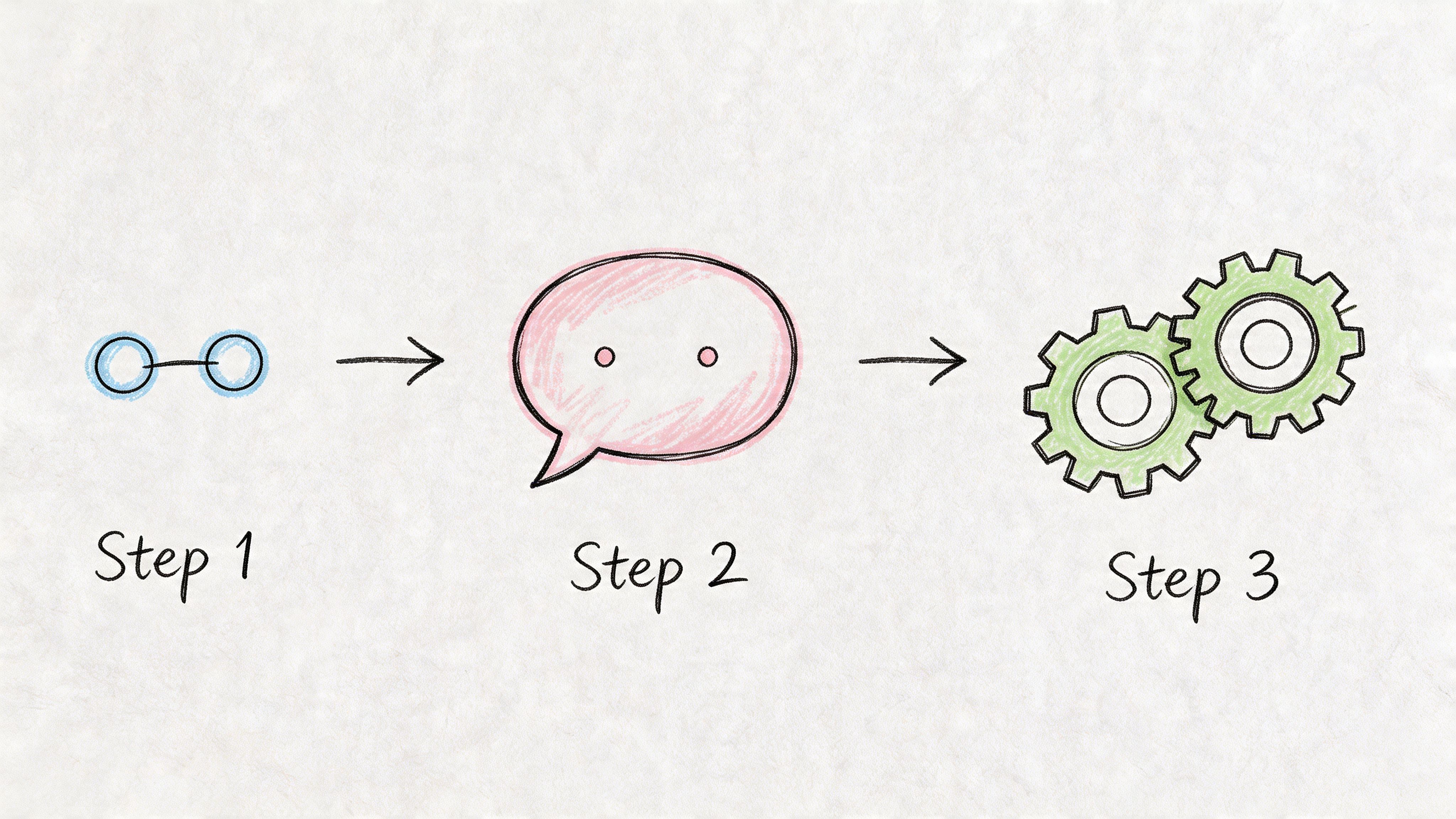
A simple sequence often works best:
- Message one
Thank them for connecting and mention a relevant topic, idea, or observation. - Message two
Share a short insight tied to a problem they likely deal with. - Message three
Make a soft ask only if the earlier messages fit and the context is strong.
A three-message sequence that feels natural
Message one after the connection
Keep this light. The goal is to make the connection feel justified.
Thanks for connecting, Laura. I’ve been following a lot of conversations around outbound quality in B2B teams lately, and your perspective in this space stood out.
You can also add a small value point.
Glad to connect, Ben. I’ve been comparing how teams handle prospecting across LinkedIn and email, and the differences in response quality have been interesting.
Message two with a problem and insight
This message works when it sounds observational, not preachy.
One pattern I keep seeing is that teams focus on send volume before they fix targeting and profile trust. That usually creates more restrictions and weaker conversations.
Or for recruiting:
I’ve noticed sourcing campaigns often underperform because the profile looks transactional before the outreach even starts. Candidates pick up on that quickly.
Message three with a soft ask
Only ask for a conversation if the context supports it.
If this is relevant on your side, happy to compare notes on how we’d structure a cleaner outreach workflow.
That’s enough. You don’t need a Calendly link in every message.
What to do with non-responders
Not every accepted connection becomes a conversation. That’s normal. The mistake is chasing too hard or disappearing completely.
Use a simple rule set:
- If they viewed but didn’t reply: Send one more short follow-up tied to a useful point.
- If they stay silent again: Stop pushing. Keep them warm through occasional content or later re-engagement.
- If they reply briefly: Match their energy. Don’t jump three steps ahead.
- If they ask a question: Answer directly and keep the thread moving.
A follow-up should lower friction, not create it.
Scheduling helps, but tone still wins
If you’re running outreach at scale, scheduling follow-ups can keep the process disciplined. The point is not to automate pressure. The point is to avoid forgetting good leads and to keep the sequence paced properly. This post on whether you can schedule LinkedIn messages is useful if you want to operationalize that side cleanly.
A few things consistently kill good follow-up motion:
The instant demo ask
Too early, too heavy.The paragraph dump
Long blocks of copy feel automated even when they aren’t.The fake familiarity
“Hope you’re well” and “just bumping this to the top” don’t buy you much on LinkedIn.The bait-and-switch
If your connection note sounded thoughtful and the first message sounds like boilerplate SDR copy, trust collapses.
A strong invitation on LinkedIn gets the door open. A strong follow-up earns the conversation. Treat them as two different skills.
Troubleshooting Low Acceptance Rates and Restrictions
When acceptance drops, the tendency is to blame copy first. Sometimes the note is the problem, but usually the issue sits upstream. The sender profile, list quality, activity pattern, and account trust all shape what happens before the recipient even reads your message.
That matters more now because this video discussing Q4 2025 LinkedIn algorithm changes states that accounts with acceptance rates below 35% can see a drop in Social Selling Index and visibility, while aged, location-specific, ID-verified accounts may reach 55% to 70% acceptance through stronger authenticity signals. Whether you run outbound for sales, hiring, or partnerships, the practical takeaway is the same. Poor acceptance doesn’t just waste invites. It can make the whole account weaker.
Diagnose the real problem first
Use this checklist before changing everything at once.
Check the profile
Does the account look like a real operator in a real market? Weak headline, thin experience, low activity, and generic photos all hurt trust.Check the audience
Are you targeting people who would plausibly know why you’re reaching out? If the answer is “sort of,” that’s usually not enough.Check campaign consistency
If one account is targeting founders in the morning, recruiters at lunch, and agency owners in the evening, the whole operation feels scattered.Check the note
Is it context-driven, or is it trying to sneak a sales pitch into the request?Check behavior
Did acceptance drop after faster sending, odd timing, or stacked automation actions?
What restrictions usually point to
Restrictions rarely come out of nowhere. They usually follow a cluster of weak signals.
Here are the most common patterns I see:
The account was pushed before it was trusted
Newer or colder profiles get used like mature ones. That’s a setup for trouble.The targeting was too loose
Broad audience definitions create more ignores, more declines, and weaker account perception.The operation got lazy
No invite clean-up, no batch review, no pacing discipline, no message testing.The team automated uncertainty
Instead of proving the sequence manually, they let software amplify a bad workflow.
If LinkedIn starts squeezing an account, the answer usually isn’t “send better copy faster.” The answer is “reduce risk and rebuild trust.”
Fixes that actually help
When a campaign underperforms, don’t tinker randomly. Make deliberate corrections.
Tighten the segment
Go narrower. Shared role, specific market, clear problem, visible overlap. Better to have a smaller pool with stronger relevance than a giant list full of weak-fit prospects.
Clean the profile
Make sure the account looks lived-in. Real experience, coherent positioning, some visible activity, and enough completeness that the request doesn’t feel anonymous.
Simplify the note
If your invitation on LinkedIn note feels too smart, it probably is. Strip it back to name, context, overlap, and a light close.
Slow down
When an account shows stress, reduce activity. Give the profile room to stabilize before you scale again.
Separate testing from scaling
Use one setup to test segments and another to run proven workflows. Don’t do both jobs with one fragile profile.
A stable system beats a clever one
The strongest LinkedIn outbound systems don’t rely on tricks. They rely on discipline. Relevant targeting. Trustworthy sender profiles. Clean invitation management. Measured automation. Follow-ups that sound like a person.
That combination is what keeps campaigns alive long enough to compound.
If there’s one idea to keep, it’s this: LinkedIn outreach works best when you stop treating invitations like disposable actions and start treating accounts like assets. Once you do that, the invitation on LinkedIn process becomes more predictable, more scalable, and far less likely to trigger the kind of problems that waste weeks.
If your team needs safer LinkedIn scale without risking key profiles, BIDVA is built for that use case. They provide real, ID-verified, warmed-up LinkedIn accounts with full ownership, replacement support, and compatibility with tools like Expandi, Dripify, Waalaxy, PhantomBuster, and LinkedHelper, which makes them a practical option for SDR teams, agencies, recruiters, and founders who need durable outreach infrastructure.