How to Write a Good Post on LinkedIn for B2B Results

So, what's the secret to writing a LinkedIn post that actually gets results? It's not about being the loudest voice in the room. It’s about combining a killer hook, real value, and a clear call-to-action into a message that sticks with your audience. Think of it as part storytelling, part strategic formatting, with a clear purpose driving it all.
The Blueprint for a High-Performing LinkedIn Post
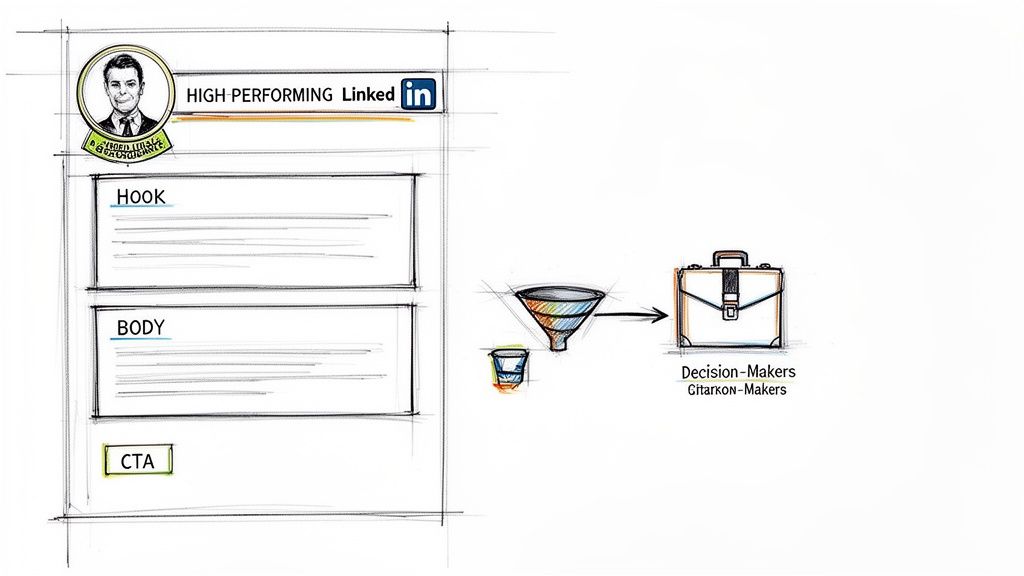
Stop guessing what makes a LinkedIn post work. In the B2B space, a well-crafted post is your direct line to the decision-makers, clients, and partners you want to reach. This isn't about surface-level tips; it's a repeatable framework that drives real business outcomes. For any sales team, recruiter, or marketer looking to scale their efforts, mastering this is no longer just a "nice-to-have."
But before your content can do the heavy lifting, your profile needs to project credibility. Success on LinkedIn is built on trust. If you’re running multiple outreach campaigns, ensuring each profile is solid is non-negotiable. If you want a deeper dive on this crucial first step, check out our guide on /post/linkedin-account-optimization-tips-agencies-2026 to see how we build that initial trust.
Why a Posting Blueprint Matters
Posting on LinkedIn without a plan is like shouting into the void. You might make some noise, but no one's really listening. A structured approach is what turns random thoughts into strategic assets that work for you. The first step is to build a comprehensive LinkedIn content strategy to ensure every single post has a purpose.
Here's why having a solid blueprint is so important:
- Builds Authority: When you consistently share valuable insights, you stop being just another connection and start becoming a go-to expert.
- Stays Top of Mind: Regular, high-quality posts keep your name and value proposition visible in your network's feed.
- Generates Opportunities: I've seen it time and time again—a single, well-crafted post can lead directly to connection requests, DMs, and qualified leads.
The goal isn't just to be seen. It's to be remembered and, most importantly, trusted. Your content is your digital handshake; it introduces your expertise long before you ever send a connection request.
Before we dissect each component, here’s a quick overview of what goes into a post that stops the scroll and starts real conversations. This table lays out the core structure we'll be building on.
Core Components of a High-Performing LinkedIn Post
This table summarizes the essential elements. Think of it as your pre-flight checklist before you hit "Post."
| Component | Best Practice | Why It Works |
|---|---|---|
| Hook | Start with a bold claim, a relatable story, or a sharp question. | Grabs attention in the first three lines before the "see more" cutoff. |
| Body | Use short paragraphs, plenty of line breaks, and bullet points. | Makes your content easy to read on mobile, which is where most people are scrolling. |
| Value | Offer a unique insight, a practical solution, or a fresh perspective. | Gives people a genuine reason to engage and follow you for more. |
| CTA | Ask an open-ended question or give a simple, clear directive. | Prompts comments and discussion, which tells the algorithm your post is valuable. |
| Hashtags | Use 3-5 relevant tags with a mix of broad and niche appeal. | Helps your content reach a wider, yet still targeted, audience beyond your immediate network. |
Getting these five elements right is the foundation for turning your LinkedIn presence from a passive profile into an active, lead-generating machine.
How to Write an Opener That Actually Stops the Scroll
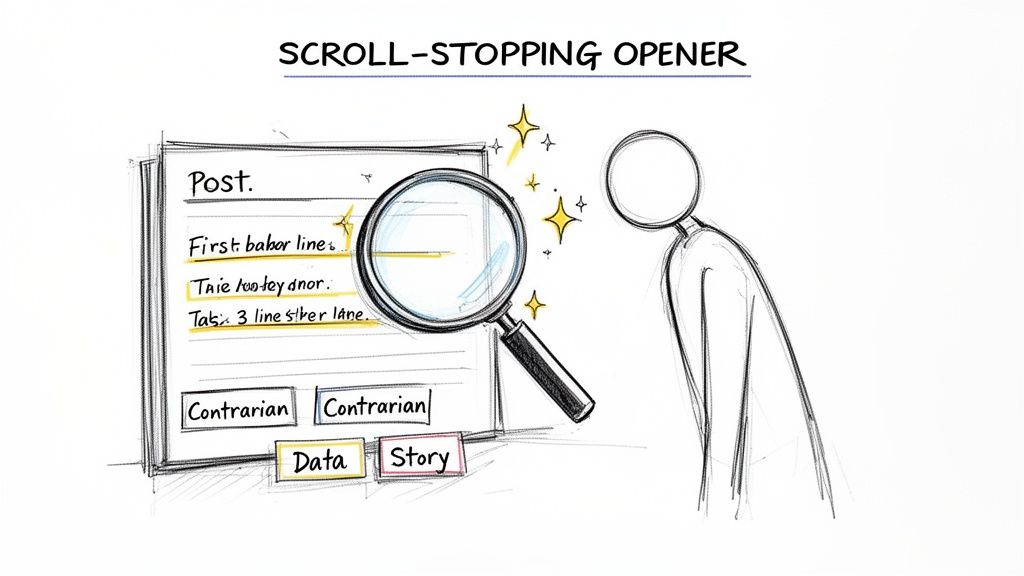
Let's be honest. You have about three lines. That’s all LinkedIn gives you before a reader has to click "see more." In that tiny space, you have to earn their attention. If your first few sentences fall flat, the rest of your post—no matter how valuable—might as well be invisible.
Mastering the opener is the first real step to writing a good LinkedIn post. This isn't about clickbait or cheap tricks. It’s about creating genuine curiosity. The goal is to make a promise or present a problem so compelling that your ideal reader can't help but want to know more.
Find Your Core Insight First
The most powerful hooks I've seen are all built on one thing: a unique core insight. This is your secret weapon. It’s a fresh take, a surprising discovery, or a piece of data that isn't already bouncing around the echo chamber.
Generic fluff like "work smarter, not harder" is a one-way ticket to getting ignored.
Instead, dig a little deeper. Ask yourself:
- What’s a common industry belief that I think is totally wrong?
- What’s a surprising lesson I learned from a recent failure?
- What piece of data have I found that completely changes the game?
Think about a post that blows past 100,000 views and starts generating real conversations and leads. The magic is almost always in an opener that presents a unique insight. In fact, an analysis of top-performing posts shows that 80% of them start with a specific insight from personal experience or data that nobody else is talking about, usually in a simple sentence under 15 words.
For example, a hook like "Why warming up LinkedIn accounts with 200-500 connections boosts deliverability by 3x" hits so much harder than a vague post about account safety. If you want to see exactly how the pros apply this, you can explore this breakdown of top-performing content creators and their strategies.
When you lead with a strong insight, your opener isn't just an introduction. It’s a signal that you’re about to deliver real value, not just rehash old ideas.
A great hook makes a promise to the reader: "If you give me 60 more seconds of your time, I'll give you an insight you can't get anywhere else." That's the transaction you're aiming for.
Tried-and-True Hooks That Work for B2B
Don't just memorize templates. You need to understand the psychology behind why an opener works. Here are three reliable approaches you can adapt for any B2B audience, with some before-and-after examples to show you the difference.
1. The Contrarian Hook
This is my personal favorite. You challenge a popular belief or a supposed "best practice." It works because it creates an immediate knowledge gap and makes people second-guess what they thought was true.
- Before: "Cold calling is an important skill for sales teams." (Yawn. We know.)
- After: "We told our SDRs to stop cold calling. Their pipeline doubled in 30 days. Here’s what they did instead." (Now that's a story I want to read.)
2. The Relatable Story Hook
This opener gets personal. You start with a vulnerable, funny, or highly relatable situation. It’s the fastest way to build an emotional connection and show the human behind the profile.
- Before: "It's important to be prepared for client meetings." (Thanks, Captain Obvious.)
- After: "I completely bombed a major client pitch last week. The CEO asked me one question I couldn't answer. That failure taught me more than any win ever has." (I'm listening. We've all been there.)
3. The Surprising Data Hook
Numbers grab attention and add instant credibility. Use a startling statistic to highlight a problem or an opportunity. It makes your insight feel urgent and tangible.
- Before: "Many businesses struggle with lead generation." (Vague and forgettable.)
- After: "95% of your 'qualified leads' will never convert. The problem isn't your sales team. It's your definition of 'qualified.'" (Specific, provocative, and promises a solution.)
By shifting your focus from just introducing a topic to crafting an opener packed with insight, you completely change the dynamic. It’s the most critical part of learning how to write a LinkedIn post that actually drives engagement and gets you noticed.
Structuring Your Content for Readability and Impact
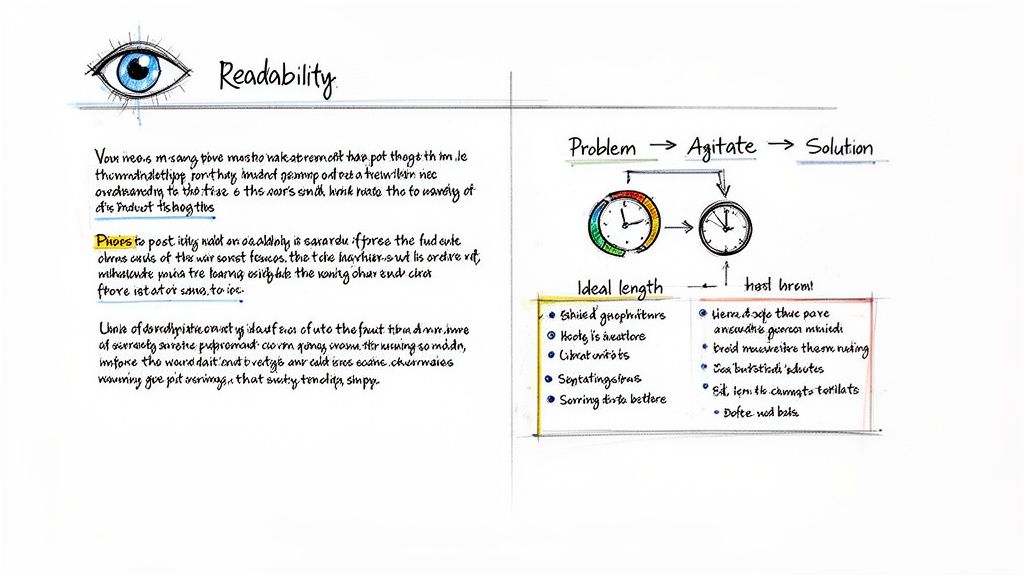
You did it. You wrote a killer hook that made someone stop scrolling and click "see more." But that click is just the beginning. If they open your post and find a giant, intimidating wall of text, they're gone.
The way you structure and format the body of your post is just as important as that first line. It’s what keeps them reading.
The trick is to make your content incredibly easy to scan. Think about how you use LinkedIn—you're probably on your phone, bouncing between meetings, or killing a few minutes. You need to get your points across in seconds. This means making your insights feel effortless to absorb, and that comes down to visual clarity.
Embrace White Space and Short Paragraphs
This might be the most powerful formatting secret on LinkedIn: use white space aggressively. Long paragraphs are a death sentence for engagement.
Your goal is to create a visual flow that pulls the reader’s eye down the page.
- Stick to 1-3 sentences per paragraph. Seriously. This is a non-negotiable rule I follow.
- Use single-line breaks to separate paragraphs. This gives your post a light, breathable feel.
- Toss in short, one-line sentences for emphasis. They work like little speed bumps, forcing the reader to pause and pay attention to a key point.
This isn’t about dumbing down your ideas. It’s about respecting your reader's environment. A well-formatted post makes a complex idea feel simple and accessible—which, by the way, is what true experts do.
Use Storytelling Frameworks for B2B
Structure isn't just about line breaks; it’s about the logical and emotional journey you take your reader on. Don't just list facts. Frame your insights inside a narrative. Two of my go-to models for B2B content are the Problem-Agitate-Solution (PAS) and Before-After-Bridge (BAB) frameworks.
1. Problem-Agitate-Solution (PAS)
This is your go-to when you want to tap into a pain point your audience feels every single day.
First, you state a Problem they instantly recognize. (e.g., "Your best SDRs are wasting hours writing outreach emails from scratch.")
Then, you Agitate that problem by pouring a little salt in the wound. (e.g., "That’s time they could be on calls, but instead they're staring at a blinking cursor with low reply rates to show for it.")
Finally, you present your insight or tool as the clear Solution. (e.g., "We built a simple prompt library that generates hyper-personalized emails, booking 10+ meetings a week on autopilot.")
2. Before-After-Bridge (BAB)
This framework works wonders when you want to sell a vision of a better future.
You start with the Before—a snapshot of their current, frustrating reality. ("Struggling to get any traction with a brand-new LinkedIn account.")
Next, paint a picture of the After—the ideal world they want to be in. ("Imagine having a fully warmed-up account with 500+ relevant connections, ready for outreach on day one.")
Then you introduce the Bridge, which is your product, service, or tip that gets them there. ("That's exactly what a pre-verified, aged account gives you—an instant head start.")
These frameworks give your post a narrative spine. They transform a dry tip into a compelling story that moves someone from a point of frustration to a clear, desirable outcome.
What Is the Ideal LinkedIn Post Length?
Ah, the million-dollar question. While there's no single perfect length, I've found that the sweet spot is somewhere between 1,200 and 2,000 characters. This is roughly 200-320 words.
That gives you just enough room to land your hook, develop your main point with a framework like PAS or BAB, and close with a solid call-to-action—all without making the reader feel overwhelmed.
Of course, format changes everything. For text-only posts, I’d lean toward the shorter end of that range to keep it super scannable. But if you’re creating a document post (carousel), you can go much longer because the content is naturally broken into digestible slides. Similarly, for videos, remember that many people watch with the sound off, so knowing how to add captions to videos is critical for engagement.
Ultimately, don't pad your post to hit a character count. The right length is exactly as long as you need to make your point, and not a word more. Say what you need to say, then get out.
Driving Action with Smart CTAs and Hashtags
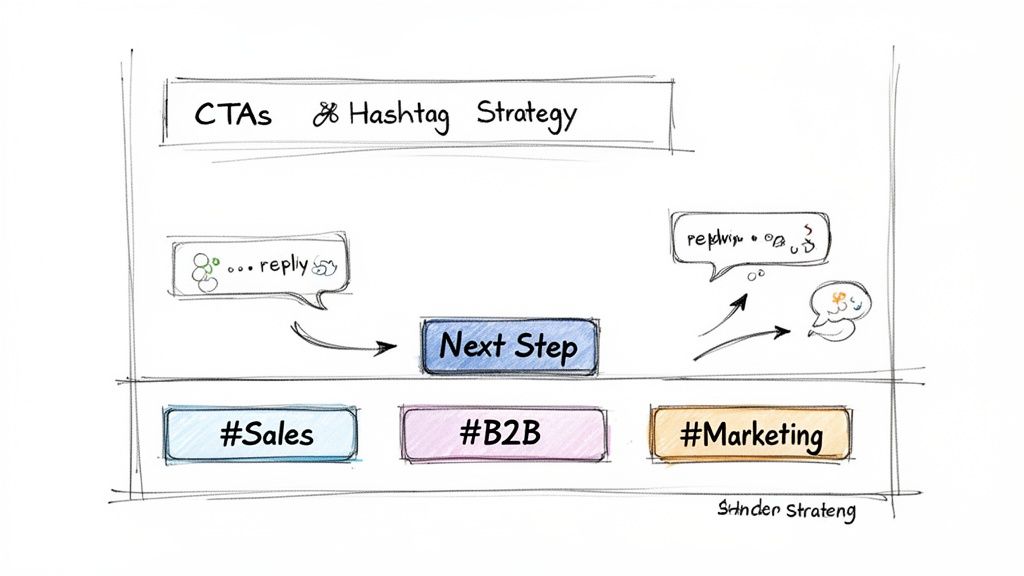
You’ve done the hard work. You’ve written a post that’s packed with value, and it’s resonating with people. But if you don't ask for anything, all that effort just evaporates. A great post without a clear next step is a massive missed opportunity.
You've earned their attention. Now, you need to tell them what to do next. This is where a sharp call-to-action (CTA) and a savvy hashtag strategy separate the pros from the amateurs, turning passive scrollers into active leads.
Ditching "Comment Below" for Good
Let's be honest, the classic "What do you think? Comment below!" CTA is dead. It feels lazy, like you're just trying to trick the algorithm, and your audience can spot it a mile away. To get real engagement, your CTA needs to feel like a genuine invitation to a real conversation.
Instead of vague prompts, ask pointed, open-ended questions that actually make people pause and think.
- Weak CTA: "Let me know your thoughts."
- Strong CTA: "What's the one metric your sales team obsesses over that you think is completely useless?"
See the difference? The second one is specific, a little controversial, and invites a far more interesting response. It shows you care about their actual experience, not just begging for a comment.
Picking the Right CTA for the Job
Your CTA should have a clear purpose that matches your post's goal. Are you trying to build a community? Generate leads? Prove you’re the expert? Pick a CTA that gets you there.
Here are a few aporoaches I've seen work wonders:
The Conversation Starter: These are designed to get a real discussion going in the comments, which is exactly what the algorithm loves to see.
- Try this: "I used to believe X, but a recent project taught me Y. When was the last time a failure completely changed your perspective on something?"
The Lead Magnet: This is your best bet for guiding interested people into your pipeline without sounding like a pushy salesperson.
- Try this: "I put together a 3-step checklist for this process. If you want a copy, just comment 'checklist' and I'll DM it to you."
The Traffic Driver: Use this when your main goal is getting eyeballs on your website, blog, or a specific landing page.
- Try this: "The full case study with all the data is on our blog. Link in the first comment." (Pro-tip: Putting the link in the first comment can help your post's initial reach, as LinkedIn prefers to keep users on its platform.)
For B2B sales teams, nailing the CTA is absolutely critical. Our guide on how to use LinkedIn for sales with verified accounts shows exactly how this fits into a bigger outreach plan.
A Smarter Hashtag Strategy
Hashtags are the engine that helps people who don't follow you find your content. But just slapping #sales, #marketing, and #business on every post is a waste of time. You're just shouting into a crowded room.
Think of hashtags as filing cabinets for your content. You want to file your post in the right drawers so the right people can find it easily. A disorganized strategy just gets your content lost.
A good rule of thumb is to use 3 to 5 highly relevant hashtags. Any more than that and you start to look a little spammy, which can dilute your message.
Here’s a simple framework I always come back to:
| Hashtag Type | Its Purpose | Example |
|---|---|---|
| Broad | Reaches a large, general audience. | #B2BMarketing |
| Niche | Targets a specific community or topic. | #SaaSsales or #LIAutomation |
| Branded | Builds your brand and groups your content. | #YourCompanyName or #YourCampaignName |
So, for a post about cold outreach, you could use #SalesDevelopment (Broad), #ColdOutreachTips (Niche), and #BIDVAmethod (Branded). This mix ensures your content gets seen by a wide audience but also pulls in the highly qualified people you actually want to talk to.
When you balance a compelling CTA with a smart hashtag mix, you build a powerful system for both engagement and discovery.
Optimizing Your Cadence and Measuring What Matters
Even the most brilliant LinkedIn post will fall flat if you just "post and pray." If you're publishing great content but doing it sporadically or tracking the wrong things, you're leaving a massive amount of opportunity on the table. Success on LinkedIn isn't about one viral hit; it's about building a consistent rhythm and knowing what numbers actually signal business intent.
This is where so many people go wrong. They chase likes and views, but those are just vanity metrics. We need to look deeper. The real story is told by things like profile visits, new connection requests, and DMs hitting your inbox. Those are the signs that your content is actually working for you.
Finding Your Perfect Posting Frequency
There's no single magic number for how often to post, but I can tell you this from experience: consistency is everything. The goal is to stay on your network's radar without being a nuisance.
For most B2B professionals, hitting a sweet spot of 3-5 times per week keeps the momentum going. This gives you enough runway to test different content formats and see what sticks.
But here's the key: never sacrifice quality for the sake of quantity. One thoughtful, high-value post will always outperform five lazy ones. If you're just getting started, aim for twice a week and build from there. Find a pace you can genuinely sustain without burning out.
Don't just take my word for it—the data backs this up. Recent analysis shows that profiles posting weekly see 5.6 times more follower growth than those who don't. For lead-gen agencies managing client accounts with tools like PhantomBuster, timing those posts to hit peak hours can bump click-through rates by 15-20%. If you want a deep dive on this, you can explore a detailed beginner's guide to LinkedIn analytics.
Think of your posting schedule as a flexible framework, not a rigid rulebook. The "best" time to post is simply when your audience is most likely to see it. Dig into your LinkedIn Analytics to see when your followers are most active. For B2B, that's often mid-morning from Tuesday to Thursday.
Metrics That Actually Drive Business Growth
Likes and impressions feel good, but they don't move the needle on your revenue. To see real business results, you have to track the metrics that show someone is going from a passive scroller to an active prospect.
Let's break down what you should really be watching:
- Engagement Rate: This is your content's health score. It’s your total engagements (likes, comments, reposts) divided by your impressions. Anything over 2% is solid, but top performers are consistently hitting 4-5% or even higher.
- Comments: Comments are engagement gold. They tell the LinkedIn algorithm that you've started a real conversation, and it will reward you with more reach. A thoughtful comment is worth dozens of simple likes.
- Profile Views: Did you see a spike in profile views after you posted? That's a huge buying signal. It means your content was so compelling that people had to click on your name to see who you are and what you do.
- Connection Requests: When you start getting inbound connection requests—especially ones with a personalized note referencing your content—you know you're attracting the right people. This is how you strategically learn more about how to get more connections on LinkedIn instead of just collecting random contacts.
- Inbound DMs: This is the ultimate win. When someone slides into your DMs to ask a question or comment on your post, you've successfully moved them from a follower to a warm lead.
Calculating Your Engagement Rate
Don't just guess whether your content is performing well—know for sure. Calculating your engagement rate gives you a hard number to benchmark your efforts.
It's a pretty straightforward formula. First, click "View analytics" at the bottom of any of your posts. You'll see your key numbers there.
Now, just plug them into this equation:
(Total Engagements ÷ Total Impressions) x 100 = Engagement Rate %
Let's run a quick example. Say your post got 5,000 impressions, 150 reactions, 30 comments, and 5 reposts. That's 185 total engagements.
Your math would look like this: (185 ÷ 5000) x 100 = 3.7%.
That's a strong engagement rate, telling you the post landed well. By tracking this for every post, you'll quickly learn which topics, formats, and hooks truly capture your audience's attention.
Common Questions About Writing LinkedIn Posts
Alright, you've got the frameworks and a plan, but let's be honest—posting consistently on LinkedIn can feel like you're trying to solve a puzzle with half the pieces missing. A ton of 'what if' scenarios always pop up.
These are the questions I get asked all the time in coaching sessions with sales leaders, marketers, and startup founders. Here are my straight-to-the-point answers to help you navigate the tricky parts and post with a lot more confidence.
What Should I Do If My Posts Get No Engagement?
We’ve all been there. You spend an hour crafting the perfect post, you hit publish, and then… crickets. It’s tempting to feel defeated or, worse, just stop posting.
First, take a breath. A post that doesn't fly isn't a failure; it’s just data. Before you get discouraged, run a quick diagnostic. It usually comes down to one of these three things:
- The Opener: Go back and read your first line. Was it a bit vague or generic? A weak hook is the number one reason people keep scrolling. It has to be specific enough to stop them in their tracks and make them wonder what’s next.
- The Actual Value: Did you share a genuine insight, a personal story, or a new way of looking at a common problem? People engage when they learn something or feel something. A post that just states the obvious won't get much traction.
- The Readability: Was your post a giant wall of text? Even a brilliant idea will get ignored if it’s a pain to read on a phone. You need short paragraphs, plenty of white space, and maybe a few bullet points to make your post scannable.
A post with zero likes isn’t a flop; it's feedback. It’s the algorithm telling you that specific combination of hook, value, and formatting didn’t connect. Learn from it, tweak your next one, and keep going.
How Often Should I Edit or Delete a Post?
I have a very simple rule here: edit for clarity, but almost never delete for performance.
If you publish a post and immediately see a glaring typo or a sentence that doesn't make sense, absolutely hit that "edit" button. A clean, professional post builds credibility. Go fix it.
What you shouldn't do is obsessively watch the engagement count for the first hour and then hit delete if it's not taking off. The LinkedIn algorithm is a strange beast; some posts take a few hours, or even a full day, to find their audience. Deleting it too soon kills any chance it has. Besides, a profile with a natural mix of high- and low-performing posts looks far more authentic than one that’s been aggressively curated.
The only time I’d ever recommend deleting a post is if it contains a major factual error or could be misconstrued in a way that’s genuinely damaging to your reputation. Otherwise, let it be. It's part of the journey.
Is It Better to Repost or Create Original Content?
This one’s easy: original, native content will win almost every time. The LinkedIn algorithm is built to reward content that sparks new conversations, and that’s exactly what an original post does. You get to control the narrative from the hook to the final CTA.
That said, sharing someone else's post with your own commentary can be a fantastic move. Don't just hit the "repost" button; use the "repost with your thoughts" feature. This lets you:
- Add Your Spin: You can share your unique perspective, respectfully disagree with a point, or highlight something the original author may have missed.
- Build Your Network: Tagging the original creator when you add valuable commentary is a great way to get on their radar and build real industry relationships.
- Show You're Engaged: It proves you're not just broadcasting your own ideas into a void. You're an active participant in your industry's conversation.
A good rule of thumb I give my clients is the 80/20 rule. Aim for about 80% original content to build your authority, and use the other 20% for thoughtful, curated reposts to show you’re a connected player in your space.
How Should I Handle Negative or Critical Comments?
First off, don't panic. A negative comment isn't a personal attack. It's actually an opportunity to show everyone watching how professional and confident you are. How you handle public criticism often says more about your character than a dozen glowing posts.
Here’s my simple playbook for managing tough comments:
- Acknowledge and Disarm. Start by showing them you've heard their point. A simple, "Thanks for sharing your perspective on this" or "That's a fair point to raise" can immediately de-escalate any tension.
- Respond with Substance, Not Emotion. If they've pointed out a valid flaw, own it. If they've just misunderstood, clarify your position calmly and with facts. The absolute worst thing you can do is get pulled into a public back-and-forth debate.
- Take It Offline. For anything that needs a longer explanation or is getting heated, move the conversation to a private channel. Something like, "I'd be happy to discuss this more—I'll send you a DM," shows you're open to dialogue while keeping your comments section productive.
Remember, your entire network is watching. Handling a negative comment with grace can build more trust than a post that only gets praise.
At BIDVA, we understand that building a powerful LinkedIn presence is a long-term asset. Having reliable, warmed-up accounts is the foundation for any successful outreach or content strategy. Learn how our real, ID-verified profiles can help you scale your efforts safely and effectively by visiting BIDVA.