How to Get More Connections on LinkedIn in 2026

Growing your LinkedIn network really boils down to two things: making your profile a magnet for the right people and then actively going out to find them. You can't have one without the other. A great profile gives people a reason to accept your request, and smart engagement gets you in front of them in the first place.
Your Foundation for LinkedIn Connection Growth
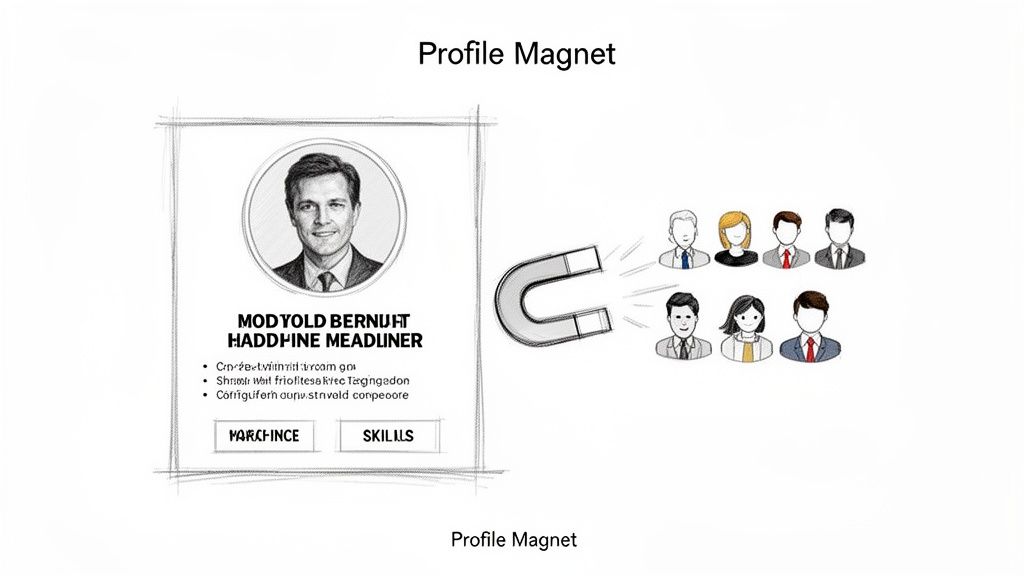
Before you even think about sending a connection request, you have to get your own house in order. Your LinkedIn profile is doing the heavy lifting 24/7. I've seen so many people sabotage their own outreach with a lazy or incomplete profile.
Think about it from their perspective. A stranger's name pops up in their invitations. What's the very first thing they do? They click on your profile to size you up. In that split second, they're asking, "Who is this?" and "Why should I care?" Your profile needs to give them a compelling answer.
Craft a Benefit-Driven Headline
Your headline is the most powerful piece of real estate on your entire profile. The biggest mistake people make here is simply listing their job title. "Account Executive at XYZ Corp" tells me nothing.
Instead, your headline should scream value. It needs to immediately tell your target audience who you help and what problem you solve for them. It’s your one-line pitch.
- B2B Sales Rep: Don't say "Account Executive." Try "Helping SaaS Founders Reduce Churn & Increase LTV with Data-Driven Retention Strategies."
- Recruiter: "Technical Recruiter" is boring. How about "Connecting Top-Tier Python Developers with Mission-Driven FinTech Startups."
- Founder: Instead of just "CEO at Startup Inc.," be specific: "Founder of Startup Inc. | Building AI Tools That Automate Workflow for Creative Agencies."
A great headline doesn't just explain what you do; it makes you discoverable and gives a stranger an immediate reason to want to know more.
Write a Summary That Tells a Story
Your "About" section is where you expand on the promise you made in your headline. This is your chance to stop sounding like a resume and start sounding like a person. Build some trust, show some personality, and explain your mission.
Your profile summary isn't a list of your greatest hits. It’s the story of your professional life—your "why." It should speak directly to your ideal connection, showing you understand their world and have something of value to offer.
To keep people from bouncing, make it scannable. Hook them with a strong opening sentence, use bullet points for key skills or results, and always end with a clear call-to-action. Invite them to connect or visit your website. Give them the next step.
To help you nail these critical sections, here's a quick cheat sheet covering the most important parts of your profile.
Key Profile Elements for Maximum Impact
This table breaks down exactly what to focus on to turn your profile into a connection-generating machine.
| Profile Element | What to Do | Why It Works |
|---|---|---|
| Headline | Describe who you help and the result you deliver. Use keywords. | Immediately communicates your value and relevance to a visitor. |
| About Section | Tell a compelling story. Use bullet points for readability. End with a call-to-action. | Builds trust and rapport, guiding the visitor on what to do next. |
| Experience | Focus on achievements, not just responsibilities. Use quantifiable data. | Shows concrete proof of your skills and the value you bring. |
| Skills | Pin your top 3 most relevant skills to the top. | Highlights your core expertise and improves your ranking in LinkedIn search. |
Getting these elements right is the non-negotiable first step. It transforms your profile from a static, passive document into a dynamic tool for growth.
Optimize Your Experience and Skills
Speaking of experience, each job entry should be a mini-case study. Don't just list what you were supposed to do. Show what you actually did. Use bullet points to highlight your proudest achievements with hard numbers whenever possible.
Your Skills section directly feeds LinkedIn's search algorithm, so don't neglect it. Make sure you pin your top three most important skills—the ones you absolutely want to be known for. Weave these same keywords throughout your entire profile, from the headline down to your job descriptions.
Getting this foundation right is a prerequisite for any serious network growth. For a deeper dive, check out these proven tips to get more connections on LinkedIn. Once your profile is dialed in, you're ready to start actively engaging and connecting.
How to Attract Connections with Strategic Engagement
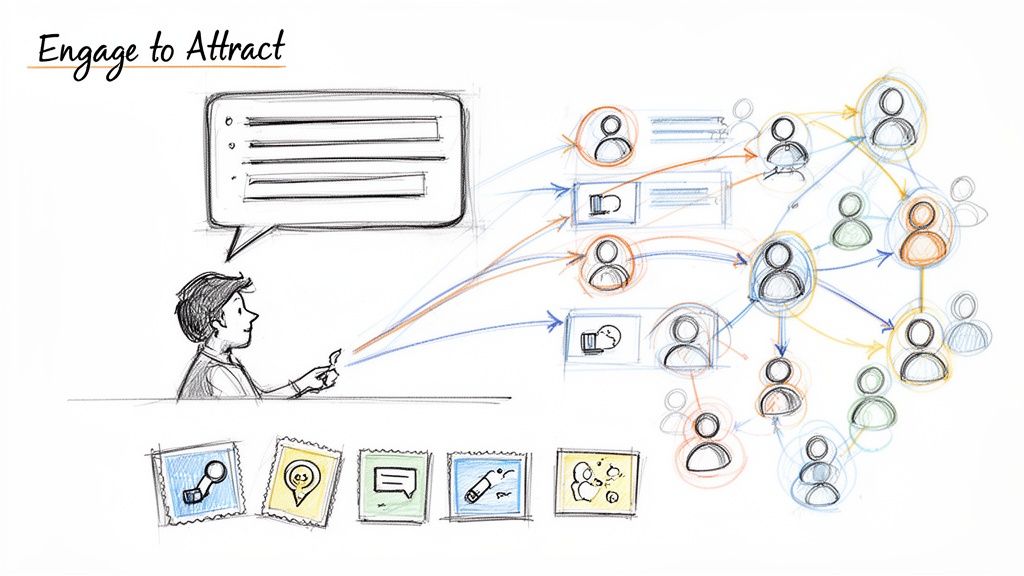
Having a polished profile is a great first step, but it’s a static billboard. If you’re serious about growing your network, you can’t just sit back and wait. Passive profiles get passive results; you have to jump into the conversation.
Think of it this way: every time you create content or leave a thoughtful comment, you’re telling the LinkedIn algorithm you're an active, valuable member. This doesn't just make you more visible; it makes your profile a magnet for inbound requests and dramatically boosts the acceptance rate of your own outreach.
Create Content That Showcases Your Expertise
The quickest way to prove your value is to share what you know. You don’t need to be a professional copywriter; your real-world experience is what people want.
What are the questions you answer all the time for clients or colleagues? What’s a recent industry development you have a strong take on? Those are your first posts.
- Share a quick tip: A short, actionable nugget of advice often gets the most traction.
- Post a text-only insight: Tell a story or share a lesson you learned the hard way on a recent project.
- Create a document or carousel post: These are perfect for breaking down a complicated idea into simple, swipeable steps.
Don't burn yourself out. Consistency beats intensity every time. Aiming for one or two solid posts a week is far more powerful than posting five times in one week and then going silent for a month.
The Art of the Thoughtful Comment
I'm convinced that commenting is the single most underrated growth hack on LinkedIn. Every comment you leave on a post by an industry leader or a prospect is a mini-billboard for your expertise. But please, skip the generic "Great post!" or "I agree." They're invisible.
The goal is to actually add to the conversation.
A truly valuable comment doesn’t just echo the original post—it builds on it. Ask a smart question, offer a respectful counterpoint, or share a quick personal story that relates to their point. This is how you go from being a spectator to a participant.
For instance, if a marketing exec posts about the grind of content creation, a game-changing comment would be: "So true, especially for lean teams. We found that batching all our content on Mondays saved us 5+ hours a week. Has anyone else found a system that works?"
That single comment showcases your experience, sparks a real discussion, and puts you on the radar of everyone in that thread. It's a simple, organic way to get more connections on LinkedIn. If you're looking for more advanced strategies like this, you might find our guide on powerful LinkedIn growth hacking techniques helpful.
Leverage Niche LinkedIn Groups
Think of LinkedIn Groups as pre-vetted rooms full of your ideal connections. Joining groups built around your industry, role, or specific interests places you directly among peers and key decision-makers.
The rules of engagement are the same here: give value before you ask for anything. Answer questions. Share useful articles (not just your own). When you do, your future connection requests to fellow group members will feel less like a cold pitch and more like a natural next step.
This isn't just theory; the numbers back it up. With LinkedIn's engagement rate having jumped by 44% year-over-year, the platform is clearly rewarding its active users with more visibility. Since US professionals spend about 17 minutes on LinkedIn daily, you have a solid window to make these meaningful interactions. And it's worth it—users are six times more likely to buy from a brand after engaging with its content, proving that an active presence drives real business outcomes. You can dive into more LinkedIn statistics and what they mean for your strategy on charleagency.com.
Running Targeted Outreach Campaigns That Actually Work
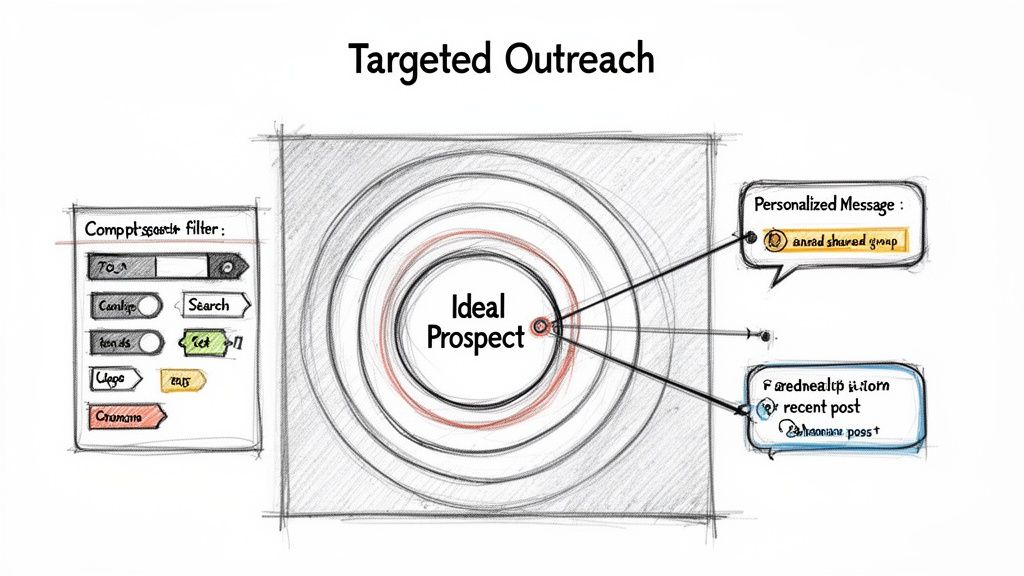
Alright, you’ve put in the work to build a solid profile and started warming up your network with consistent activity. Now it's time to shift gears from passive engagement to proactive outreach. This is where you stop waiting for opportunities and start creating them by connecting with the exact people who can make a difference for your business or career.
Forget about the "spray and pray" approach. This isn't about sending hundreds of generic requests and hoping something sticks. We're talking about surgical precision—finding the right people and sending a message so relevant that accepting your request is a no-brainer. Quality trumps quantity every time. A small, focused network of 500 relevant contacts is far more valuable than a sprawling list of 5,000 strangers.
Build Your Hit List of Ideal Connections
Before you even think about writing a message, you need to know exactly who you're targeting. This is where you put LinkedIn's powerful search tools to work to create a highly specific list of prospects.
Even the standard LinkedIn search bar is more capable than most users realize. You can start filtering your results immediately by:
- Job Title: Look for specific roles like "VP of Marketing" or "Senior Cloud Architect."
- Company: Target people at organizations you admire or want to work with.
- Industry: Hone in on sectors relevant to you, from "Financial Services" to "Renewable Energy."
- Location: Zero in on professionals in a specific city, state, or region.
If you're really serious about this, investing in LinkedIn Sales Navigator is a game-changer. It unlocks a whole new level of filtering. You can drill down by company size, seniority level, years in a current role, and even flag people who have recently changed jobs. It’s the difference between casting a wide net and going spearfishing.
Craft a Connection Request They Can’t Ignore
With your target list ready, you’ve reached the most crucial step: the connection request message itself. That lazy, default "I'd like to connect with you on LinkedIn" message? Its success rate is practically zero. It tells the recipient you couldn't be bothered, so why should they?
Your mission is to personalize every single request. Find a real, specific reason for reaching out. This usually takes no more than 30 seconds of scanning their profile, but the payoff for that tiny bit of effort is huge.
People connect with those they feel they know, like, or trust. A personalized message is your shortcut to building that first sliver of trust. It shows you've done your homework and aren't just another spammer filling their inbox.
Here are a few angles I've seen work time and time again:
- Reference a Shared Group: "Hi Sarah, I saw we're both in the 'SaaS Growth Leaders' group. Your comment last week about reducing churn was spot on. I'm focused on the same challenge and would love to connect with other pros in the space."
- Mention a Recent Post: "Hi David, I really enjoyed your post on using AI for content marketing. Your point about maintaining an authentic voice really resonated with me. Would be great to connect and follow your insights."
- Cite Company News or Accomplishments: "Hi Maria, I saw that [Company Name] just closed its Series B funding—congratulations! As someone deep in the FinTech world, it’s exciting to see your growth. I'd love to connect."
The formula is simple but powerful: Context + Compliment + Call to Connect. This approach immediately distinguishes you from the noise and gives them a compelling reason to click "Accept."
The Simple, Non-Pushy Follow-Up Sequence
Getting the connection accepted is just the beginning. So many people drop the ball right here, letting a valuable new contact go cold. The goal is to gently guide the new connection toward a real conversation, without ever coming across as salesy or desperate.
Here’s a simple but incredibly effective sequence to use after someone accepts your request:
The "Thank You" (Day 1): Within 24 hours, send a short, simple message. This is not a sales pitch. It’s just a polite acknowledgment. "Thanks for connecting, James. Looking forward to seeing your posts in my feed. Cheers!" That's it. It’s a low-pressure touchpoint that keeps you top of mind.
The "Value Add" (Day 3-5): A few days later, find an opportunity to provide value with no strings attached. Share a link to a great article, suggest a helpful tool, or offer a quick insight. For example: "Hey James, I remembered you were interested in [Topic]. I just came across this deep-dive report on it and thought you might find it useful. [Link]"
This two-step sequence is how you turn a cold connection into a warm one. You've built a foundation on professional respect and generosity, which is the perfect starting point for any future business discussion. By following this playbook, you won’t just get more connections on LinkedIn—you'll be building a network that genuinely works for you.
Scaling Your LinkedIn Outreach Safely and Effectively
If you've ever tried to scale your LinkedIn outreach manually, you know the grind. It’s noble work for a while, but for any ambitious sales team, recruiter, or agency, it quickly becomes a massive bottleneck. The time you spend digging for prospects, personalizing connection requests, and following up just doesn't scale.
The real challenge isn’t just about speed; it's about safety. How do you ramp up your volume without tripping LinkedIn’s automated alarms and risking your account?
This is where you need to shift from thinking about your personal profile to building a scalable growth engine. It involves a smarter, multi-account strategy that uses automation the right way—responsibly. When you get this right, you can run high-volume campaigns that look completely natural, flying under the radar while your pipeline fills up.
The Problem with Scaling on a Single Profile
LinkedIn is built to spot and penalize anything that looks robotic. A sudden explosion in connection requests, profile views, or messages from a single account is a huge red flag. This is especially true for newer profiles or those with a small network, as LinkedIn keeps them on a much tighter leash.
When you try to push your main profile too hard, you’re practically inviting trouble:
- Weekly Invitation Limits: You’ll burn through your weekly allotment of connection requests in a day or two, bringing all your outreach to a dead stop.
- Account Warnings: You'll start seeing those dreaded "You're using LinkedIn too much" notifications, which often lead to temporary restrictions on your account's features.
- Permanent Bans: In a worst-case scenario, repeat offenses can get your primary account—and your entire professional network—permanently shut down.
The issue isn’t that you want to connect with more people. It’s all about how you do it. LinkedIn is designed to reward human behavior and penalize anything that feels automated or spammy. The secret is making your scaled outreach appear as human as possible, even when it’s not.
Bypassing the Growth Bottleneck with Warmed-Up Accounts
The most effective solution is to spread your outreach across multiple, high-trust LinkedIn accounts. But don't make the mistake of starting new profiles from scratch; that's a slow, painful road. New accounts begin with zero connections and are watched like a hawk by LinkedIn’s algorithm.
A far better approach is to use pre-warmed, ID-verified accounts.
Providers like BIDVA are experts in this. They offer accounts that have already been aged and come with an established network of 200-500+ connections. This immediately gives the profile a history of legitimacy, signaling to LinkedIn that it's a real, established user.
Consider that the median number of connections for a LinkedIn user is around 400, and roughly 30% of all users have more than 500 connections. Starting with accounts already in this bracket lets you skip the entire trust-building phase, which can take months. You get higher daily limits and better algorithmic treatment right out of the gate. For more data on this, check out these key LinkedIn statistics from cognism.com.
For anyone serious about scaling, choosing the right type of account is a critical decision. Here’s a quick comparison to help you understand the trade-offs.
Account Type Comparison for Outreach
| Feature | Standard Personal Account | BIDVA Warmed-Up Account |
|---|---|---|
| Initial Network Size | Your existing connections | 200-500+ established connections |
| Trust Level | High, but tied to your personal brand | High, with ID verification and an aged history |
| Risk of Ban | Very high when pushing volume limits | Very low when used with safe practices |
| Daily Limits | Low and easily triggered | Higher, allowing for greater scale |
| Setup Time | Instant (if you use your own) | Ready to go immediately |
| Best For | Low-volume, personal networking | High-volume, scalable outreach campaigns |
As you can see, relying on your personal account for large-scale campaigns puts your most valuable digital asset at unnecessary risk. A dedicated, warmed-up account is built for this kind of work.
Running Safe and Responsible Automation
Once you have a set of high-trust accounts, you can pair them with a quality automation tool like Expandi, Waalaxy, or LinkedHelper. But the goal here is not to "set it and forget it." Instead, you’re using these tools to execute a well-planned strategy with human-like precision.
Safety is everything, and it boils down to two core principles:
- Technical Isolation: Each LinkedIn account needs to live in its own digital bubble. This means every account gets its own dedicated, high-quality residential proxy and a separate browser profile (using a tool like GoLogin or Multilogin). This setup prevents LinkedIn from ever spotting multiple accounts coming from the same IP address or device fingerprint—a dead giveaway for automation.
- Mimicking Human Behavior: Your automation settings should look like a real person at work, not a relentless robot. Ramp up activity slowly over days. Set random delays between actions. Most importantly, schedule your campaigns to run only during normal business hours in the account's time zone. For a complete playbook on this, check out our guide on building a safe LinkedIn automation workflow to reduce ban risk.
By combining multiple ID-verified, pre-warmed accounts with smart, responsible automation, you create a powerful and resilient system for growth. You’re no longer held back by the limits of a single profile. Instead, you can run multiple campaigns to different audiences, A/B test your messaging, and generate a predictable stream of connections and leads—all while keeping your accounts safe.
Why Verified Accounts Are a Growth Superpower
When you're trying to grow your LinkedIn network, it's easy to get fixated on the numbers. But here's something I've learned from years of running outreach campaigns: the quality and authenticity of your connections matter far more than the total count. Your entire strategy lives or dies by the trust your profile inspires, and this is where verified accounts give you a serious, almost unfair, advantage.
Think of it this way: LinkedIn's algorithm is like a smart gatekeeper. It's constantly checking profiles for signs of legitimacy. If you have an established account with a real, engaged network, you get the VIP treatment. Your messages actually land in inboxes, and your content gets seen. This isn't just about vanity metrics; it has a direct impact on your bottom line.
The Undeniable Power of a High-Trust Network
A trusted network is the secret ingredient that makes LinkedIn such a powerful tool for sales and marketing. For instance, marketing efforts on LinkedIn can see conversion rates twice as high as other platforms. For recruiters, the story is just as compelling; LinkedIn has reported an 88% increase in confirmed hires, proving that the quality of your connections directly speeds up the hiring process.
When you start with an ID-verified, pre-warmed account, you're essentially borrowing that trust from day one. It's the difference between showing up to a party uninvited and being personally introduced by the host. This built-in credibility becomes absolutely critical when you decide to scale up your campaigns.
As you can see below, moving from manual outreach to high-volume campaigns is a journey. You can't just flip a switch.
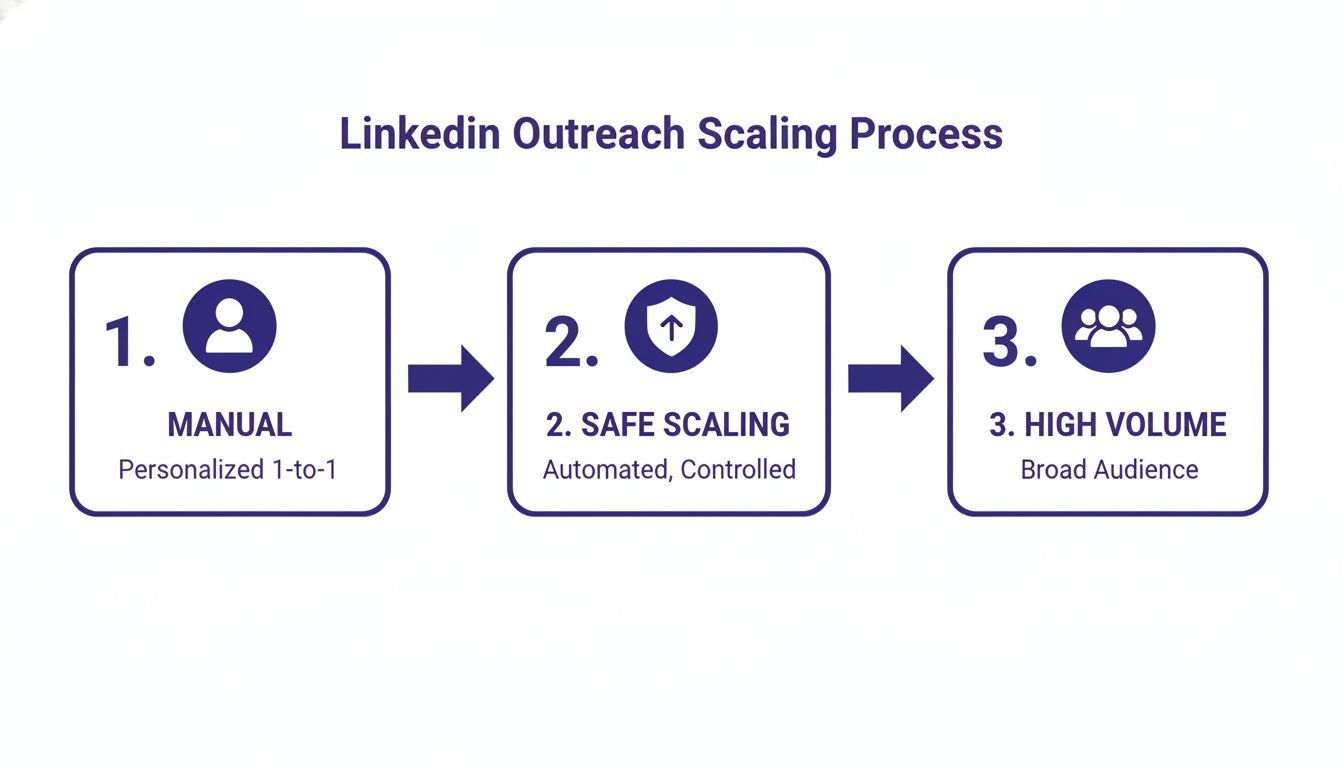
That middle step—safe scaling—is where a trusted, warmed-up account makes all the difference, setting the stage for you to go big without getting shut down.
Verification as an Algorithmic Shortcut
An account that already has a real, active network is far less likely to trigger LinkedIn's security alerts. This means your outreach can run without a hitch, turning your profiles into durable, long-term assets instead of disposable tools you have to keep replacing. The verification badge itself is a powerful visual cue, signaling authenticity to both the platform and the people you want to connect with.
Starting with a verified account is like starting a race halfway to the finish line. You bypass the initial, high-risk "new account" phase and begin with a profile that LinkedIn already views as credible.
This is especially important for teams managing multiple profiles. Each verified account operates as its own trusted entity, shielding your entire operation from the risk of a single account getting flagged and bringing everything to a halt. The whole idea behind Being verified on social media is that the little checkmark builds instant authority.
But "verified" is more than just a badge. It’s about the account's history, the quality of its connections, and its activity patterns. We wrote a complete guide on what a verified LinkedIn account means for trust and outreach that breaks down how all these factors work together. At the end of the day, using these accounts isn't just about growing your numbers; it's about scaling your credibility and making sure every new connection is built on a solid foundation of trust.
Common Questions (and Straight Answers) About Growing Your LinkedIn Network
Even the best-laid plans run into questions. When it comes to growing your LinkedIn connections, I hear the same ones pop up time and time again. Let’s clear the air on some of the most critical points so you can move forward with confidence.
What's the Real Deal with the Weekly Connection Limit?
Yes, the limit is still very much a thing. LinkedIn doesn't broadcast the exact number, but from what we see across thousands of accounts, you can expect a rolling weekly limit of somewhere between 100-200 connection requests for a standard profile.
This isn't an arbitrary rule. It’s LinkedIn’s primary defense against spam. If you're consistently bumping up against that ceiling, you're sending a huge red flag to their algorithm that you might be more of a pest than a professional.
The biggest mistake you can make is treating this limit like a weekly quota. It's not a target to hit; it's a guardrail to keep you safe. Your real goal is to make every invitation count, which means personalization always beats volume.
Over time, if you send thoughtful requests that people actually accept, LinkedIn will see your account as high-quality, which can earn you a little more breathing room.
Why Is Everyone Obsessed with 500+ Connections?
That 500+ marker on a LinkedIn profile is more than just a vanity metric. It’s a powerful signal that immediately changes how people—and the platform’s algorithm—perceive you.
- Instant Credibility: Let's be honest, perception is reality online. When a prospect or recruiter lands on your profile, "500+ connections" tells them you're an established and active member of your professional community. It's immediate social proof.
- Massive Network Expansion: The moment you cross that threshold, your access to 2nd and 3rd-degree connections explodes. This means more people will see your content, and you’ll start showing up in more searches, boosting your visibility across the board.
- The Inside Track on Opportunities: The best opportunities often come through your network, not a job board. A larger, well-curated network exponentially increases your chances of hearing about a project or role before it ever becomes public.
Think of it as graduating from the sidelines to becoming a recognized player on the field. It shows you've put in the work to build your professional circle.
How Many Connection Requests Should I Send Each Day?
Forget about sending a huge blast of requests once a week. Consistency is your best friend here. Sending a ton of invites in one go and then disappearing is exactly the kind of erratic behavior that gets accounts flagged.
A much smarter, safer pace for a standard account is to send 10-15 highly personalized connection requests per day.
At that rate, you're flying well under the radar of the weekly limits and can still add over 200 high-quality connections a month. It forces you to focus on quality, which leads to higher acceptance rates and a healthier account. If you're using automation, the same logic applies—start slow and ramp up gradually to mimic natural human activity.
How Can I Message a New Connection Without Sounding Salesy?
This is where so many people stumble. Just because someone accepted your request doesn't mean you've earned the right to pitch them. That first interaction is purely about building a sliver of rapport.
Your first message after connecting needs to be simple, polite, and have absolutely no "ask."
- The Wrong Way: "Thanks for connecting! I see you’re at [Company Name]. We help companies like yours solve [Problem]. Do you have 15 minutes to chat next week?"
- The Right Way: "Thanks for connecting, [First Name]. I appreciate you adding me to your network. Looking forward to seeing your posts here."
The second example is brilliant because it's pressure-free. It acknowledges the connection and then respectfully backs away. A few days or a week later, you can re-engage by sharing something genuinely useful—an article, a tool, or an insight—and continue building value long before you ever ask for their time.
At BIDVA, we provide the high-trust, ID-verified accounts you need to scale your outreach safely and effectively. Build your growth engine on a solid foundation with accounts that are ready for high-volume campaigns from day one. Explore our verified account options.