
Renting vs Buying LinkedIn Accounts: Costs & Support in 2026

Costs, support and operational considerations in 2026.
The account opened yesterday. Today, the browser session still loads, but a fresh login rejects the password. Another attempt reaches two-factor authentication and fails there. Follow-ups are due, and the team is unsure whether to contact the supplier, reset access, or keep testing.
This is an illustrative operational scenario, not a reported customer case. It exposes the part of renting versus buying that a price comparison misses: who investigates a failure, what assistance is included, and which costs remain with the business.
A lower upfront price is useful only if the team understands the responsibilities that follow. This guide works through an access interruption, then uses it to compare purchase and rental agreements on cost, support, and continuity.
First Identify the Problem
A failed password, rejected authentication code, and explicit restriction notice are different observations. They should not be grouped together as an account ban. Nor does an unsuccessful login establish that someone has taken over the account.
Record the exact message, when it appeared, and whether an existing session still works. Note any authorized changes to credentials, recovery settings, or workspace permissions. These facts help support distinguish an access-management issue from a platform restriction.
LinkedIn's User Agreement prohibits sharing or transferring personal accounts. Neither renting nor buying overrides those rules. Supplier assistance is a commercial service, not approval from LinkedIn or a guarantee of uninterrupted access.
Avoid Making the Incident Harder to Diagnose
Pause dependent work and stop repeated speculative login attempts. Do not clear the only working session simply to test whether the password works. If unauthorized access is suspected, prioritize the official security and recovery process rather than preserving a session at all costs. Never ask a supplier to bypass identity checks.
What Your Team Should Record
| Observation | Useful information | Next responsibility |
|---|---|---|
| Password rejected | Exact error and last successful login | Authorized administrator checks the documented recovery route |
| Authentication code rejected | Method used and whether device time is correct | Authorized holder follows official authentication recovery |
| Restriction notice | Exact notice date and any official case reference | Use the platform review process and notify the supplier |
| Only an existing session works | Session status and recent authorized changes | Coordinate recovery before routine logout or cleanup |
Use a redacted screenshot when it helps explain an error. Exclude passwords, authentication codes, recovery secrets, private conversations, and identity documents. A support request needs evidence of the problem, not unrestricted access to the team's sensitive information.
Why the Handover Matters
An incomplete handover creates uncertainty later. Before payment, establish what is delivered, which recovery contact is involved, who may authorize security changes, and where support requests go. A working first session does not answer those questions.
For example, Outzeach packages rental access with supporting infrastructure and conditional recovery or replacement assistance. The practical benefit of that arrangement is a defined supplier to coordinate with when an eligible problem occurs. It can reduce the setup and troubleshooting work retained by the customer, although coverage still depends on the written terms.
Its step by step handover description is useful for checking what should arrive before operations begin. Apply the same standard to a purchase: request a deliverables list rather than accepting "full access" as a complete specification.
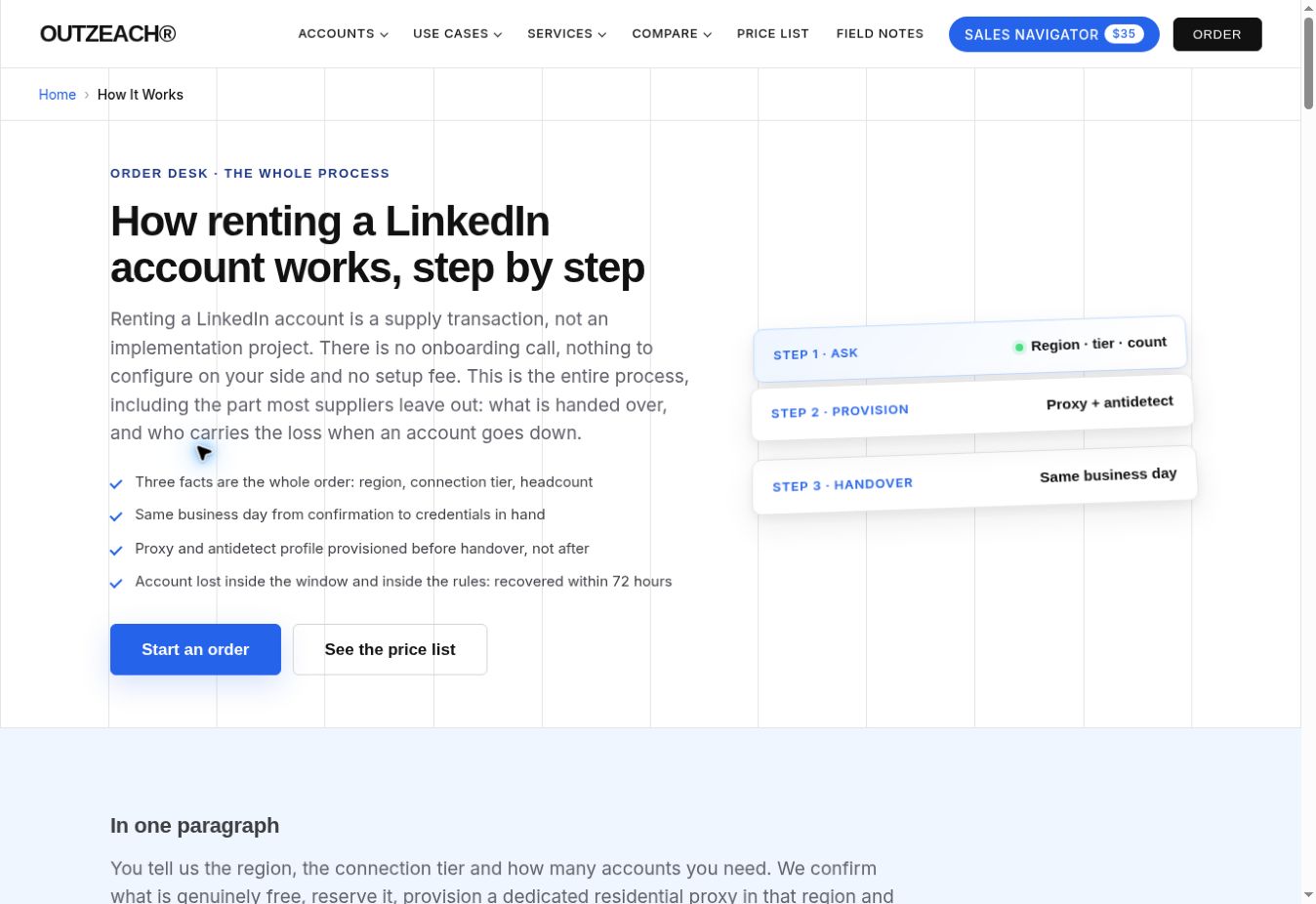
Figure 1. Published handover process captured on 20 October 2026. Check deliverables before relying on access.
Work Through the Same Incident Under Both Models
If the Account Was Purchased
Start with the purchase agreement. A one-time payment does not tell you whether the seller provides a warranty, how long it lasts, or whether access problems qualify. Check the delivery date, reporting deadline, exclusions, and available remedy.
If assistance is included, send the incident record through the agreed channel and ask for the next action. If the warranty has expired or excludes the issue, the team may need to manage official recovery itself or pay separately for eligible assistance. Do not assume that buying always means no support; establish what this seller actually agreed to provide.
If the Account Was Rented
Check whether the subscription includes troubleshooting, recovery attempts, replacement, or only continued access. These are different commitments. Ask which one applies to the observed failure and whether any reporting deadline is running.
A provider may cover restrictions under specific conditions while treating an ordinary password issue differently. Do not turn a restriction guarantee into a promise covering every login problem. Confirm what happens to billing while the issue is investigated and whether the service period changes after an eligible replacement.
What a Useful Support Request Contains
A concise request should state the order reference, delivery date, time of the incident, exact error, status of existing access, and relevant authorized changes. Then ask which remedy applies, what evidence is still needed, and when the next update is due.
For example: "Our existing session opens, but a fresh login rejects the password. We noticed this today and have paused dependent tasks. Please confirm the authorized recovery process and whether assistance is included under our agreement." This is a sample message, not a claim about a real incident.
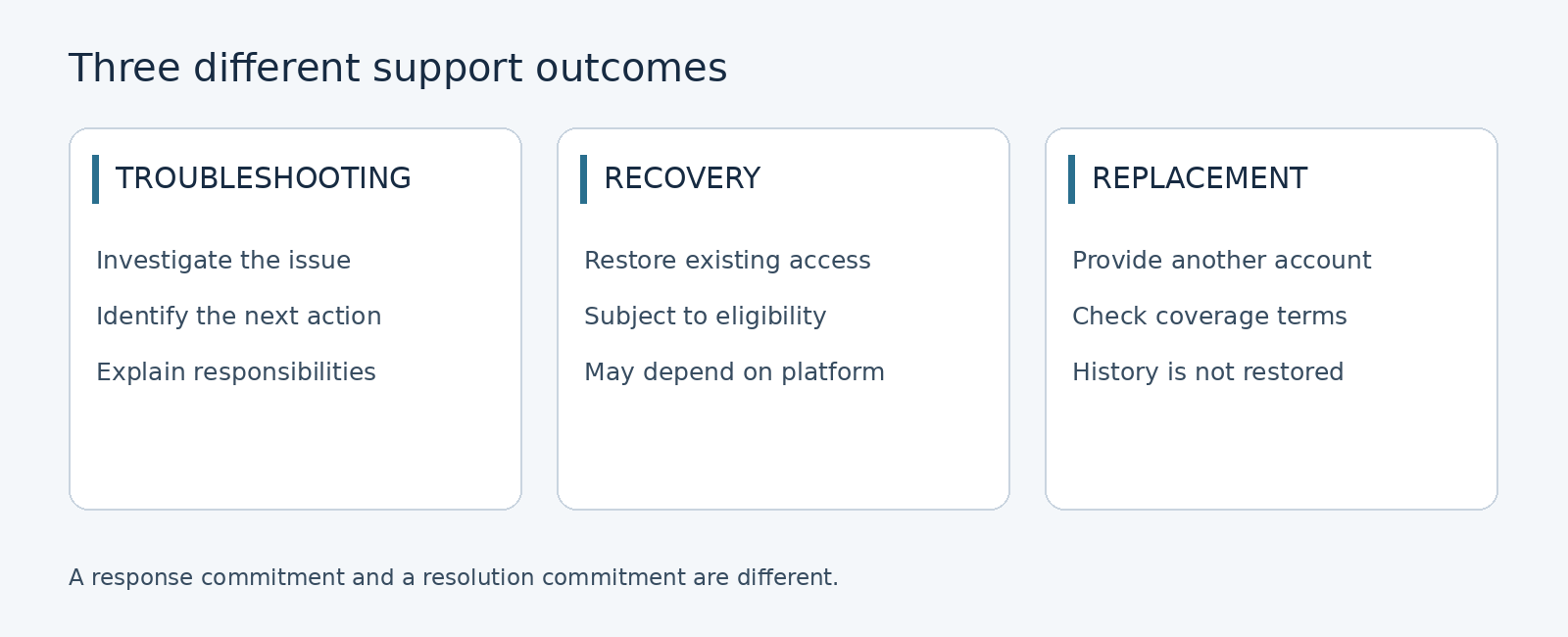
Figure 2. Troubleshooting, recovery, and replacement are separate services. Confirm which remedy applies.
Read the Guarantee Against the Actual Failure
The published recovery and replacement conditions illustrate why eligibility matters. At the time of review, the policy describes a 30-day window from delivery and a replacement timeframe of 72 hours, subject to its conditions. These are supplier commitments for qualifying situations, not a prediction of how long an account will remain accessible.
For the illustrative password problem, first ask whether it falls within that policy or a separate support process. An explicit restriction and a rejected credential are not interchangeable. The incident date, delivery date, and reported actions should guide the assessment.
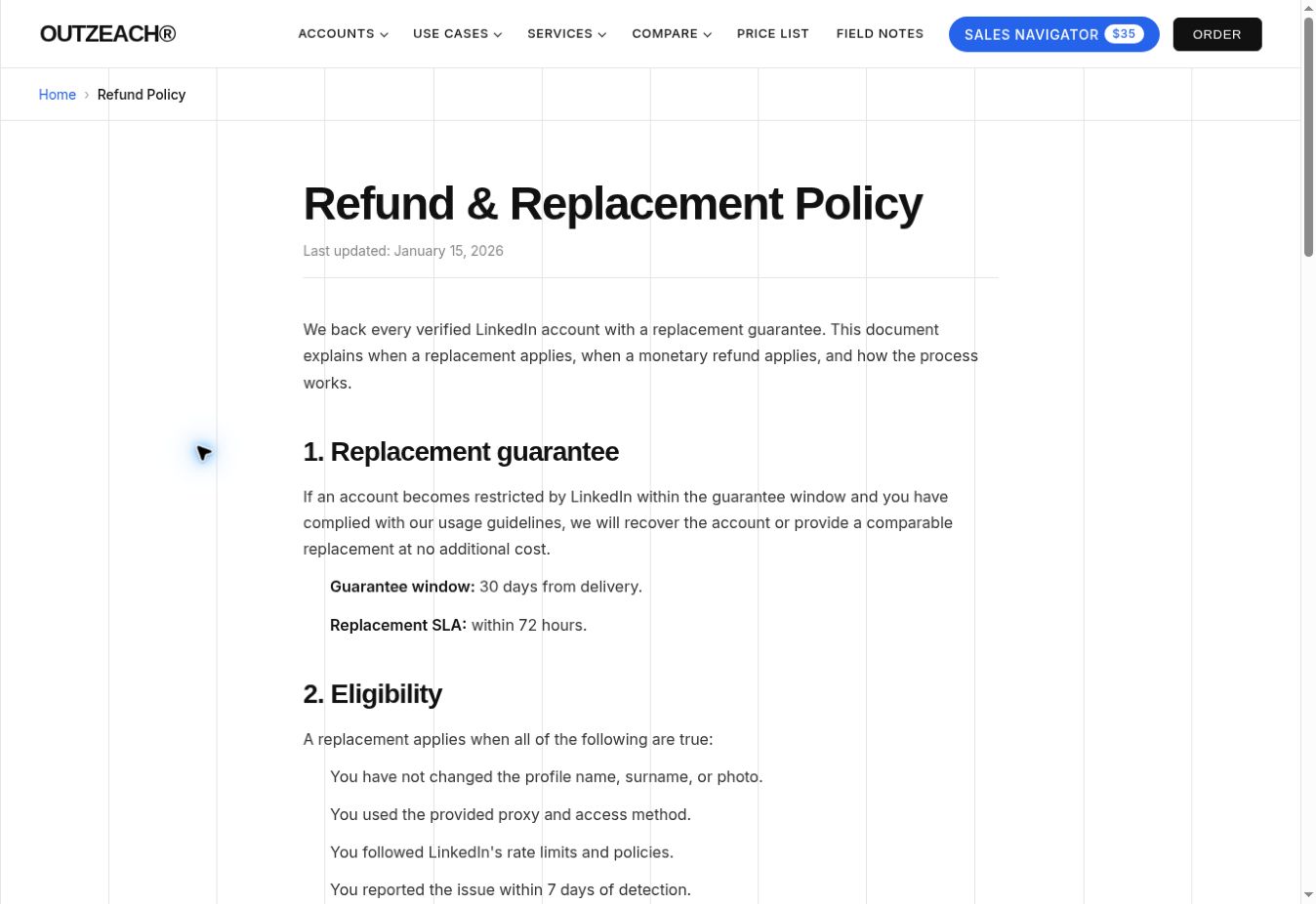
Figure 3. Published policy captured on 20 October 2026. Read eligibility alongside the timeframe; terms may change.
Recovery restores access to the existing account if successful. Replacement provides another account. A replacement does not automatically restore prior conversations, connections, or the context of an active discussion. Even a covered replacement can leave the customer with administrative work.
Calculate the Cost of the Interruption
Instead of inventing a ban rate or an average account lifespan, build the calculation from costs the team can observe. Separate supplier charges, staff time, and delayed work. Do not assume every unavailable day equals a fixed amount of lost revenue.
Incident cost = investigation time + coordination time + restart work + additional direct charges. Value staff time using an internal hourly cost if one is available. Track delayed opportunities separately unless there is evidence of a financial loss.
| Cost to record | Purchased access | Rented access |
|---|---|---|
| Supplier payments | Initial payment plus separately billed services | Recurring fee plus excluded services |
| Investigation work | Internal time and any paid assistance | Internal time remaining after included support |
| Recovery or replacement | Actual warranty terms determine coverage | Actual subscription terms determine coverage |
| Restart work | CRM checks and reassignment where appropriate | The same work may remain after a covered replacement |
Compare Over a Consistent Period
Choose the intended operating period before comparing quotations. For each option, add supplier payments, additional services, internal administration, and uncovered incident expenses over that same period. A purchase price compared with one month of rent is not a total-cost comparison.
Use a provider's published pricing and inclusions to separate recurring access from optional services. Verify the current quotation before approving a budget; screenshots and articles describe a point in time, not a permanent price commitment.
A break-even calculation can help when the services are comparable. Divide the upfront purchase cost by the monthly rental cost minus the monthly cost of maintaining the purchased option, provided that difference is positive. Treat the result as conditional on continued access and the assumptions used.
Prevent One Access Problem From Becoming a Workflow Problem
The illustrative incident becomes harder when the team cannot identify the next follow-up without opening the account. Keep appropriate operational records in a secured CRM: contact ownership, agreed next steps, and relevant dates. Collect and retain information only where permissions and data-handling requirements allow it.
Assign one incident owner to coordinate support and record updates. Separate access administration from routine campaign work. Review workspace permissions when staff or contractors leave, and use an appropriate credential manager instead of unsecured spreadsheets.
Before restarting, verify that the access issue is resolved, the responsible administrator has approved the next step, and paused tasks will not duplicate completed work. A replacement should trigger a review of affected conversations, not an assumption that communication can resume unchanged.
Choose Based on Work Your Team Can Actually Handle
Buying may make commercial sense when the expected period is long, the warranty is clear, and the business can handle ongoing administration. Renting may suit a temporary requirement or a team that benefits from included setup and a defined support relationship. Neither conclusion follows from the billing label alone.
A rental with narrow coverage can leave substantial work with the customer. A purchase with a useful warranty can provide meaningful assistance. Also assess employees using their own authentic profiles with official business subscriptions before committing to transferred personal-account access.
Before Payment Confirm These Points
- The complete cost over your intended period.
- Exactly what arrives at handover and who manages recovery.
- Which failures qualify for assistance and how quickly to report them.
- Whether a timeframe covers a response, recovery, or replacement.
- What happens to billing, access, and retained records when the arrangement ends.
Frequently Asked Questions
Is Renting Cheaper Than Buying
It depends on duration, included services, internal work, and uncovered incidents. Compare equivalent service scope over the same period rather than relying on the first payment.
Does a Failed Login Mean the Account Is Banned
No. A rejected password, failed authentication challenge, and explicit restriction notice are different observations. Record the exact message before deciding which recovery or support process applies.
Does a Rental Guarantee Cover Every Access Problem
Not necessarily. Read the covered events, eligibility window, exclusions, and reporting deadline. Ask the provider how the observed incident is classified rather than assuming it qualifies.
Will Replacement Restore the Original Conversations
Not automatically. Replacement provides another account; recovery concerns the original one. Maintain appropriate business records independently and clarify the limits of any continuity assistance.
Can Either Model Guarantee No Restrictions
No. Supplier terms cannot control LinkedIn's decisions or override its prohibition on sharing or transferring personal accounts. Evaluate support as a defined service rather than a promise that nothing will fail.




 (1).webp)