A Guide to Safely Using LinkedIn Two Profiles

Let's get straight to it. Plenty of top-tier sales teams and recruiters are running LinkedIn two profiles (or more) to scale their outreach. It’s a common secret, done to get around network limits and, crucially, to shield a main account from getting restricted.
The High-Stakes Game of Multiple LinkedIn Profiles
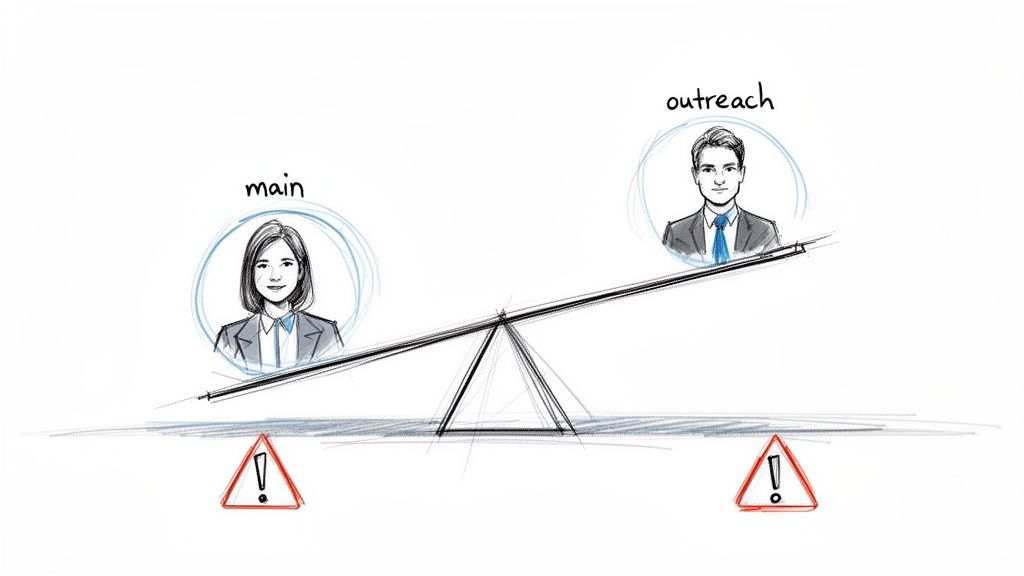
Running more than one LinkedIn account isn't about being shady. It’s a strategic play to expand your reach without putting your most valuable digital asset—your primary profile—on the line. For any B2B sales rep (SDR) or lead gen agency, the connection and messaging caps on a single profile are a serious growth bottleneck.
Think of your main profile as your digital headquarters. It’s where your reputation lives, filled with years of endorsements, testimonials, and high-value connections. Using that account for aggressive, high-volume outreach is like throwing a wild party in your CEO's office. It’s messy, risky, and invites the kind of attention that leads to account restrictions. You can get the full rundown on what triggers these problems in our guide on how to avoid LinkedIn bans.
Risks Versus Rewards
The upside is obvious: more outreach, more leads, and a safe main profile. The downside? If you do it wrong, the risks are just as big. LinkedIn’s algorithm is smarter than ever at sniffing out and shutting down what it perceives as duplicate or spam accounts. This is where most people trip up.
The classic mistake we see all the time is firing up a brand-new profile and immediately blasting out connection requests. A fresh account with zero history, a handful of connections, and a sudden burst of activity is the reddest of red flags for LinkedIn.
That kind of behavior is a speed run to getting your account restricted or banned. To play this game and win, you have to understand that every profile has an invisible "trust score." LinkedIn is constantly evaluating accounts based on signals like:
- Account Age: Older is always better. New accounts are on probation from day one.
- Verification Status: An ID-verified profile tells LinkedIn you're a real person.
- Network Quality: A solid, established network of real people is a huge trust signal.
- Activity History: A track record of normal, human-like engagement matters.
The New Reality of Professional Networking
The need for these strategies didn't pop up overnight. It grew right alongside LinkedIn. The platform started small in 2003, hit 150 million users by 2012, and then exploded to over 1.15 billion members by 2025. It's the undisputed B2B playground, and that massive scale is precisely why sales teams need creative ways to work within it without getting locked out.
This is why simply buying aged, ID-verified accounts is the smarter path. These profiles come pre-loaded with an established history and an existing network, giving them a high trust score right out of the gate. It lets you skip the entire "new account" danger zone and start your warm-up from a position of strength, which is the key to scaling outreach effectively while staying under the radar.
Building Your Profile's Foundation of Trust
Let's get one thing straight: just spinning up a second LinkedIn account is a surefire way to get it shut down. If you want to run multiple profiles safely, each one needs to look and feel like a real, active professional from the moment it goes live. This isn't about tricking the algorithm—it's about building a genuine asset that can do its job without raising red flags.
Think of it like building a house. You can't skip the foundation. For a LinkedIn profile, that foundation is built on a few key elements that signal authenticity.
The Anatomy of an Authentic Profile
Your first impression is the profile picture. It’s the digital handshake, and an empty silhouette or a generic stock photo is an immediate dealbreaker. You need a clean, professional headshot. For teams creating unique personas from scratch, using a service to create AI generated headshots for LinkedIn has become a surprisingly effective way to get a polished look without using a real person's photo.
Next, the 'About' section and work history have to tell a believable story. A vague job title or a spotty career history just looks suspicious. The details need to line up with the persona you're building, whether that's a sales rep, a C-level executive, or an industry-specific consultant.
I've seen it time and again: profiles with a compelling narrative in the 'About' section and specific, results-focused details in their job history always perform better. They don't just look more real to LinkedIn; they connect better with the people you’re trying to reach.
Why Aged and Pre-Verified Accounts Are a Game-Changer
This is where the pros separate themselves from the amateurs. Starting a profile from zero is a slow grind, and new accounts are watched like a hawk. Their daily connection and messaging limits are painfully low. That's why smart teams don’t start from scratch—they acquire pre-verified, aged accounts that already have a network.
An aged account with 200-500+ connections already has a degree of trust baked in. It tells LinkedIn that this profile is an established member of the community, not some bot that popped up yesterday. This immediately gives you higher daily limits and better deliverability for your messages.
Optimizing these profiles properly is where you see massive returns. We know a complete profile can get up to 21 times more views and 36 times more messages. The numbers don't lie. Even just adding a photo makes your profile 7 times more likely to be found. Fill out at least two past positions, and that number jumps to 12 times more likely to be discovered. If you're interested in the data behind this, you can explore the full findings on LinkedIn profile optimization.
To give you a clearer picture, here’s a quick checklist of what separates a risky new profile from a well-optimized, trustworthy one.
Profile Optimization Checklist for High Trust Scores
| Feature | Low-Trust Profile (High Risk) | High-Trust Profile (Low Risk) |
|---|---|---|
| Profile Picture | No photo, generic image, or low-quality selfie | Professional, clear headshot (human or high-quality AI) |
| Headline | Generic title (e.g., "Sales") or blank | Specific, keyword-rich title (e.g., "SDR |
| Work Experience | Sparse, vague, or contains gaps | Detailed roles with results-oriented bullet points |
| Connections | Fewer than 50, mostly unvetted | 200-500+ relevant connections |
| 'About' Section | Empty or filled with generic buzzwords | A compelling personal narrative aligned with the persona |
| Skills & Endorsements | Few skills, no endorsements | 15+ relevant skills with a handful of endorsements |
| Activity | No posts, likes, or comments | Regular, natural engagement with content and network |
This table shows the clear difference. Your goal is to make every profile you manage fit into that "High-Trust" column from day one.
Customizing the Profile for Your Persona
Once you have your aged account, the final step is tailoring it to your specific outreach persona without erasing its history. You're not starting over; you're just renovating.
Let’s say you’re setting up a profile for an SDR targeting the FinTech industry. You would:
- Rewrite the headline: Change it to something like "Business Development | Helping FinTechs Acquire Enterprise Clients."
- Update the 'About' section: Craft a story about a professional passionate about financial technology and solving client problems.
- Add relevant skills: Include terms like "Lead Generation," "CRM," "Financial Services," and "Sales Prospecting."
- Adjust work experience: Tweak past job descriptions to show a logical career path within or adjacent to the FinTech space.
This level of detail makes the profile credible not only to LinkedIn's algorithms but, more importantly, to the prospects you're engaging with. You've now turned a simple account into a specialized tool for your growth machine.
Mastering the Technical Setup to Avoid Bans
You've built your high-trust profiles. Now for the part that trips everyone up: the technical setup. Getting this wrong is the fastest way to get all your accounts banned in one fell swoop.
I can't stress this enough. Running multiple LinkedIn profiles from the same computer and internet connection is a fatal mistake. It’s like having two spies use the same getaway car—it makes them incredibly easy to catch. LinkedIn's detection algorithms are built to spot these patterns. When they see multiple accounts logging in from the same IP address or sharing browser data, they link them.
If one account gets flagged, the whole cluster goes down with it. Technical separation isn't optional; it's the foundation of any multi-account strategy.
Creating Unique Digital Fingerprints
Every time you go online, your browser leaves behind a unique "digital fingerprint." This isn't just your IP address. It includes your operating system, browser version, screen resolution, time zone, and even the fonts installed on your computer. To LinkedIn, each unique fingerprint looks like a different person.
Your entire goal is to give each of your LinkedIn profiles its own, completely separate digital fingerprint. This makes every account appear as though it's being run by a different person, on a different device, in a totally different location.
We achieve this with two essential tools:
- Dedicated Proxies: A proxy is a middleman that gives each profile a unique IP address. This is non-negotiable for making your accounts appear geographically separate.
- Specialized Browsers: Tools like GoLogin or Multilogin create isolated browser environments. Each one has its own cookies, cache, and fingerprint, effectively building a digital wall between your profiles.
When you combine these two, you prevent any data from "leaking" between your accounts. We cover the nuts and bolts of this in our guide on managing multiple LinkedIn accounts from one device.
Choosing Your Proxies and Configuring Browsers
Don't cheap out on proxies. I’ve seen it end in disaster too many times. You absolutely must prioritize quality and stability here.
I always recommend using dedicated residential or mobile proxies. These are real IP addresses from actual Internet Service Providers (ISPs), so they look completely legitimate. Cheap datacenter proxies, on the other hand, come from servers and are easily flagged by LinkedIn. A residential proxy makes your activity look like it's coming from someone's home—exactly the signal you want to send.
Once you have your proxies, the setup is a simple one-to-one match. One LinkedIn profile gets one browser profile inside GoLogin, which gets one dedicated proxy. That’s the golden rule.
Pro Tip: Always match the proxy's location to your profile's persona. If you're running a profile for a sales rep based in New York, use a proxy from the New York area. This kind of consistency is what builds a believable, trustworthy digital identity.
Setting this up in a specialized browser is surprisingly simple. You just create a new profile, plug in your proxy details (the address, port, and login info), and the browser handles the rest. It automatically spoofs the other fingerprint details, like your user agent and screen resolution, to make it distinct.
Think of it like this: your strong profile is the person, and the technical setup is the disguise that lets them operate safely.
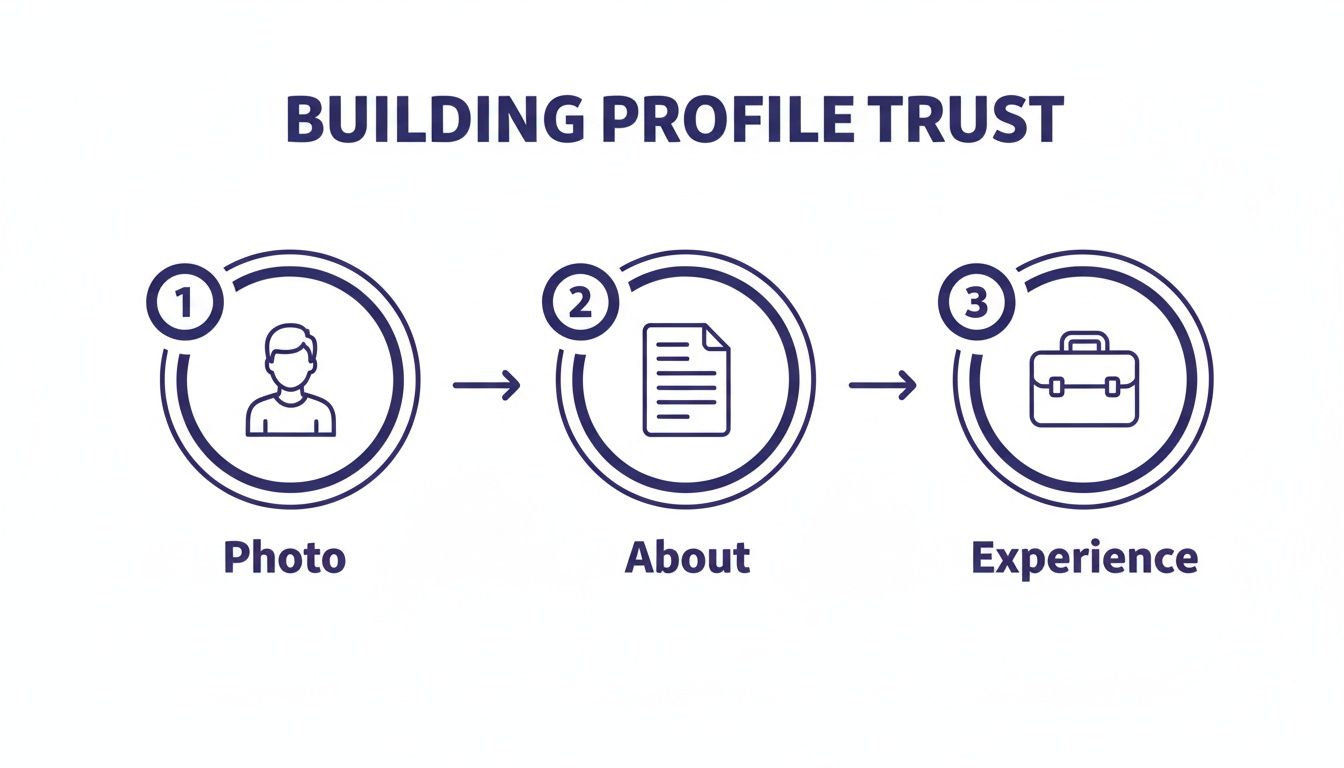
As you can see, a solid technical foundation is what allows your well-built profile—with its professional photo and detailed experience—to function without getting shut down.
Practical Rules for Daily Operation
Once you’re up and running, discipline is everything. These are the non-negotiable rules I follow to keep accounts safe:
- One Account, One Environment: Only log into a LinkedIn account from its assigned browser profile and proxy. Never, ever access Profile A from Profile B’s environment.
- Stay Consistent: Don't hop between proxies. If a profile is established with a Chicago IP, stick with a Chicago proxy. Jumping from Chicago to L.A. to Miami in a day is a massive red flag.
- No Tab Hopping: Never open two different LinkedIn profiles in separate tabs of the same browser window. Even in a tool like GoLogin, each account must live exclusively in its own dedicated session.
Following these technical rules creates a firewalled system. If one account ever gets a restriction—maybe you pushed the connection requests too hard one day—the damage is contained. From LinkedIn's point of view, your other profiles are completely unrelated, so they remain safe. That's the real power of a bulletproof technical setup.
Warming Up Your New Profiles Is an Art, Not a Race
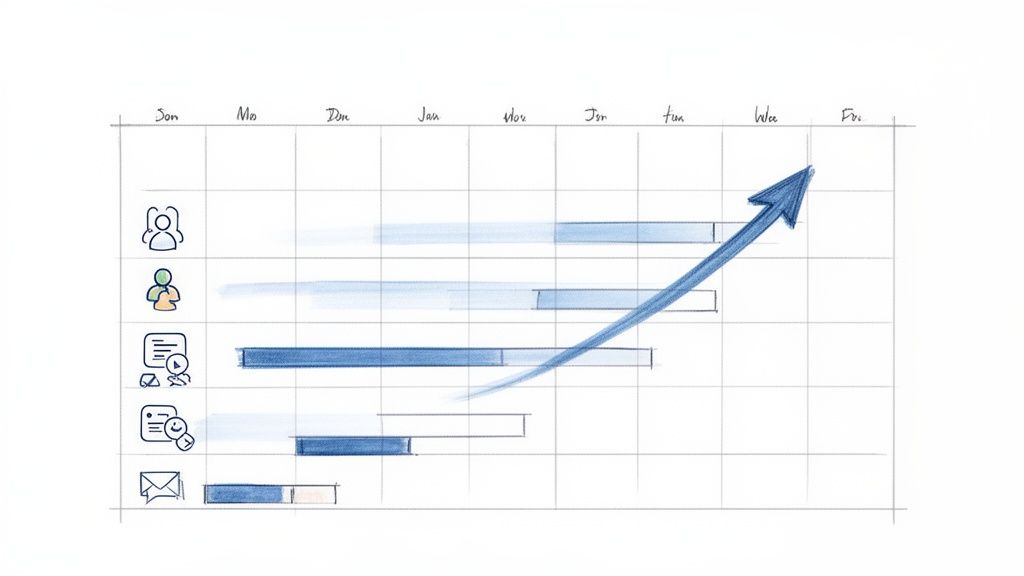
You’ve done the hard work of setting up technically separate, clean profiles. The temptation to immediately launch a full-scale outreach campaign is immense. Don't do it. This is the single biggest rookie mistake I see, and it gets even the most meticulously prepared accounts shut down before they even get started.
You can't just flip a switch on day one. A new profile, even an aged one you’ve acquired, needs to be "warmed up." This means gradually building its activity to look natural and earn trust with LinkedIn's algorithm.
Think of it like bringing a new salesperson onto your team. You wouldn't hand them your top client list on their first day. You'd start them with smaller tasks, see how they handle them, and slowly give them more responsibility. Your new LinkedIn profile needs that same careful onboarding.
Why You Can't Skip the Warm-Up
The whole point of warming up is to mimic how a real person naturally becomes more active on the platform. It’s a delicate dance of passive browsing and active engagement that shows the algorithm your account is legitimate. A sudden barrage of 100 connection requests from a profile that was previously dead silent is the most obvious red flag for automation, and it’s a direct flight to restriction-ville.
A proper warm-up, which I’ve found takes about 2-4 weeks, is your insurance policy. It establishes a credible history of human-like activity before you even think about scaling up. For any team running multiple accounts, this phase isn't just a suggestion—it’s absolutely critical for the long-term viability of your operation.
A Field-Tested, Week-by-Week Warm-Up Plan
I've used this exact approach to successfully warm up hundreds of accounts. The secret is to start slow and layer activities on top of each other, just like a real user would.
Week 1: Laying the Foundation with Passive Activity
Your first week is all about looking human. The goal is to be present on the platform without being aggressive.
- First few days (1-3): Start by just looking around. View 10-15 profiles of people in your target industry. Find and join 2-3 relevant groups. Scroll your feed and like a few posts that catch your eye.
- Mid-week (4-5): Now, start reaching out—gently. Send just 5-7 connection requests per day. Focus on 2nd-degree connections or people from the groups you just joined to maximize your acceptance rate.
- End of the week (6-7): Circle back and engage with your new network. Endorse a few skills for your new connections and view another 15-20 profiles.
Week 2: Ramping Up to Active Engagement
With a week of activity under your belt, you can start to increase the volume and introduce more direct contact.
- Beginning of the week (8-10): Increase your profile views to 25-30 per day. Bump your connection requests up to 10-12 daily, and this time, add a short, personalized note to each one.
- Mid-week (11-12): Expand your footprint. Follow 5-10 relevant company pages or key influencers in your space. Find 1-2 posts and leave a thoughtful comment.
- End of the week (13-14): Push the connection requests a bit further, to around 15 per day. You can also start sending a few "Thanks for connecting!" messages to people who have accepted your requests.
By the end of this second week, you’ve done something crucial. You’ve created a pattern of varied, natural activity. To the algorithm, you're no longer a suspicious new account; you're an active member of the community. This is the solid foundation you'll build your scaled campaigns on.
Introducing Automation and Setting Daily Limits
After two solid weeks of manual warming, you can begin to integrate automation tools like Expandi, Waalaxy, or LinkedHelper. But once again, you can't just crank the dial to 100. Start your tool with conservative limits and increase them slowly over the next two weeks.
Here are the limits I use as a guide:
| Account Status | Daily Profile Views | Daily Connection Requests | Daily Messages |
|---|---|---|---|
| New/Cold Account | 10-25 | 5-10 | 0-5 |
| Warmed-Up (2-4 weeks) | 50-80 | 20-25 | 25-40 |
| Fully Mature (4+ weeks) | 100-150 | 30-50 | 50-80 |
Remember, these are upper limits, not daily targets. The key to staying under the radar is to mix your automated tasks with genuine, manual activity. If your tool sends 20 connection requests, make sure you still log in yourself to like a few posts or comment in a group. This blend of automated efficiency and a real human touch is what makes this strategy sustainable.
Always keep an eye on your account's health, especially your connection acceptance rate. If that rate consistently dips below 20-25%, it's a negative signal. Pause your campaigns immediately, refine your targeting, and rewrite your outreach messages. The goal isn't just to send a high volume of requests; it's to achieve effective, safe, and long-lasting growth.
Bringing in Automation and Managing Your Team
Manually juggling a couple of LinkedIn profiles is manageable. But if you're building a real outreach engine, that hands-on approach just won't scale. Once your accounts are properly warmed up and look like genuine, active profiles, it’s time to shift gears from manual work to intelligent automation. This is where you connect your accounts to a platform and build a system that generates leads while you focus on bigger things.
The key here is to think strategy, not just volume. I've seen it a hundred times: someone gets excited and immediately cranks up their daily invites to the max. That’s a classic mistake and the fastest way to burn through a perfectly good account. A smarter approach focuses on building hyper-targeted campaigns that deliver personalized messages to the right people. You'll keep your accounts safer and get far better responses.
LinkedIn is a goldmine for this. As of early 2025, the platform was 56.9% male and 43.1% female, with nearly half of all users in the prime 25-34 age bracket. The US leads the pack with over 250 million users, creating an incredibly dense environment to run a multi-account strategy. You can dive deeper into LinkedIn's powerful demographics to really sharpen your targeting.
How to Set Realistic Daily Limits
Before you even think about launching a campaign, you need to set your daily limits. These numbers are your most important defense against getting your account flagged or restricted. For a mature, well-warmed-up account, you can often get away with 30-50 connection requests and 50-80 messages per day. But you should never start there.
Always begin with much lower numbers and watch your account's health like a hawk. The most critical metric is your connection acceptance rate. If you can keep this above 25%, you're sending a strong signal to LinkedIn that people want to connect with you. If that rate starts to dip, it's a clear warning sign to pause everything and rethink your targeting or messaging.
Don't make the common mistake of applying the same aggressive limits to all your profiles. That's a huge red flag. Instead, give each account slightly different daily caps and randomize the times your campaigns run. This makes your profiles look like a group of individuals, not a robotic army.
If you want to get a better handle on saving time, it's worth reading up on gaining hours with social media automation. It helps you put the focus back on strategy instead of getting lost in the weeds.
Personalizing Your Outreach When You Automate
Automation doesn't mean your messages have to sound like they came from a machine. The best tools today are fantastic at using custom variables to make every message feel unique. You have to go way beyond just plugging in {FirstName}.
Here are a few fields I always use to make outreach feel more personal:
{Company}: Simply mentioning where they work shows you did at least a little homework.{JobTitle}: Acknowledging their role makes your message instantly more relevant to them.{Industry}: This shows you understand their professional context and the world they operate in.- Custom Variables: This is where you can really shine. Create your own fields for things like a shared interest, a recent company announcement, or a university you both attended.
For instance, you could structure a message like this: "Hi {FirstName}, I saw you’re a {JobTitle} over at {Company}. I was really impressed by what your team is doing in the {Industry} space and had a quick question." It’s a simple formula, but it’s infinitely more powerful than a generic sales pitch and is a key part of building a safe and effective LinkedIn automation workflow.
Managing Team Access and Handoffs
When you have a team managing these profiles, you need clear, simple rules to avoid chaos and keep the accounts secure. The last thing you want is two people accidentally logging into the same profile from different countries at the same time—that’s an instant red flag for LinkedIn.
Create a clear "ownership" system. A simple spreadsheet is perfect for this. Just list out which team member is responsible for each profile and note its dedicated proxy and browser profile. This prevents any overlap and makes it clear who is in charge of what.
When you need to hand an account off—say, from the team member who warmed it up to the sales rep who will now run campaigns—follow a strict protocol. The new user must access the account using the exact same dedicated browser profile and proxy. This maintains that consistent digital fingerprint you worked so hard to establish, protecting the account and ensuring it remains a valuable, long-term asset.
Frequently Asked Questions About Running Multiple LinkedIn Profiles
When you start talking about running more than one LinkedIn profile, the same questions always come up. People naturally get nervous about the rules, the risks, and all the "what-ifs." I've guided dozens of teams through this process, and this section tackles the most common hurdles and concerns I hear, with answers pulled directly from that real-world experience.
These aren't just theoretical answers. They're based on what works—and what doesn't—when you're managing a whole fleet of outreach accounts. My goal is to give you the clarity and confidence to move forward.
Is It Illegal to Have Two LinkedIn Profiles?
This is always the first question, and for good reason. Let's be crystal clear: having two LinkedIn profiles isn't illegal. You won't face any legal trouble for it.
However, it's a direct violation of LinkedIn's User Agreement, which strictly says one person, one account. If LinkedIn connects multiple accounts to you, they can and will ban them all. This is precisely why the technical separation we covered earlier is non-negotiable. Using dedicated proxies and isolated browser profiles makes it practically impossible for LinkedIn to link the accounts. When done right, each profile looks like a totally separate person on a different device, effectively walling off the risk.
Can I Use the Same Name and Photo on Both Profiles?
Absolutely not. Using the same name, photo, or even a slightly tweaked version is the single fastest way to get both profiles flagged and shut down. LinkedIn's algorithms are incredibly good at spotting duplicate identities, and this is the lowest-hanging fruit for them.
Think about it—the entire strategy is based on creating distinct, believable personas. Each profile needs its own unique name, a different professional headshot, and a separate, credible work history. You're not cloning yourself; you're building a new, authentic character to serve a specific business goal.
The point isn't just to fool an algorithm; it's to build a credible presence that real people will trust. Imagine a prospect seeing two profiles for "John Smith" with the same picture. It's instantly confusing and kills any credibility you might have had. Each persona has to stand on its own.
What Happens If One of My Profiles Gets Restricted?
This is where all that careful setup pays off. If you've done the work to give each account its own unique digital fingerprint—its own dedicated proxy, its own browser profile—then a restriction on one account won't spill over to the others.
This compartmentalization is the whole point. From LinkedIn’s perspective, the restricted account has zero connection to your other profiles. They just see separate users on separate devices in different locations.
When a profile does get hit with a restriction, you have two options:
- Try to Appeal: You can go through LinkedIn's official appeal process. This can work for minor flags, but it's often slow and the outcome is never guaranteed.
- Decommission and Replace: Honestly, this is usually the more efficient route. Simply retire the restricted account and spin up a new, pre-warmed profile to take its place. This keeps your outreach campaigns running with minimal downtime.
How Do I Get Enough Connections on a New Profile?
Starting a brand-new profile from scratch is a massive uphill battle. An account with zero connections that suddenly starts firing off outreach requests is a huge red flag for LinkedIn. It has no "trust score," making it far more likely to get flagged for spammy behavior.
This is exactly why experienced teams almost never start from zero. Instead, they buy aged, ID-verified accounts that already come with an established network, typically in the 200-500+ connection range.
That built-in network acts as an immediate signal of trust and legitimacy. It tells LinkedIn that this account is an established member of the community, not a spam bot created yesterday. This lets you ramp up your outreach much faster, with higher daily limits and a dramatically lower risk of getting shut down. You essentially get to skip the most dangerous and time-consuming part of an account's lifecycle.
Ready to scale your outreach without putting your main account at risk? BIDVA provides real, ID-verified, and pre-warmed LinkedIn accounts that are ready for safe, high-volume campaigns from day one. Get your durable outreach assets and start growing faster by visiting BIDVA.